Change My Folder Icon
The Story
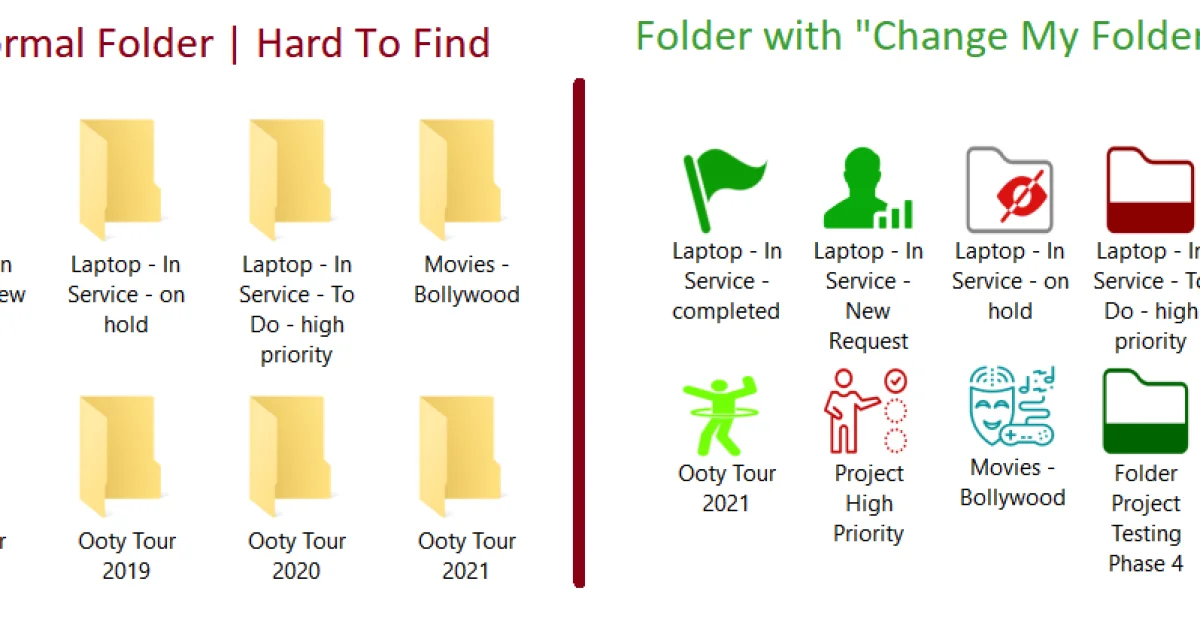
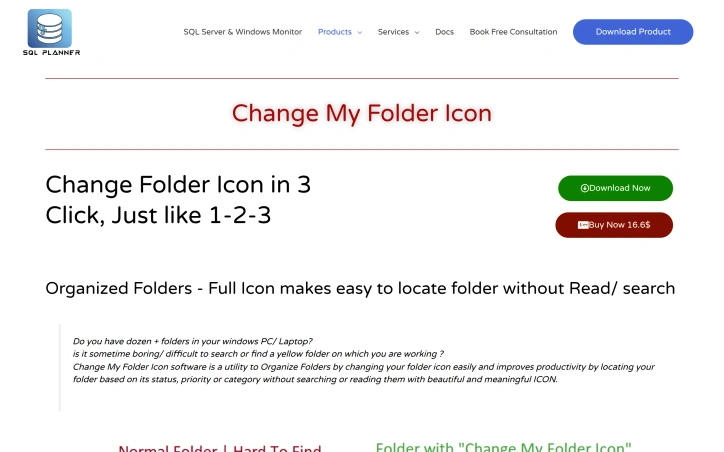
I built Change My Folder Icon to solve the frustration of managing dozens of folders on Windows. By allowing users to change folder icons based on status, priority, or category with just a few clicks, it turns confusing yellow folders into organized, visually distinct directories. This simple utility dramatically improves productivity and file organization.
AI Overview
AI-generatedLocating files on a crowded desktop can feel like searching through a sea of identical yellow folders. Change My Folder Icon addresses this friction by offering Windows users a straightforward way to visually differentiate their directory structure through customizable folder icons, transforming file organization from a tedious hunt into an intuitive, visual system.
The product targets Windows users managing dozens or hundreds of folders—anyone who has wasted time scrolling through similarly named directories or struggling to spot the right folder among dozens of identical icons. The installation process is straightforward: download the software, run the installer, and then right-click any folder to access the icon customization option. The interface lives within the Windows context menu, making it integrated into the native file management workflow rather than requiring a separate application window.
What sets this offering apart is its expansive icon library, which includes over 80 distinct options organized by practical use cases. The categorization speaks directly to real work patterns: users can mark folders by project progress, priority levels, or workflow status. Beyond work-specific needs, the library includes alphabetic options for sorting, month indicators for time-based organization, and general-purpose categories covering entertainment, gaming, music, and video content. This breadth suggests the developer anticipated diverse user needs rather than just bundling generic graphics.
The technical requirements are minimal—Windows 7 through 11 compatibility with .NET Framework 4.5 or higher—making it accessible to users on older systems without demanding modern hardware or dependencies. This broad compatibility is practical for enterprise environments where OS upgrades happen incrementally.
The pricing model is transparent and straightforward. At $16.60 for a perpetual license, the product positions itself as a low-cost productivity enhancement rather than a subscription service. There's no indication of tiered features or premium variants, suggesting a simple, one-time purchase model.
One limitation evident from the available documentation is that the feature set appears narrowly focused on icon replacement alone. There's no mention of batch operations, integration with file tagging systems, or automation features that might appeal to power users managing massive folder structures. Support quality and feature depth remain unclear from the available materials.
For users seeking a lightweight, uncomplicated solution to folder identification, Change My Folder Icon delivers on that specific promise without unnecessary complexity.
Key Features
Context Menu Integration
Right-click any folder to customize its icon directly within Windows File Explorer without opening a separate application
80+ Icon Library
Over 80 distinct customizable icons organized by practical use cases including project status, priority levels, and content types
Broad Windows Compatibility
Supports Windows 7 through 11 with minimal requirements of only .NET Framework 4.5 or higher
Visual Organization System
Icons categorized by workflow status, alphabetic sorting, monthly indicators, and content categories like entertainment, gaming, music, and video
Lightweight Solution
Minimal technical requirements make it accessible to users on older systems and enterprise environments with incremental OS upgrade cycles
Use Cases
-
1
Windows users managing dozens of folders
Quickly identify specific folders through visual differentiation instead of scrolling through identical yellow folder icons
-
2
Enterprise IT environments
Low hardware requirements and broad OS compatibility support legacy systems where comprehensive OS upgrades happen gradually
-
3
Project-based workers
Use icon categorization for project progress, priority levels, and workflow status to visually track project folder organization
-
4
Content organizers
Apply alphabetic, monthly, and content-type icons to organize folders by category, timeline, and media purpose
FAQ
How do I change a folder icon in Windows? ▾
What Windows versions does this work with? ▾
Is there a monthly subscription? ▾
Can I organize icons by folder type? ▾
Pricing
One-time perpetual license at $16.60 with no subscription or tiered variants
Tech Stack & Tags
Discussion
No comments yet — be the first!
Join the conversation — sign up to comment.
Sign up freeCommunity Support
Boost this project on Sell With boost