GetImageToPrompt
- No match
Machine translation — the English original is authoritative.
The Story
We kept running into the same problem: we had great reference images, but turning them into high-quality prompts for tools like Midjourney and Flux was slow and frustrating.
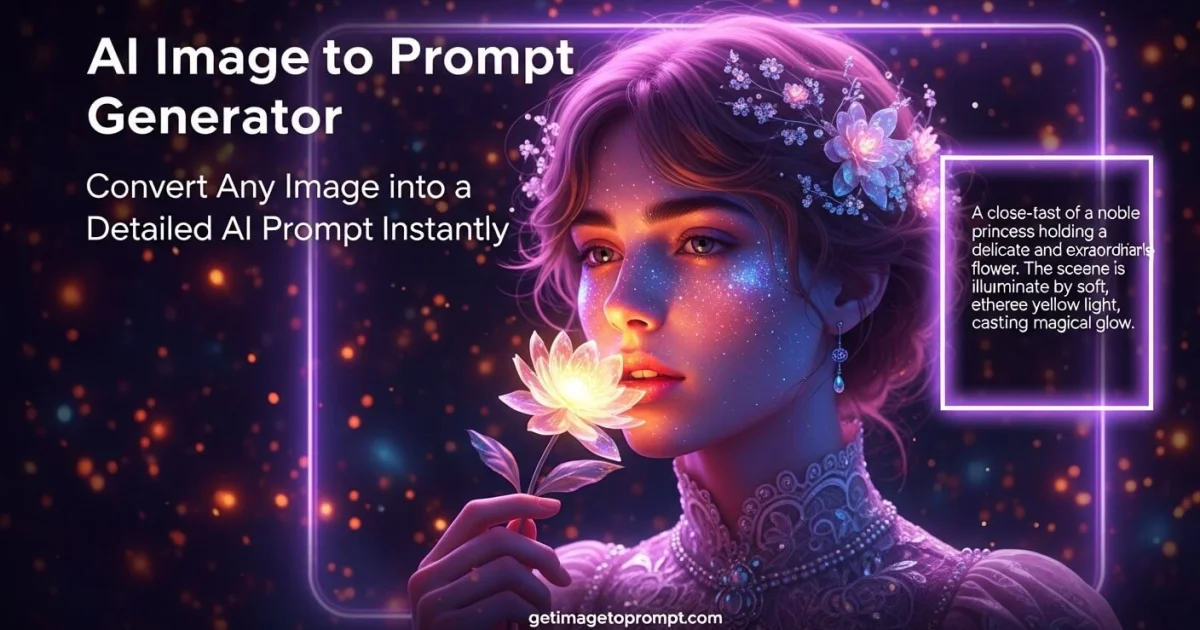
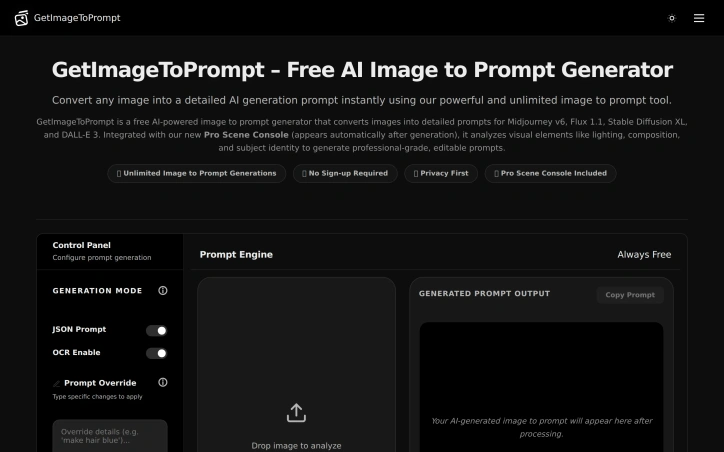
So we built GetImageToPrompt — a simple tool that instantly converts any image into structured, ready-to-use prompts across all major AI generators.
Now creators can skip the guesswork and focus on creating, not prompting.
AI Overview
AI-generatedReverse image-to-prompt conversion is becoming a critical workflow for AI artists, and GetImageToPrompt addresses this directly. The tool analyzes uploaded images and generates detailed text prompts optimized for popular generative AI models like Midjourney, Flux, DALL-E 3, and Stable Diffusion. For creators working across multiple AI platforms, this eliminates the friction of manually describing visual references or reverse-engineering prompts from images.
The product targets four distinct user segments. AI artists and character designers use it to create reusable, consistent prompts across different models. Visual designers convert reference images into structured prompts for creative workflows. Marketing teams extract visual descriptions for campaigns and social media. Developers and researchers leverage the tool's JSON output for programmatic access and analysis.
What sets GetImageToPrompt apart is its privacy-first positioning. Images are processed in real-time but never stored on servers, addressing the primary concern creators have when uploading visual assets to online tools. The free, unlimited access model removes friction entirely—no credits system, no sign-up requirement, no usage caps. This approach prioritizes accessibility over monetization.
The feature set reflects practical needs in prompt engineering. Beyond basic image analysis, the tool extracts subject details, compositional elements, lighting effects, and artistic style tags. An OCR feature flags text elements within images, useful for designs containing typography. The prompt override functionality lets users modify outputs with natural language instructions like "make the dress yellow" or "add cinematic lighting," enabling quick iterations without re-uploading.
Output flexibility matters for different workflows. The JSON prompt mode delivers structured data suitable for developers and advanced workflows, while standard text output serves artists working directly with image generators. The product also showcases gallery examples across anime, cinematic, and photorealistic styles, demonstrating consistency across output types.
The website mentions optimization for specific model versions like Midjourney v6.1 and Flux 1.1 Pro, suggesting the tool maintains awareness of evolving model strengths and syntax preferences. This targeted optimization reduces the trial-and-error cycle many creators face when adapting prompts between platforms.
The core value proposition is straightforward: accelerate the creative reference-to-prompt conversion process while protecting user privacy. For a market where AI-generated content creation is becoming commonplace, a free tool that removes both technical and trust barriers fills a genuine gap.
Founder Diary
DevlogThe maker hasn't posted a diary entry yet.
Key Features
Image-to-Prompt Generation
Analyzes uploaded images and generates detailed text prompts optimized for Midjourney, Flux, DALL-E 3, and Stable Diffusion.
Privacy-First Processing
Images are processed in real-time but never stored on servers.
Natural Language Prompt Editing
Users can modify outputs with instructions like 'make the dress yellow' or 'add cinematic lighting' without re-uploading.
JSON Output Mode
Delivers structured data suitable for developers and programmatic access.
Text Detection via OCR
Flags text elements within images for designs containing typography.
Free Unlimited Access
No credits system, sign-up requirement, or usage caps.
Use Cases
-
1
AI Artists and Character Designers
Create reusable, consistent prompts across different generative AI models.
-
2
Visual Designers
Convert reference images into structured prompts for creative workflows.
-
3
Marketing Teams
Extract visual descriptions for campaigns and social media.
-
4
Developers and Researchers
Leverage JSON output for programmatic access and analysis.
FAQ
Does GetImageToPrompt store my images? ▾
What AI image generators does GetImageToPrompt work with? ▾
Can I edit the prompts after generation? ▾
How much does GetImageToPrompt cost? ▾
Pricing
Completely free with unlimited access, no sign-up required, and no usage caps.
Tech Stack & Tags
Discussion
No comments yet — be the first!
Join the conversation — sign up to comment.
Sign up freeCommunity Support
Boost this project on Sell With boost