Invoiceize
- No match
Machine translation — the English original is authoritative.
The Story
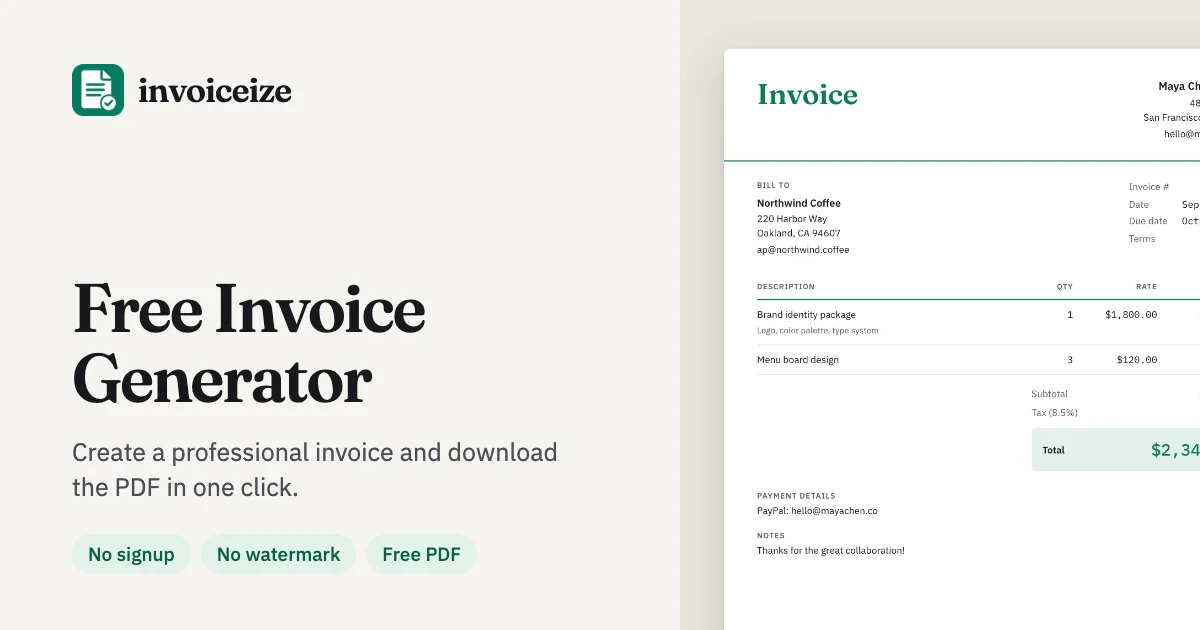
Invoiceize is a free invoice generator for freelancers and small businesses. Create professional invoices, receipts and quotes with a live preview, add your logo, taxes and discounts, and download a clean PDF. Drafts are saved in your browser, and optional AI-assisted scanning helps fill details from an uploaded document.
AI Overview
AI-generatedFreelancers and small business owners often struggle with the administrative burden of billing, particularly when facing bloated invoicing software with steep learning curves and subscription fees. Invoiceize tackles this friction head-on by delivering a straightforward, free invoice generator that works entirely in the browser without requiring registration or account creation.
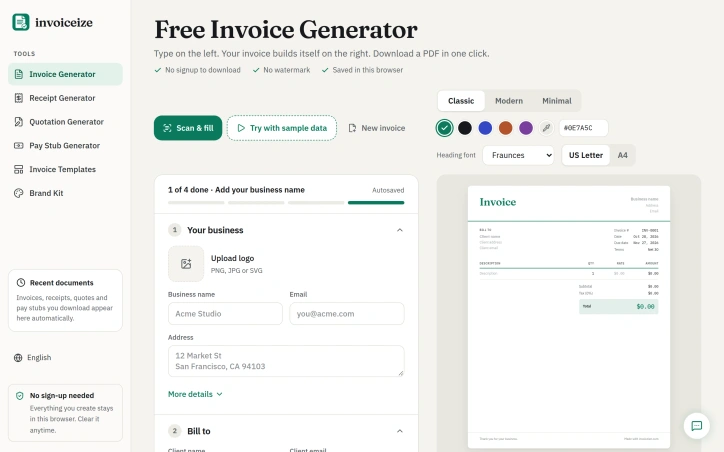
The product's core appeal lies in its simplicity and lack of friction. Users input business details, client information, and line items on the left side of the interface while watching a formatted invoice assemble in real time on the right. This live preview model eliminates guesswork about layout and ensures accuracy before generation. Once complete, users download a clean PDF with no watermarks or promotional branding—a notable differentiator from many freemium tools.
Invoiceize covers the full invoicing workflow with practical features. The generator automatically calculates line-item totals, taxes, and discounts as users type. It supports 23 currencies, recognizing that freelancers increasingly work across borders. Three design templates (Classic, Modern, Minimal) accommodate different professional aesthetics, while customizable fonts, colors, and logo uploads allow branding without design skills. The interface even supports bulk data entry through copy-paste from spreadsheet applications.
Beyond invoices, the tool extends to receipts—automatically generating one for paid invoices with a single click. This breadth matters for businesses managing both outgoing invoices and incoming payments in one workflow.
An optional AI-assisted document scanner offers convenience for users with existing paperwork to formalize. The tool also provides granular customization: every label on the invoice can be renamed, payment terms defaulted, and custom fields added for POs or tax IDs. Local browser storage means drafts persist without cloud dependencies or vendor lock-in concerns.
The business model is refreshingly transparent. Invoiceize remains entirely free with zero signup barriers. The only trade-off offered is optional: a small "Made with invoiceize.com" credit in the footer, which users can choose to include or remove. There is no mention of paid tiers, API access, or premium features.
For freelancers drowning in invoicing complexity or small businesses seeking a no-nonsense, cost-free solution, Invoiceize delivers legitimately useful functionality. Its strength lies not in innovation but in execution—removing every unnecessary obstacle between a blank form and a professional invoice ready to send.
Founder Diary
DevlogThe maker hasn't posted a diary entry yet.
Key Features
Live Invoice Preview
Input business details on the left while a formatted invoice assembles in real time on the right.
Multi-Currency Support
Supports 23 currencies for freelancers and businesses working across borders.
Template Customization
Three design templates (Classic, Modern, Minimal) with customizable fonts, colors, and logo uploads.
Automatic Calculations
Automatically calculates line-item totals, taxes, and discounts as users type.
Receipt Generation
Automatically generates receipts for paid invoices with a single click.
Local Draft Storage
Drafts persist using browser storage without cloud dependencies or vendor lock-in.
Use Cases
-
1
Freelancers
Removes invoicing complexity and eliminates steep learning curves and subscription fees.
-
2
Small Business Owners
Delivers a free, no-nonsense solution without registration or account creation barriers.
-
3
Cross-Border Freelancers
Support for 23 currencies enables seamless international client billing.
-
4
Businesses Managing Payments
Receipt generation helps track both outgoing invoices and incoming payments in one workflow.
FAQ
Is Invoiceize really free with no hidden costs? ▾
Does it require software installation or internet account? ▾
Can I customize the invoice to match my brand? ▾
How many currencies are supported? ▾
Pricing
Entirely free with zero signup barriers and an optional branding credit in the footer.
Tech Stack & Tags
Discussion
No comments yet — be the first!
Join the conversation — sign up to comment.
Sign up freeCommunity Support
Boost this project on Sell With boost
Meet the Founder

More in Invoicing tools

RysTRO
RysTRO is an offline-first restaurant POS and ma...

Stackivo
We built Stackivo because freelancers and studio...

Invoiso
Every time I needed to invoice a client, I ran i...

Simple Receipt Maker
SimpleReceiptMaker is a free online receipt gene...

GetSoloTools
I built GetSoloTools to help freelancers spend l...

EzyDocs
I built EzyDocs to simplify GST invoicing, gener...