LumoTray
- No match
Machine translation — the English original is authoritative.
The Story
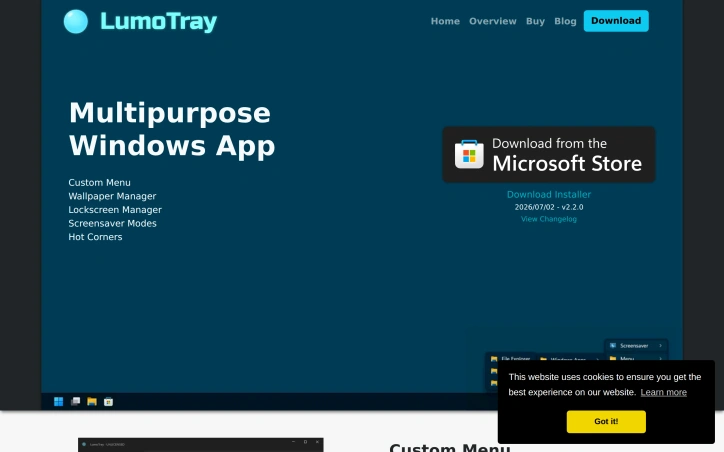
I built LumoTray to manage multiple monitor wallpapers, lockscreen, and screensaver with ease. It solves the problem of manually changing these settings across multiple monitors. It's a multipurpose Windows app that simplifies customization. With time many new features and new image sources and modes were added and I've been releasing new stuff every couple of months or so. Feature requests are welcome.
AI Overview
AI-generatedWindows users managing multiple monitor setups have long contended with clumsy workarounds for coordinating wallpapers, lockscreen backgrounds, and screensaver modes across displays. LumoTray directly addresses this friction by bundling wallpaper management, lockscreen customization, screensaver modes, and a custom menu builder into a single utility.
The breadth of features for a solo developer project is substantial. The wallpaper manager supports live and animated wallpapers, video playlists, solid colors with gradients, and rotating feeds from Unsplash, Wallhaven, NASA, Windows Spotlight, and museum art collections. The lockscreen manager offers the same customization options, letting users maintain visual consistency across login screens. Screensaver and fullscreen modes add functional displays including clocks, alarms, timers, and Shadertoy visualizations.
The custom menu builder adds productivity value beyond aesthetics. Users construct multi-level menu structures with virtually unlimited shortcuts to files, applications, scripts, and documents—all accessible from the tray icon. The hot corners feature, new in version 2, enables actions triggered by moving the cursor to screen edges, functionality Windows itself lacks.
What distinguishes LumoTray is its handling of multi-monitor configurations that Windows doesn't natively support. The ability to set different wallpapers per monitor and manage non-standard setups addresses a genuine limitation in the operating system's capabilities.
The business model keeps overhead minimal. The software is free to download with all features fully functional and no imposed limitations. A $19 one-time license is entirely optional, available for users who find substantial value or use the tool in business contexts. This avoids subscription mechanics while fairly compensating the developer's ongoing work.
Consistent updates reinforce active development. The project releases new features every couple months; version 2 introduced live wallpapers and additional content sources, and version 2.2 added museum art and NASA EPIC collections. This pace suggests the developer genuinely engages with feature requests rather than treating the project as maintenance-only.
Founder Diary
DevlogThe maker hasn't posted a diary entry yet.
Key Features
Wallpaper Management
Supports live and animated wallpapers, video playlists, solid colors with gradients, and feeds from Unsplash, Wallhaven, NASA, Windows Spotlight, and museum art collections.
Multi-Monitor Support
Set different wallpapers per monitor, addressing a limitation that Windows doesn't natively support.
Lockscreen Customization
Configure lockscreen backgrounds with the same customization options as the wallpaper manager.
Custom Menu Builder
Create multi-level menu structures with shortcuts to files, applications, scripts, and documents accessible from the tray icon.
Hot Corners
Trigger actions by moving the cursor to screen edges, functionality Windows itself lacks.
Screensaver Modes
Display functional elements including clocks, alarms, timers, and Shadertoy visualizations.
Use Cases
-
1
Windows users with multiple monitors
Coordinate wallpapers and backgrounds across displays without clumsy workarounds.
-
2
Productivity-focused users
Access shortcuts to applications and documents directly from a customizable tray menu.
-
3
Small business and professional users
Organize workflows with business-context license and custom menu shortcuts.
-
4
Users seeking visual consistency
Maintain coordinated aesthetics across wallpapers, lockscreen backgrounds, and screensaver modes.
FAQ
Can I set different wallpapers on each monitor? ▾
Is LumoTray free? ▾
What wallpaper sources are supported? ▾
What is hot corners? ▾
Pricing
Free to download with all features included; $19 one-time optional license available.
Tech Stack & Tags
Discussion
No comments yet — be the first!
Join the conversation — sign up to comment.
Sign up freeCommunity Support
Boost this project on Sell With boost