
OmniFire
- No match
Machine translation — the English original is authoritative.
The Story
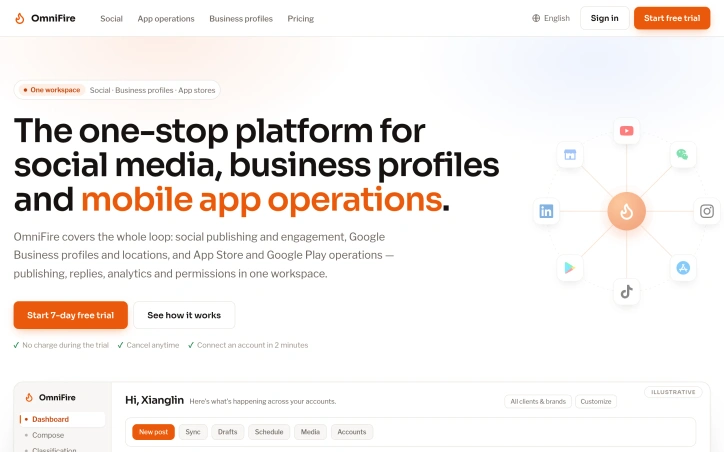
We built OmniFire because managing social media, business profiles, and app stores meant constantly switching between disconnected platforms. We saw teams wasting hours jumping between tools just to publish, reply, and analyze their presence. OmniFire brings it all together in one workspace—social publishing, Google Business profiles, and app store operations with unified analytics and permissions.
AI Overview
AI-generatedManaging social media, business profiles, and app stores across multiple disconnected platforms creates a coordination nightmare for growing teams. Hours get lost to context-switching between tools, approvals happen in email threads, and analytics never tell a unified story. OmniFire consolidates these three asset types into a single workspace, giving teams one publishing queue, one inbox, and one set of permissions instead of juggling separate consoles.
The core insight here is elegantly straightforward: social media, Google Business profiles, and app store operations all follow similar workflows—compose, schedule, publish, monitor, reply—but they've historically required separate logins and separate workflows. OmniFire runs all three through identical processes. You manage brand identity and business listings in one record, see App Store Connect and Google Play metrics alongside social analytics, and handle replies from all channels in a shared inbox. This unification matters most for agencies and in-house teams managing multiple client accounts, where the cognitive load of switching tools multiplies with each client added.
The scheduling engine deserves specific attention. Rather than timestamps alone, OmniFire anchors scheduling to timezones, meaning a team member in one city and a client in another will always see the same scheduled time in their respective markets. The queue supports unlimited posts, searchable by keyword or client, and displays in both list and calendar views. Posts can be rescheduled inline or cancelled back to review, critical for approval workflows where last-minute changes happen regularly.
Team structure follows this same consistency principle. Roles span owner, admin, reviewer, and editor across all three asset types, with granular permissions scoped to specific clients. An activity log tracks changes for compliance or audit purposes. This means a team member assigned to one client sees only that client's data, while reviewers gate content through approval before publication.
The company foregrounds three workflow dimensions: unlimited scheduling with timezone precision, team permissions that transcend the traditional social-media-only silo, and unified analytics across social accounts, business listings, and app performance. No pricing is disclosed on the public site, and the platform's appeal hinges on whether teams genuinely waste enough time context-switching to justify consolidation. For agencies managing dozens of accounts across these three categories, the labor savings are likely real. For teams managing a handful of channels in isolation, the added platform may introduce complexity that doesn't justify the investment.
Founder Diary
DevlogThe maker hasn't posted a diary entry yet.
Key Features
Unified Dashboard
Consolidates social media, Google Business profiles, and app store operations in one workspace.
Multi-Timezone Scheduling
Posts are scheduled with timezone awareness to ensure consistency across different markets.
Unlimited Post Queue
Supports unlimited posts searchable by keyword or client with list and calendar view options.
Team Permissions
Role-based access control with owner, admin, reviewer, and editor roles scoped to specific clients.
Activity Log
Tracks all changes for compliance and audit purposes.
Unified Analytics
Analytics spanning social accounts, business listings, and app performance metrics.
Use Cases
-
1
Digital Agencies
Manage dozens of client accounts across multiple platforms without context-switching between separate consoles.
-
2
In-House Marketing Teams
Coordinate approvals and content publishing for multiple clients through a single inbox and publishing queue.
-
3
Multi-Channel Managers
Teams managing multiple clients where cognitive load of switching tools multiplies with each account added.
FAQ
What platforms can I manage with OmniFire? ▾
Does it support team collaboration and approvals? ▾
Can I schedule posts for different time zones? ▾
Is there unified analytics across all platforms? ▾
Tech Stack & Tags
Discussion
No comments yet — be the first!
Join the conversation — sign up to comment.
Sign up freeCommunity Support
Boost this project on Sell With boost
Meet the Founder

More in Social media management tools

VidSeeds.ai
I built VidSeeds because creators were panicking...
Unfollowers Track
We built Unfollowers Track to help Instagram use...
SocioMee AI
SocioMee AI is a Creator OS built for solo creat...

Groniz
We built Groniz because creators and agencies ne...

Ssave - TikTok Downloader
I built Ssave because downloading TikTok videos...