
Screen Issues
- No match
Machine translation — the English original is authoritative.
The Story
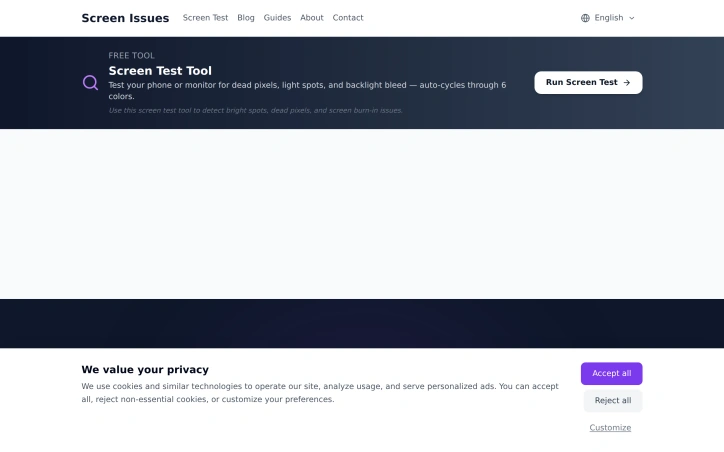
Free Online Screen Test Tool - Instantly diagnose dead pixels, lines, color issues, and flickering. Multiple test modes, no download needed.
AI Overview
AI-generatedDetecting display problems without installing software addresses a real pain point for users who prefer quick diagnostics without commitment. Screen Issues tackles this by offering a browser-based utility that requires nothing beyond opening a web page.
The tool targets a specific user segment: anyone experiencing monitor or screen irregularities. Whether a user suspects a hardware defect before a purchase, wants to verify warranty claims, or simply needs to confirm their display is functioning properly, this addresses that need directly.
The platform's core offering centers on identifying common display faults through multiple diagnostic modes. Dead pixels, which appear as permanent dark spots on screens, represent one category of defect. Color anomalies and unusual lines constitute another. Screen flickering, where displays flash or flicker rather than displaying a stable image, rounds out the primary detection capabilities. The availability of multiple test modes suggests users can run different diagnostics depending on their suspected issue, rather than relying on a single generic test.
What distinguishes Screen Issues in a crowded space of display testing utilities is its friction-free approach. Removing the download requirement lowers the barrier to entry significantly. Users can test a device immediately through any browser, making it useful for quick checks while shopping, evaluating a used monitor, or troubleshooting an unexpected display problem. This web-based architecture also suggests the tool works across platforms and devices without platform-specific builds.
The business model centers on free access to the core testing functionality, though the website footer includes standard privacy and cookie consent language typical of ad-supported or data-collection models. No premium tier, subscription, or purchase options are mentioned in the available materials, suggesting the company relies on other revenue streams rather than direct user payments.
For consumers dealing with display issues, the tool offers immediate value without requiring trust in unfamiliar software or system access permissions. For those evaluating secondhand monitors or troubleshooting potential hardware failures, the multiple test modes provide targeted diagnostics. The accessibility of the approach positions it as a practical resource for a problem most computer users encounter at some point.
Founder Diary
DevlogThe maker hasn't posted a diary entry yet.
Key Features
No Installation Required
Browser-based utility that works immediately without downloading or installing software
Dead Pixel Detection
Identifies permanent dark spots on screens
Color Anomaly Detection
Detects color irregularities and unusual lines on displays
Screen Flickering Detection
Tests for display flashing and flickering issues
Cross-Platform Compatibility
Works across all platforms and devices through any browser
Multiple Diagnostic Modes
Users can run different diagnostics depending on their suspected issue
Use Cases
-
1
Pre-Purchase Verification
Buyers can test monitors before buying to detect potential hardware defects
-
2
Warranty Claims
Users can verify warranty claims without requiring expensive diagnostic software
-
3
Used Equipment Evaluation
Shoppers evaluating secondhand monitors can quickly confirm functionality
-
4
Troubleshooting Display Problems
Users experiencing unexpected display issues can diagnose problems immediately
FAQ
Do I need to install anything to use Screen Issues? ▾
What display problems can Screen Issues detect? ▾
Does Screen Issues work on my device? ▾
How much does Screen Issues cost? ▾
Pricing
Core testing functionality is free with no premium tier or subscription options mentioned; likely ad-supported or data-collection based revenue model.
Tech Stack & Tags
Discussion
No comments yet — be the first!
Join the conversation — sign up to comment.
Sign up freeCommunity Support
Boost this project on Sell With boost