TimePeek
Startup
Launched May 2026

The Story
I was constantly miscalculating time zones during calls with clients
across different countries.
Every time I needed a quick check, I'd grab my phone, unlock it,
open the clock app, scroll to find the right city — just to confirm
a single time. Annoying every time.
So I built TimePeek. It lives on your desktop and appears the moment
you need it — just hover to the corner. Multiple world clocks, always
one move away. No app switching, no phone, no browser tab.
It works alongside anything: an international video call, a coding
session, a client email. Whatever you're doing, your time zones are
right there.
No cloud. No account. No monthly fee.
One-time payment. Lifetime license. All future 1.x updates included.
across different countries.
Every time I needed a quick check, I'd grab my phone, unlock it,
open the clock app, scroll to find the right city — just to confirm
a single time. Annoying every time.
So I built TimePeek. It lives on your desktop and appears the moment
you need it — just hover to the corner. Multiple world clocks, always
one move away. No app switching, no phone, no browser tab.
It works alongside anything: an international video call, a coding
session, a client email. Whatever you're doing, your time zones are
right there.
No cloud. No account. No monthly fee.
One-time payment. Lifetime license. All future 1.x updates included.
AI Overview
AI-generated
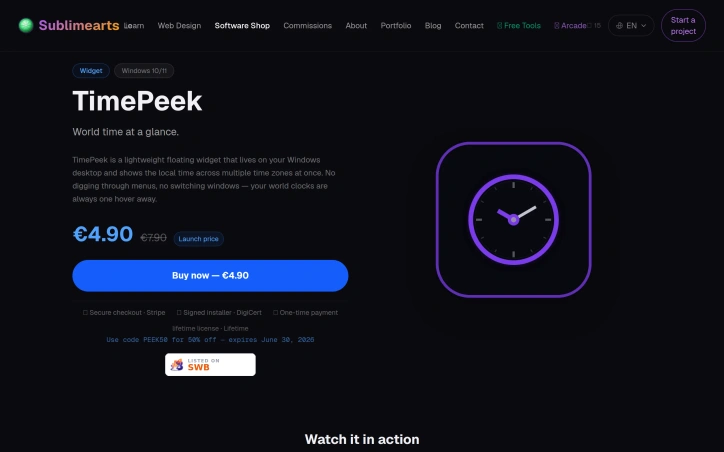
For professionals who frequently collaborate with teams across different time zones, managing multiple clocks can be a tedious task. Constantly switching between apps, browsers, or devices to check the time in various locations can be frustrating and disrupt workflow. TimePeek addresses this issue by providing a lightweight, floating desktop widget for Windows that displays multiple time zones at once.
What stands out about TimePeek is its simplicity and convenience. The widget lives on the desktop, allowing users to access multiple world clocks with just a hover, eliminating the need to navigate through menus or switch windows. The product is designed to be non-intrusive, snapping to screen edges or corners, and can be easily managed from the system tray.
Key features include the ability to add and reorder multiple time zones, customize the widget's appearance with eight accent colors, and personalize the card color. The interface is available in 11 languages, making it accessible to a broad user base. The product also offers a lifetime license model, with a one-time payment of €4.90, which is currently on offer, down from €7.90. This license includes version 1.x updates and email support.
The developer's focus on creating a straightforward, no-frills solution is evident in the product's design. With no cloud dependency, no account required, and no monthly fee, TimePeek is a self-contained tool that integrates seamlessly into the user's workflow. Overall, TimePeek is a practical solution for Windows users who need to manage multiple time zones efficiently.
What stands out about TimePeek is its simplicity and convenience. The widget lives on the desktop, allowing users to access multiple world clocks with just a hover, eliminating the need to navigate through menus or switch windows. The product is designed to be non-intrusive, snapping to screen edges or corners, and can be easily managed from the system tray.
Key features include the ability to add and reorder multiple time zones, customize the widget's appearance with eight accent colors, and personalize the card color. The interface is available in 11 languages, making it accessible to a broad user base. The product also offers a lifetime license model, with a one-time payment of €4.90, which is currently on offer, down from €7.90. This license includes version 1.x updates and email support.
The developer's focus on creating a straightforward, no-frills solution is evident in the product's design. With no cloud dependency, no account required, and no monthly fee, TimePeek is a self-contained tool that integrates seamlessly into the user's workflow. Overall, TimePeek is a practical solution for Windows users who need to manage multiple time zones efficiently.
Key Features
Multiple Time Zones
Displays multiple time zones at once
Customizable Appearance
Customize the widget's appearance with eight accent colors
Reorder Time Zones
Ability to add and reorder multiple time zones
Multi-Language Support
Interface available in 11 languages
Lifetime License
One-time payment for lifetime use
Use Cases
-
1
Professionals Collaborating Across Time Zones
Managing multiple clocks can be tedious
-
2
Teams Working Globally
Need to check time in various locations frequently
-
3
Windows Users
TimePeek is a practical solution for managing multiple time zones efficiently
FAQ
Is TimePeek free? ▾
No, it is a paid product with a one-time payment of €4.90.
Does TimePeek require a Microsoft account? ▾
No, it does not require an account.
Is TimePeek available for macOS? ▾
No, it is currently available for Windows only.
Pricing
Paid
One-time payment of €4.90 for a lifetime license.
Discussion
No comments yet — be the first!
Join the conversation — sign up to comment.
Sign up free0
Community Support
Boost this project on Sell With boost