
杨肃观
4
Launches
0
Followers
34
Upvotes
🔥 3
Day streak
Achievements 6
All badgesBadge Bearer
First Launch
Upvote Pioneer
Hot Streak
Serial Maker
Launch Machine
Products by 杨肃观
4 total
TANSHIP
Cloud-computing-platforms
Repetitive infrastructure work often delays indie developers from building actual product. TANSHIP addresses this friction by delivering a complete, deployable SaaS boilerplate where authentication, payments, database, email, and AI workflows are already wired and ready to configure. The boilerplate targets four distinct audiences: indie hackers testing early ideas, small teams launching MVPs, developers operating across Chinese and global markets, and AI-assisted developers. The product philosophy centers on depth rather than window dressing—this is full source code, not a UI template. The codebase runs on Cloudflare's infrastructure, with D1 for database, R2 for storage, Workers AI for machine learning tasks, and Turnstile for form protection. Five systems ship fully integrated. Authentication uses Better Auth with email/password and Google OAuth options. Payments span three providers—Stripe, PayPal, and Creem—with webhook signature verification and production-ready billing interfaces already implemented. The database layer includes Drizzle ORM binding to D1 with 18 prebuilt tables to establish a common foundation. Email runs through Resend with double opt-in newsletter logic and a protected contact form. AI workflows execute on Workers AI, with built-in credit metering and rate limiting—systems that normally require custom engineering. Beyond backend infrastructure, the template includes 34 theme presets with a visual customization interface and URL routing for both English and Chinese-language deployments. The codebase carries annotations—AGENTS.md and CLAUDE.md files—explicitly designed to help AI coding agents understand project structure and conventions. A practical decision worth noting: the payment setup handles webhook idempotency, a detail many boilerplates skip that prevents duplicate charges and failed transaction recovery issues. Similarly, profile and billing dashboards come fully implemented rather than as empty scaffolding. The business model follows a straightforward approach. A single one-time purchase unlocks perpetual source code access delivered through a private repository invitation, ongoing email support, and inclusion of future template updates. This differs from subscription models and aligns with the indie developer audience's preference for ownership over ongoing licensing fees. The stack assembles mature, type-safe tools: TanStack Start, React, TypeScript, Tailwind CSS, shadcn/ui components, and Drizzle ORM. Cloudflare Workers as the primary compute target keeps operational overhead minimal for teams without DevOps bandwidth. The product's target audience—developers eager to skip months of plumbing work—makes this template's focus on completeness and type safety more valuable than another UI-only starter kit.
ExtractKeywords
Keyword-research-tools
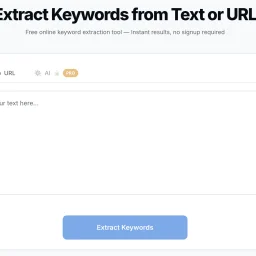
Keyword extraction is a crucial task for businesses and individuals focused on search engine optimization and content analysis, but manually sifting through text to identify key terms can be a tedious and time-consuming process. ExtractKeywords is designed to simplify this task, providing a straightforward solution for extracting keywords from text or URLs. The tool is geared towards individuals and businesses seeking to optimize their content and understand the dominant themes within their text. What stands out about ExtractKeywords is its ability to simplify the keyword extraction process without requiring users to sign up or navigate complex interfaces. The tool is designed to be user-friendly, allowing users to paste their text or enter a URL and receive instant results. The use of artificial intelligence for semantic extraction is also noteworthy, although this feature is reserved for Pro users. The tool's capabilities include word frequency analysis, stop-word filtering, and multi-word phrase detection, providing a comprehensive picture of a text's keyword profile. Users can view results sorted by frequency and density, filter by one-word, two-word, or three-word phrases, and export their findings as a CSV file or copy them to the clipboard. For URL extractions, the tool fetches the publicly accessible HTML of the webpage, respects robots.txt directives, and extracts the main text content before running the same keyword analysis used in text mode. The website does mention a Pro version with AI-powered extraction, indicating a freemium business model, but details on pricing are not provided. Overall, ExtractKeywords offers a valuable resource for those seeking to streamline their keyword extraction process and gain insights into their content.

TrySchedule
Scheduling-software
Weekly planning just got a lot simpler thanks to a free online schedule builder that eliminates the hassle of cumbersome scheduling tools. The creator of this tool identified a problem with existing solutions that require manual formatting or subscriptions, and set out to solve it with a drag-and-drop interface. The result is a user-friendly platform ideal for students, shift managers, fitness enthusiasts, and freelancers who need to organize their time effectively. What stands out about this schedule builder is its ease of use and flexibility. Users can create professional-looking weekly schedules in minutes without needing to sign up or worry about hidden fees. The drag-and-drop functionality allows for easy adjustments, and the ability to add colors and labels helps to organize the schedule. The tool also adapts to various needs, from class timetables to workout plans, making it a versatile solution. Key features worth noting include the ability to export schedules as high-resolution images or PDFs, ready to print or share, and the option to switch between day and week views. The schedule builder also outperforms other planning tools like Excel, calendar apps, and paper planners in terms of ease of use, weekly structure, and flexibility. Notably, this schedule builder is completely free, with no signup required and no limits on its features. Unlike premium tools that cost between $10 to $30 a month, this solution provides a full drag-and-drop experience at zero cost. With over 500 verified users rating it 4.7 out of 5, it's clear that this tool has hit the mark for those seeking a simple and effective weekly planning solution.

HEICPDF.TO
Pdf-editor
The widespread adoption of HEIC image format by iPhone users has created a compatibility issue when sharing photos with others using different devices or operating systems. HEICPDF.TO addresses this problem by providing a straightforward solution to convert HEIC files to PDFs, a widely accepted and compatible format. The site is particularly useful for iPhone users who frequently share photos with others using Windows or Android devices. What stands out about HEICPDF.TO is its simplicity and ease of use. The conversion process is entirely browser-based, ensuring that users' files are processed locally and remain private. The site allows users to drag and drop HEIC files, reorder them, and customize the output PDF's layout before exporting it. The live preview feature gives users full control over the final output. The site's capabilities are worth noting, particularly its support for batch uploads of up to 20 images, with a maximum file size of 50MB. Users can also import files directly from cloud storage services like Dropbox or Google Drive. The conversion process is quick, and users can download the resulting PDF or save it directly to cloud storage. The fact that HEICPDF.TO does not require registration or installation makes it an attractive solution for occasional users. The site's business model is not explicitly stated, but the lack of any mention of pricing or subscription suggests that it is free to use. Overall, HEICPDF.TO is a convenient and user-friendly solution for iPhone users to share their photos with others without worrying about compatibility issues. Its browser-based approach and robust feature set make it an effective tool for converting HEIC files to PDFs.