
ARView
- No match
Machine translation — the English original is authoritative.
The Story
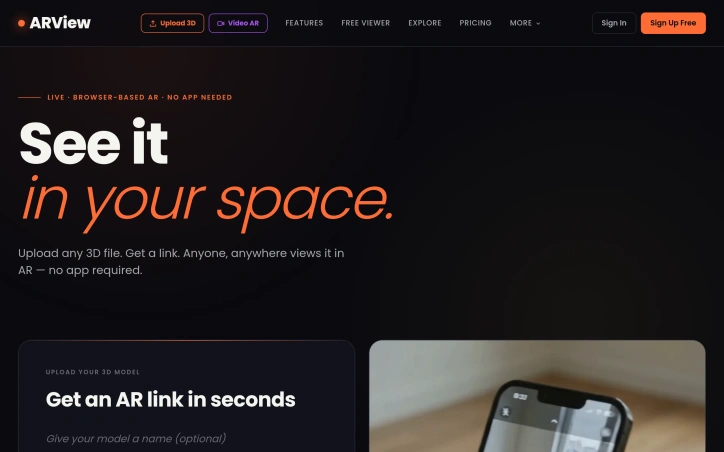
We built ARView to make AR accessible to everyone. The barrier to sharing 3D in AR was always the app requirement and technical complexity. Now anyone can upload a 3D model and instantly share it with a QR code or link—no app downloads, no complicated setup needed.
AI Overview
AI-generatedBrowser-based AR sharing removes a critical friction point that has long limited 3D model distribution. ARView eliminates the requirement to download native applications, instead letting anyone upload a 3D file and instantly generate a shareable link or QR code that viewers access directly from their phone camera or web browser.
The platform targets three primary markets with clear use cases built in. Restaurants can display menu items in three-dimensional form to reduce ordering uncertainty and returns. Fashion retailers can enable customers to visualize garments before purchase. Interior designers can share room designs at full scale within clients' actual spaces. Each vertical receives tailored features: restaurants get per-dish QR codes and scan analytics, fashion gets body-based try-on visualization, and interior designers receive private review links and view tracking.
What distinguishes ARView is its technical simplicity paired with functional depth. The core offering demands nothing of viewers: no app installation, no account creation, just a smartphone camera. The platform supports the standard 3D file formats most designers already work with, including .glb, .gltf, and .usdz, up to 50 megabytes per file. Generated QR codes and shareable URLs arrive on completion. The QR designer offers its own customization layer—users adjust colors, corner styles, logos, and frames before exporting for print or digital use.
A particularly useful feature is the dynamic QR implementation. Rather than generating static QR codes tied to individual 3D files, users update what a persistent QR code points to, allowing restaurants or designers to swap which model appears when customers scan, without reprinting signage or changing shared links.
The platform operates cross-device and cross-platform, working on iOS and Android natively through WebXR standards, plus AR Quick Look on Apple devices. It also supports AR headsets. Files auto-delete after 24 hours, which trades permanence for privacy and server cost reduction.
ARView positions itself as removing unnecessary complexity from AR distribution. It does not attempt to be a 3D modeling tool, a design platform, or an enterprise workflow system. Its narrow focus—making 3D shareable without friction—executes well based on the feature set and design principles on display. The platform fills a legitimate gap between tools that assume professional AR expertise and the need for simpler, mass-market AR sharing.
Founder Diary
DevlogThe maker hasn't posted a diary entry yet.
Key Features
No-Install Sharing
Users access 3D models directly from phone camera or web browser without downloading a native application.
Standard Format Support
Supports .glb, .gltf, and .usdz file formats up to 50 megabytes per file.
Dynamic QR Codes
Users can update what a persistent QR code points to without reprinting signage or changing shared links.
Customizable QR Design
QR codes can be customized with colors, corner styles, logos, and frames before export.
Cross-Platform Compatibility
Works on iOS, Android, and AR headsets using WebXR standards and Apple AR Quick Look.
Use Cases
-
1
Restaurants
Display menu items in 3D to reduce ordering uncertainty and returns while getting per-dish QR codes and scan analytics.
-
2
Fashion Retailers
Enable customers to visualize garments on their body before purchase to reduce returns.
-
3
Interior Designers
Share room designs at full scale within clients' actual spaces with private review links and view tracking.
FAQ
Do viewers need to download an app to see AR models? ▾
What 3D file formats does ARView support? ▾
How long are uploaded files stored? ▾
Can I change what a QR code points to without creating a new one? ▾
Pricing
Tech Stack & Tags
Discussion
No comments yet — be the first!
Join the conversation — sign up to comment.
Sign up freeCommunity Support
Boost this project on Sell With boost
Meet the Founder

More in 3D & Animation
Text3D Generator
I built Text3D Generator because content creator...

Img3D
Img3D is an AI 3D workspace built around referen...
Arnis
I created Arnis to generate Minecraft world maps...

STLRepair
STLRepair helps makers and 3D printing users che...
GameApi Builder tool
Young people need better tools at their early ca...

QuickMagic
QuickMagic is an AI-powered motion capture and a...