Code Meter
- No match
Machine translation — the English original is authoritative.
The Story
You're deep in a session, things are flowing, then your requests start failing: quota refreshes in a few hours. Again.
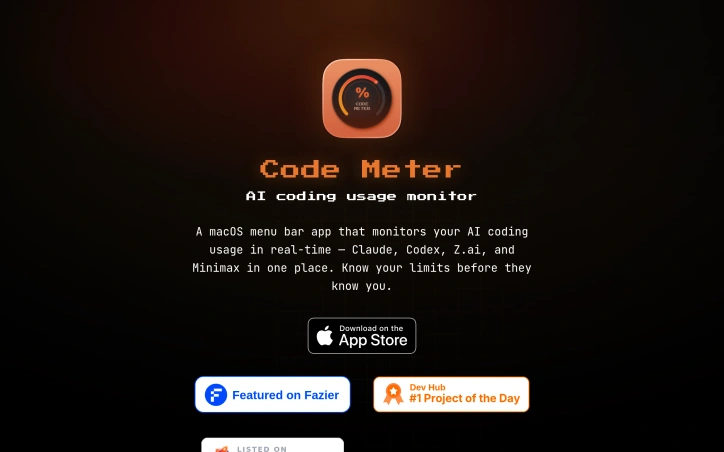
We built Code Meter because developers shouldn't guess their usage limits. When you integrate Claude, Codex, or other AI coding tools, you need real-time visibility to avoid overages or rate limits. Code Meter monitors your AI usage from the macOS menu bar so you can code confidently instead of anxiously.
SUPPORTS • Claude Code (Anthropic) • ChatGPT Codex (OpenAI) • MiniMax • Z.ai
FEATURES • Real-time 5-hour and weekly limit monitoring • Burn rate tracking with limit projection • Menu bar gauge with color-coded usage status • Desktop widgets (small and medium) • Automatic credential detection for Claude Code • Usage history and session tracking • Smart alerts before you hit a limit • Native macOS Liquid Glass design • Launch at login
AI Overview
AI-generatedManaging API costs for AI coding tools is a practical concern developers face regularly. When integrating Claude, Codex, Z.ai, or Minimax into your workflow, exceeding your usage limit or hitting rate ceilings can disrupt development or trigger unexpected charges. Code Meter addresses this problem by delivering real-time usage monitoring in the macOS menu bar, giving developers visibility into consumption before issues occur.
The product's core value is immediate and simple: install it, authenticate with your chosen provider, and see usage metrics without checking dashboards or guessing remaining capacity. Setup completes in seconds, and the app supports four major AI coding providers, making it relevant across different tool preferences.
What distinguishes Code Meter is its privacy architecture. Rather than funneling credentials through intermediary services, the application reads credentials locally from macOS Keychain and communicates directly with each provider's API—Anthropic, OpenAI, Z.ai, or Minimax. Credentials never leave your device. Usage history stores locally via SwiftData, and widget data remains isolated in App Group containers. This design choice appeals to developers concerned about credential exposure, especially in regulated industries or security-sensitive environments.
The privacy commitment extends to analytics. Code Meter uses PostHog for anonymous product telemetry—recording only app version, OS version, and feature interactions—hosted on EU Cloud infrastructure with IP capture and device fingerprinting disabled. It represents a transparent approach to usage analytics; the company documents what it collects and explicitly discloses why.
The feature set covers essentials: the menu bar widget shows usage at a glance, additional widgets provide supplementary views, and historical charts enable tracking over time. Alerts flag overages before they compound.
The product is a free download from the Mac App Store, requiring macOS 26 or later. RevenueCat infrastructure suggests potential premium features, though none are documented currently.
Code Meter solves a concrete problem for developers managing multiple AI APIs with a privacy-first architecture that rejects the surveillance model prevalent in developer tools. Its strength lies in restrained functionality delivered without data extraction. Developers get visibility where it matters—their own usage—without surrendering credentials or behavioral data to another platform.
Founder Diary
DevlogThe maker hasn't posted a diary entry yet.
Key Features
Real-Time Usage Monitoring
Menu bar widget displays API consumption at a glance.
Privacy-First Architecture
Credentials stored locally in macOS Keychain, never transmitted to intermediaries.
Multi-Provider Support
Works with Claude, Codex, Z.ai, and Minimax.
Local Data Storage
Usage history stored locally via SwiftData with no cloud sync.
Usage Alerts
Flags API overages before costs compound.
Use Cases
-
1
Developers Managing Multiple AI APIs
Gain real-time visibility into consumption across providers without switching dashboards.
-
2
Security-Conscious Developers
Require local credential storage with no third-party access to API keys.
-
3
Developers in Regulated Industries
Need on-device credential isolation and compliance-friendly data handling.
-
4
AI Tool Power Users
Track historical usage patterns and set alerts to prevent unexpected charges.
FAQ
How does Code Meter protect my API credentials? ▾
Which AI coding providers does Code Meter support? ▾
What data does Code Meter collect about me? ▾
Is Code Meter free? ▾
Pricing
Free download from Mac App Store; RevenueCat infrastructure suggests potential premium features in development.
Tech Stack & Tags
Discussion
No comments yet — be the first!
Join the conversation — sign up to comment.
Sign up freeCommunity Support
Boost this project on Sell With boost