Discord Fonts: Unicode Text Styles Generator
- No match
Machine translation — the English original is authoritative.
The Story
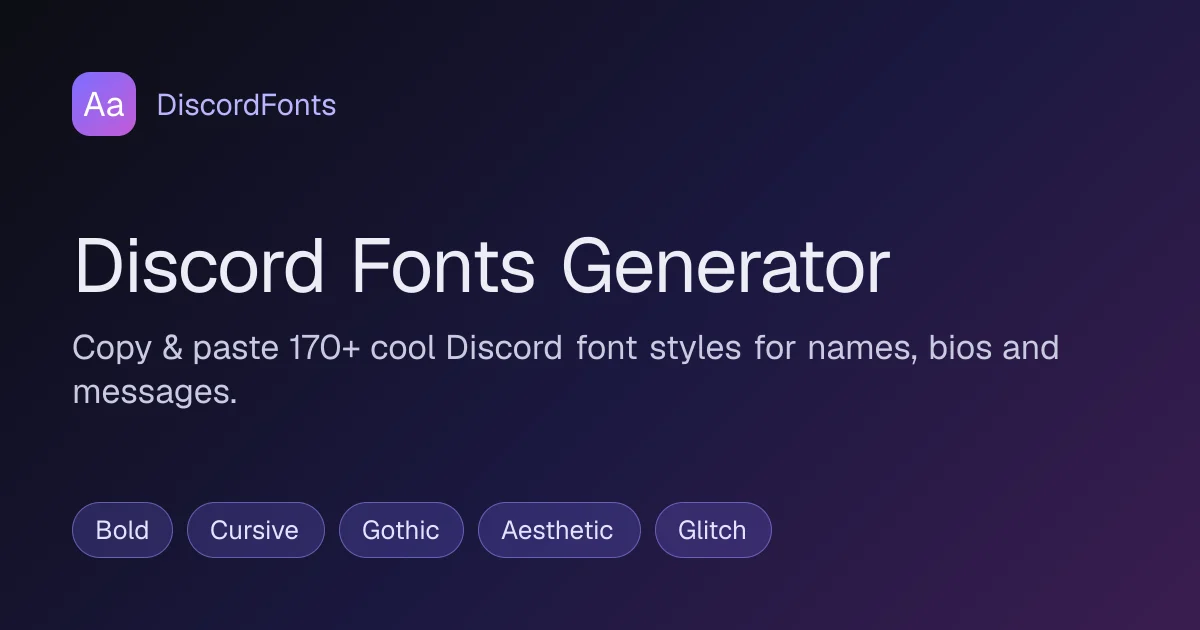
I built this because Discord display names and channel headers only accept plain text, so I wanted a fast way to see how a phrase looks across hundreds of Unicode letter styles without installing anything. Type once, compare 224 styles side by side ordered by readability, and tap to copy the one you like into your name, bio, or message.
AI Overview
AI-generatedDiscord Fonts: Unicode Text Styles Generator solves a narrow but genuine frustration for Discord users. Display names, channel headers, and bios accept only plain text, which leaves many people unable to stand out in servers or on profiles. The site works around this by converting ordinary characters into Unicode lookalikes that look stylized while still pasting as text. It is aimed squarely at gamers, community members, and anyone who wants a distinctive identity on the platform without installing software.
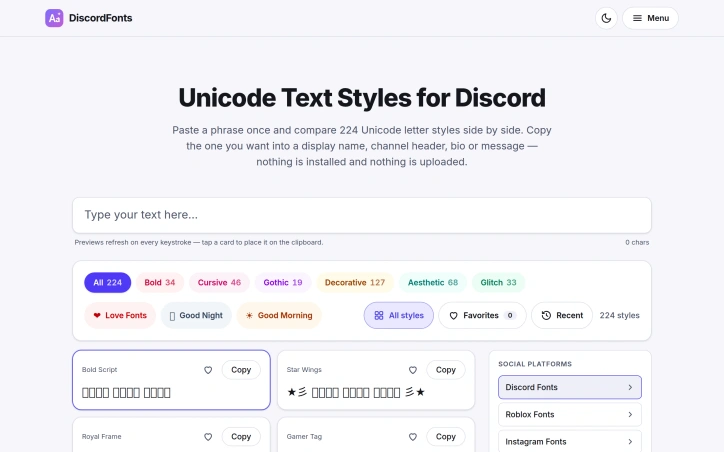
The most striking aspect of the product is its comparison-first design. Rather than making visitors cycle through styles one at a time, it lets them type a phrase once and see it rendered across 224 Unicode letter styles at the same time. Each style appears as a card, and tapping a card copies the result to the clipboard. The site organizes the catalog into categories such as Bold, Cursive, Gothic, Decorative, Aesthetic, and Glitch, and it adds topical collections like love, good night, and good morning themes. Visitors can also save favorites and review recent picks, which makes repeated use quicker.
Several other features reinforce that practicality. A shuffle function mixes character styles from different families, which helps users discover combinations they would not otherwise try. The page also includes a separate section for Discord's own markdown formatting, covering bold, italic, underline, strikethrough, spoilers, code blocks, quotes, and headers, with one-tap copy for each. This keeps both Unicode styling and native formatting in a single place, so users can build a complete message from one tool.
The site also makes a clear privacy claim: according to its own description, nothing is installed and nothing is uploaded. Because the conversion happens in the browser, users can test text without creating accounts or granting permissions. The page does not list any pricing, subscription tiers, or monetization model, so this review makes no claims about how the product is funded.
Overall, the generator is a focused utility that does one job well. Its strengths are speed, breadth of styles, and side-by-side comparison, and its limitation is the inherent one of Unicode styling: some characters may not render consistently across devices or fonts, and the results depend on the target platform accepting those symbols.
Founder Diary
DevlogThe maker hasn't posted a diary entry yet.
Key Features
Side-by-Side Comparison
Renders a typed phrase across 224 Unicode letter styles at once, so users can compare options without cycling through them one by one.
One-Tap Copy
Each style appears as a card, and tapping it copies the result to the clipboard.
Style Categories
Organizes the catalog into categories such as Bold, Cursive, Gothic, Decorative, Aesthetic, and Glitch.
Themed Collections
Offers topical collections for love, good night, and good morning themes.
Favorites and Recent Picks
Lets visitors save favorites and review recently used styles for faster repeat use.
Shuffle Function
Mixes character styles from different families to help users discover combinations they might not otherwise try.
Use Cases
-
1
Gamers
Want a distinctive display name on Discord without installing software.
-
2
Community members
Want to stand out in servers through stylized channel headers or bios.
-
3
Users building complete messages
Can combine Unicode styling with Discord's native markdown formatting, such as bold, italic, and code blocks, in one tool.
FAQ
How do I use Unicode fonts in Discord? ▾
Does Discord Fonts require installing software? ▾
Do Unicode fonts always display correctly on Discord? ▾
Does the generator include Discord's markdown formatting? ▾
Tech Stack & Tags
Discussion
No comments yet — be the first!
Join the conversation — sign up to comment.
Sign up freeCommunity Support
Boost this project on Sell With boost
Meet the Founder

More in Productivity
OkComputer
OkComputer is an AI harness for professionals an...
Word Puzzle World
Word Puzzle World started with a familiar frustr...

SpeakerEject
SpeakerEject is a free collection of browser aud...

ToolPotion
ToolPotion.ai — Discover the Right AI Tools for...
Syllable Counter
This is a syllable counter tool made by AIWriteK...
AppDeploy
AppDeploy was built to solve a problem I repeate...