
EmailTemple
- No match
Machine translation — the English original is authoritative.
The Story
I built EmailTemple because every AI email tool I tried gave me HTML I then had to fight into Mailchimp by hand. The output looked fine in a browser and broke in Gmail dark mode. Editable regions weren't editable. Brand fonts didn't survive the export. The "one-click" part was always a lie.
So I rebuilt the pipeline around what each ESP actually expects. Mailchimp Classic gets proper mc:edit regions and a footer that imports clean. ActiveCampaign and MailerLite get their native block structures. Dark mode is a constraint the system designs around, not something bolted on after.
You bring the brand — colors, fonts, logo, tone of voice. The studio brings the structure, the contrast math, the legal footer, and the export. You ship in your voice, into the ESP you already use.
AI Overview
AI-generatedCrafting effective email campaigns can be a significant challenge for businesses, particularly when it comes to creating visually appealing and high-converting templates. EmailTemple addresses this issue by providing a streamlined solution for generating customized email templates that integrate seamlessly with various email service providers. The platform is designed for businesses that want to enhance their email marketing efforts without getting bogged down in the technical details of template creation.
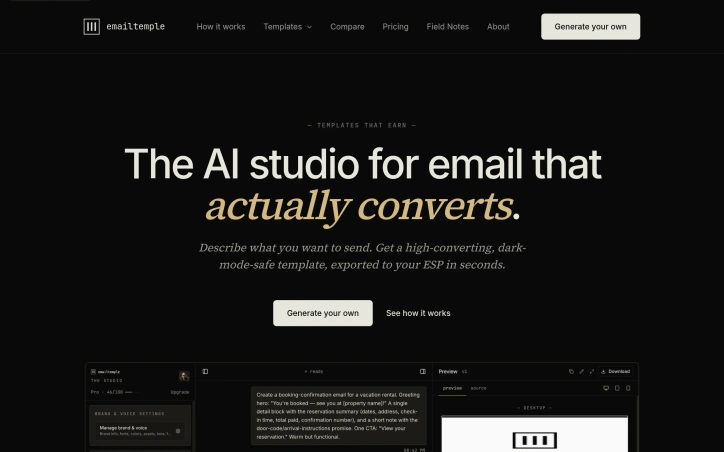
What stands out about EmailTemple is its AI-driven studio, which handles the intricacies of template design, including voice, color, images, and subject lines. Users can describe their email goals and audience, and the studio generates a polished template that reflects their brand's tone and style. The platform's ability to export templates in native syntax for popular email platforms like Mailchimp, ActiveCampaign, and MailerLite, as well as clean HTML for other providers, ensures compatibility and ease of use.
EmailTemple's key features include a tone of voice setting that allows users to customize the language and style of their emails, a prompt library with pre-written briefs for common email types, and a media library that hosts user-uploaded images. The platform also applies brand colors and styles consistently throughout the template, ensuring a professional finish. By taking care of the technical aspects of template creation, EmailTemple enables businesses to focus on crafting compelling email content that resonates with their audience.
The founder's frustration with existing AI email tools that failed to deliver on their promises of ease and compatibility is evident in EmailTemple's design. By rebuilding the pipeline around the specific needs of various email service providers, the platform delivers on its promise of a seamless, one-click export process. While pricing details are not explicitly mentioned, the platform's focus on delivering high-quality, brand-consistent templates that integrate with existing email workflows makes it an attractive solution for businesses looking to elevate their email marketing efforts.
Founder Diary
DevlogThe maker hasn't posted a diary entry yet.
Key Features
Tone of Voice Setting
allows users to customize the language and style of their emails
Prompt Library
provides pre-written briefs for common email types
Media Library
hosts user-uploaded images
Brand Style Application
applies brand colors and styles consistently throughout the template
Native Syntax Export
exports templates in native syntax for popular email platforms
AI-Driven Studio
generates polished templates based on user input
Use Cases
-
1
Businesses with Email Marketing Needs
can enhance their efforts without getting bogged down in technical details
-
2
Users of Multiple Email Service Providers
can export templates in compatible formats
-
3
Businesses Seeking Brand Consistency
can ensure a professional finish across their email templates
-
4
Marketers Focusing on Content
can focus on crafting compelling email content
FAQ
Does EmailTemple support multiple email service providers? ▾
Can I customize the tone and style of my email templates? ▾
What kind of email templates can I create with EmailTemple? ▾
Tech Stack & Tags
Discussion
No comments yet — be the first!
Join the conversation — sign up to comment.
Sign up freeCommunity Support
Boost this project on Sell With boost
Meet the Founder

More in Email marketing

AlienMail
We built AlienMail to end the blank page problem...

Mail Cannon
Launch Your Email Campaigns Like a Cannon Send p...
Email Verifier
As a developer, I built this tool to help users...
Emailyy
I built Emailyy to remove friction from email cr...
MailDrip
I built MailDrip to simplify email marketing for...