Limitcode Pro: Lightweight AI Coding Agent for Sublime Text
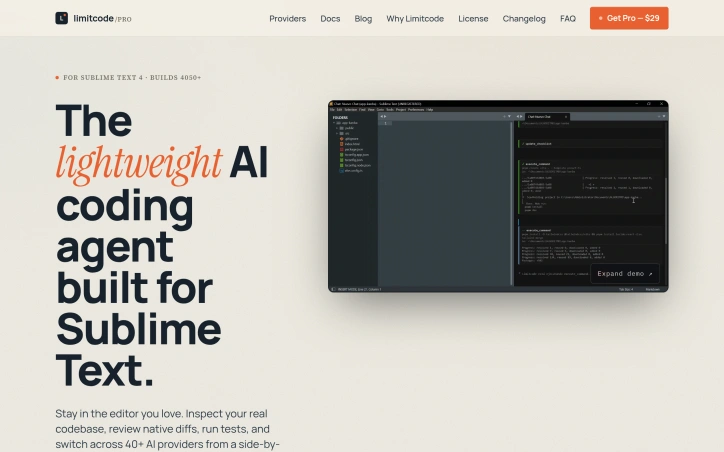
- No match
Machine translation — the English original is authoritative.
The Story
I was tired of AI coding tools forcing me out of Sublime Text and into heavy IDE forks or terminals, so I built Limitcode Pro to bring an agent right into the editor I already love. It works with 40+ providers, including local models, and asks for approval before any file edit or shell command runs. You pay once, with no subscription, and nothing runs in the background.
AI Overview
AI-generatedDevelopers who have built their daily routine around Sublime Text have long faced an awkward choice: abandon a fast, familiar editor for a heavier IDE fork, or work through a terminal-based agent that pulls attention away from the code on screen. Limitcode Pro aims to remove that trade-off by placing an AI agent inside the Sublime Text window. It is built for people who think and navigate inside their editor and want assistance beside their code rather than in a separate shell loop.
What stands out most is the restraint of the design. The plugin connects directly to providers without a background daemon, so closing the chat panel leaves Sublime untouched. Reads of project files happen without friction, while file edits, native diffs, and shell commands wait for explicit approval. That approval model, paired with a single shortcut for undo, gives the user a clear sense of control that autonomous agents often lack.
The feature set is practical. An active selection or an entire file can be sent to the agent with one keystroke, and any project file can be referenced with an @ mention. Proposed changes appear as native diffs in a side-by-side view, and tests can be run from the same workflow. Provider coverage is broad, spanning more than forty options including Claude, GPT, and Gemini, along with OAuth accounts, CLI logins, and local models served through Ollama or LM Studio. Switching between these back ends happens within one consistent Sublime interface.
On cost, the product is sold as a one-time purchase of $29 during its early access period, with no subscription. The license covers three devices and one year of updates. Limitcode Pro does not try to replace terminal agents such as Claude Code or Codex, and the site is clear that those tools remain a valid choice for developers who prefer a shell-driven approach. Its proposition is narrower and easier to define: an agent that stays inside Sublime Text and asks permission before it changes anything.
Founder Diary
DevlogThe maker hasn't posted a diary entry yet.
Key Features
Inline Sublime Agent
Places an AI agent inside the Sublime Text window so assistance sits beside the code instead of in a separate shell.
Approval-Based Control
File edits, native diffs, and shell commands wait for explicit user approval, while reads of project files happen without friction.
Selection Sending
An active selection or entire file can be sent to the agent with one keystroke.
File Mentions
Any project file can be referenced with an @ mention.
Side-by-Side Diffs
Proposed changes appear as native diffs in a side-by-side view, and tests can be run from the same workflow.
Multi-Provider Support
Spans more than forty providers including Claude, GPT, Gemini, OAuth accounts, CLI logins, and local models via Ollama or LM Studio.
Use Cases
-
1
Sublime Text developers
They want AI assistance without leaving a fast, familiar editor for a heavier IDE fork.
-
2
Developers who prefer staying in the editor
They want help beside their code rather than in a terminal-based agent that pulls attention away from the screen.
-
3
Developers wanting control over changes
They want an agent that asks permission before editing files or running shell commands.
-
4
Developers using local models
They can run models through Ollama or LM Studio within the same Sublime interface.
FAQ
Is Limitcode Pro a Sublime Text plugin? ▾
Does Limitcode Pro edit files without asking? ▾
Which AI models does Limitcode Pro support? ▾
How much does Limitcode Pro cost? ▾
Pricing
Sold as a one-time $29 early access purchase with no subscription, covering three devices and one year of updates.
Tech Stack & Tags
Discussion
No comments yet — be the first!
Join the conversation — sign up to comment.
Sign up freeCommunity Support
Boost this project on Sell With boost