Localcraft
- No match
Machine translation — the English original is authoritative.
The Story
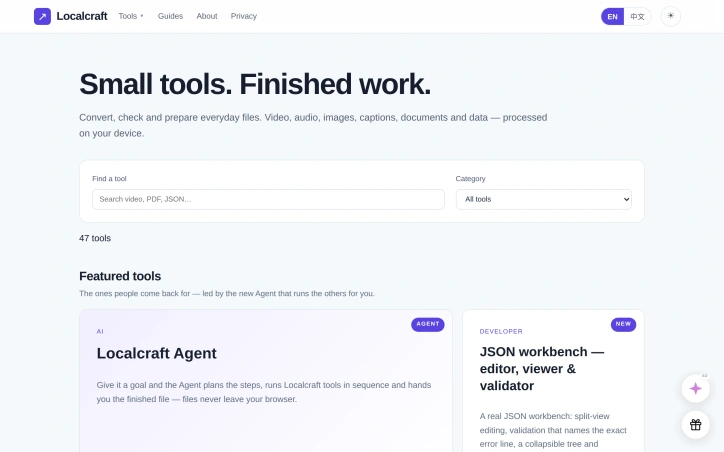
Localcraft is a free collection of 47 small tools for everyday file work: converting video and audio, checking and converting subtitles, compressing and converting images, splitting and merging PDFs, transforming data files, quick developer utilities and calculators, and a set of AI assistants that run on your own API key. Every converter and checker runs inside your browser — your files are processed on your device and never uploaded to a server. All tools are free to use without signing up: no credit packs, no quotas, no watermark on your output.
AI Overview
AI-generatedA collection of 47 browser-based tools addresses a persistent friction point for digital workers: the need to convert, compress, and process files without surrendering them to cloud services or enduring lengthy uploads. Localcraft targets anyone handling routine file work across media formats, documents, and data—from content creators managing video and audio to developers needing quick utilities and everyday users who want to shrink PDFs for email or strip backgrounds from photos.
The defining characteristic is uncompromising privacy. Every tool runs client-side, meaning files stay on the user's device throughout processing. This design principle shapes the entire product: no account creation, no credit packs, no quotas, and no watermarks. The founder's positioning—"files never leave your browser"—is not marketing flourish but functional reality reflected in tool design.
The tool roster spans practical categories. Video and audio compression handles common formats like MP4 and WebM, while PDF compression tackles a universal workflow bottleneck. Image tools include background removal and a newly added watermark repair feature. The developer category includes a JSON workbench with validation and tree navigation. A subtitle editor handles caption management. Data tools and calculators round out the collection.
The standout innovation is the Agent, which fundamentally changes how users interact with the suite. Rather than manually threading files through individual tools, users state a goal and the Agent orchestrates the sequence, presenting a step-by-step plan for approval before execution. This transforms the collection from a browser tab of one-off utilities into a coherent workflow engine.
A secondary innovation addresses the API-key era. Localcraft offers AI integrations—chat, summarization, translation, and writing assistance—powered by the user's own OpenAI, Claude, or Gemini credentials. The mechanism is transparent: keys remain in the browser, requests route directly to providers, and Localcraft acts as interface rather than intermediary. For users uncomfortable with third-party services handling sensitive API credentials or file content, this inversion of trust carries weight.
The business model is explicitly non-extractive: complete functionality arrives free, with no signup friction, no time-based restrictions, and no artificial scarcity mechanics. This eliminates the typical SaaS conversion funnel and positions Localcraft as infrastructure rather than service.
The product succeeds in a crowded converter market by ruthlessly constraining scope—no cloud processing, no premium tiers, no frills—and coupling that constraint to a privacy guarantee and a novel Agent layer that elevates mundane file processing into something closer to personal automation.
Founder Diary
DevlogThe maker hasn't posted a diary entry yet.
Key Features
Client-Side Processing
All 47 tools run locally in the browser without uploading files to servers
Privacy-First Design
No account creation, quotas, watermarks, or data collection
Workflow Agent
Users describe a goal and the Agent orchestrates a step-by-step execution plan
Custom API Integrations
Use your own OpenAI, Claude, or Gemini credentials with keys staying in browser
Multi-Format Tools
Handles video, audio, PDF compression, image editing, JSON validation, and data utilities
Use Cases
-
1
Content Creators
Compress video and audio files across multiple formats without cloud uploads
-
2
Everyday Users
Shrink PDFs for email, remove image backgrounds, and repair watermarks locally
-
3
Developers
Access JSON validation, tree navigation, and quick developer utilities without leaving browser
-
4
Privacy-Conscious Professionals
Process sensitive files without surrendering them to third-party cloud services
FAQ
Do my files stay on my computer when I use Localcraft? ▾
Can I use my own OpenAI or Claude API key? ▾
Is Localcraft free? ▾
What file types can I process? ▾
Pricing
Complete functionality available free with no signup friction, quotas, or premium tiers.
Discussion
No comments yet — be the first!
Join the conversation — sign up to comment.
Sign up freeCommunity Support
Boost this project on Sell With boost
Meet the Founder

More in Productivity

OkComputer
OkComputer is an AI harness for professionals an...
Word Puzzle World
Word Puzzle World started with a familiar frustr...

SpeakerEject
SpeakerEject is a free collection of browser aud...

ToolPotion
ToolPotion.ai — Discover the Right AI Tools for...
Syllable Counter
This is a syllable counter tool made by AIWriteK...

AppDeploy
AppDeploy was built to solve a problem I repeate...