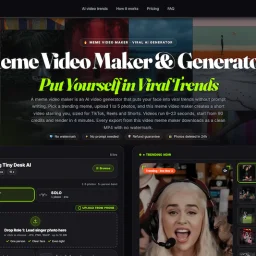
Meme Video Maker
- No match
Machine translation — the English original is authoritative.
The Story
We built Meme Video Maker because anyone should be able to star in viral trends without learning video editing or writing prompts. Our AI takes your photos and instantly generates trending short-form videos ready for TikTok, Reels, and Shorts—no watermarks, no software needed.
AI Overview
AI-generatedViral short-form video creation has historically required either video editing skills or AI prompt fluency—two barriers that keep most people from participating in trending meme formats. This service eliminates both by packaging trending video templates with face-insertion AI, letting users simply upload photos and receive finished MP4s optimized for TikTok, Instagram Reels, and YouTube Shorts.
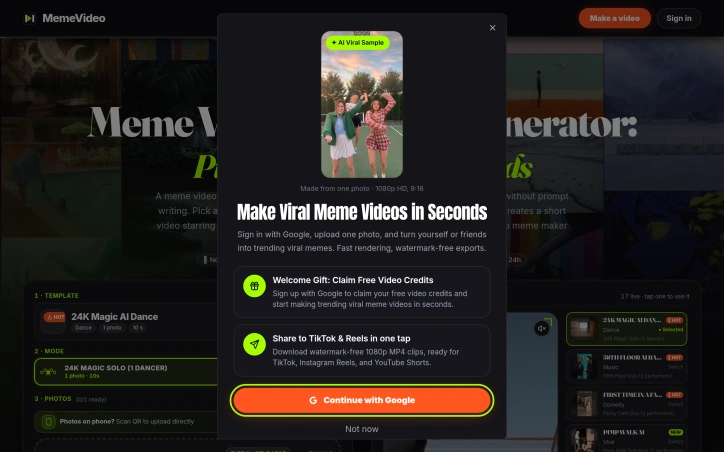
The product targets social media users who want to capitalize on viral trends without learning Adobe Premiere or mastering AI prompting. The pitch is straightforward: pick a trending template, upload between one and five photos, and the system generates a 15-second video with the user's face composited into the choreography or scenario. Every video exports watermark-free in vertical 9:16 format.
What distinguishes this offering from broader AI video generation tools is its template-first design. Rather than asking users to describe what they want, the service presents curated trending formats—currently 17 active templates spanning dance routines, music duets, comedy scenarios, sports moments, and cinematic sequences. This constraint is actually a strength; it trades unlimited creative freedom for reliability and speed. A template-based approach also naturally produces scroll-stopping content because the templates themselves are already proven viral hits.
The execution details suggest thoughtful product design. Photo upload works via traditional browser selection or QR code scanning from mobile, acknowledging that users often have images on their phones. The service provides specific guidance on photo composition—front-facing, clear lighting, waist-up framing—to optimize AI face-insertion results. Render time is quoted at four minutes, competitive for real-time content creation. The privacy model deletes uploaded photos after 24 hours, addressing a legitimate concern about personal image data.
The business model operates on a credit system, with a single video consuming 90 credits, though explicit pricing is not disclosed on the available text. The company emphasizes a refund guarantee, reducing perceived risk for first-time users evaluating the service.
The main limitation is format rigidity. Users don't generate videos; they participate in predetermined templates. This works perfectly for trend-chasing and social proof but won't appeal to creators wanting original concepts. For the intended audience—people who want to be seen in trending formats without friction—the constraint is a feature, not a bug.
Founder Diary
DevlogThe maker hasn't posted a diary entry yet.
Key Features
Template-Based Creation
Choose from 17 trending video formats spanning dance routines, comedy, and cinematic sequences
Face Insertion AI
AI automatically composites user faces into choreography and scenarios within templates
Fast Video Rendering
Completed videos render in approximately four minutes
Multi-Platform Export
Watermark-free vertical videos optimized for TikTok, Instagram Reels, and YouTube Shorts
Photo Composition Guidance
Service provides specific framing guidance (front-facing, clear lighting, waist-up) to optimize AI results
Privacy Protection
Uploaded photos automatically delete after 24 hours
Use Cases
-
1
Trend-Chasing Users
Social media users who want to capitalize on viral trends without learning video editing skills
-
2
Mobile-First Creators
People with photos on their phones seeking quick, scroll-stopping vertical video content
-
3
Non-Technical Users
Individuals lacking Adobe Premiere or AI prompting fluency who want to participate in trending formats
-
4
Social Proof Seekers
Creators wanting to be featured in proven viral formats to build social media presence
FAQ
How long does it take to create a video? ▾
Can I create my own original video concept? ▾
What happens to my uploaded photos? ▾
How many photos do I need? ▾
Tech Stack & Tags
Discussion
No comments yet — be the first!
Join the conversation — sign up to comment.
Sign up freeCommunity Support
Boost this project on Sell With boost
Meet the Founder

More in AI Generative Media

AI Mixer - AI Photo | AI Video | AI Voice. All AI tools in one app!
AI Mixer was built to solve a simple but frustra...
FacelessGenie
We built FacelessGenie to solve the biggest bott...

GeniusAI
We built GeniusAI to make professional AI image...

MyRaxAI
I built MyRaxAI to help creators generate stunni...

Berrioo
We built Berrioo to democratize professional vis...

Seedance
We built Seedance to make cinematic video creati...