MicroGrowOS
- No match
Machine translation — the English original is authoritative.
The Story
Running a microgreens farm meant juggling spreadsheets, notebooks and invoicing apps, and orders kept breaking as we grew. We built MicroGrowOS on our own working farm to follow each tray from sowing through harvest, delivery and invoice in one flow. It installs on your computer, works offline, and you pay once for a lifetime licence.
AI Overview
AI-generatedMicroGrowOS addresses a problem that many small microgreens operations know well: order data, growing records, harvest lists and invoices end up scattered across spreadsheets, notebooks and separate invoicing apps. The software aims to collapse that workflow into a single path, where one order produces a harvest list, a delivery note and an invoice without retyping. It targets small and growing farms, from a handful of racks in a garage to a full grow room that runs regular delivery rounds and recurring restaurant orders.
What distinguishes the product is its narrow focus. Many farm-management tools are built for broad crops and large acreage, and the vendor positions MicroGrowOS against that generic approach. Its vocabulary reflects microgreens production directly: trays, containers per tray, blackout, partial harvests and delivery rounds are first-class concepts rather than workarounds. The company also states that it was built on its own working microgreens farm and refined through weekly use, which gives the tool a practical grounding that many newer agricultural software products lack.
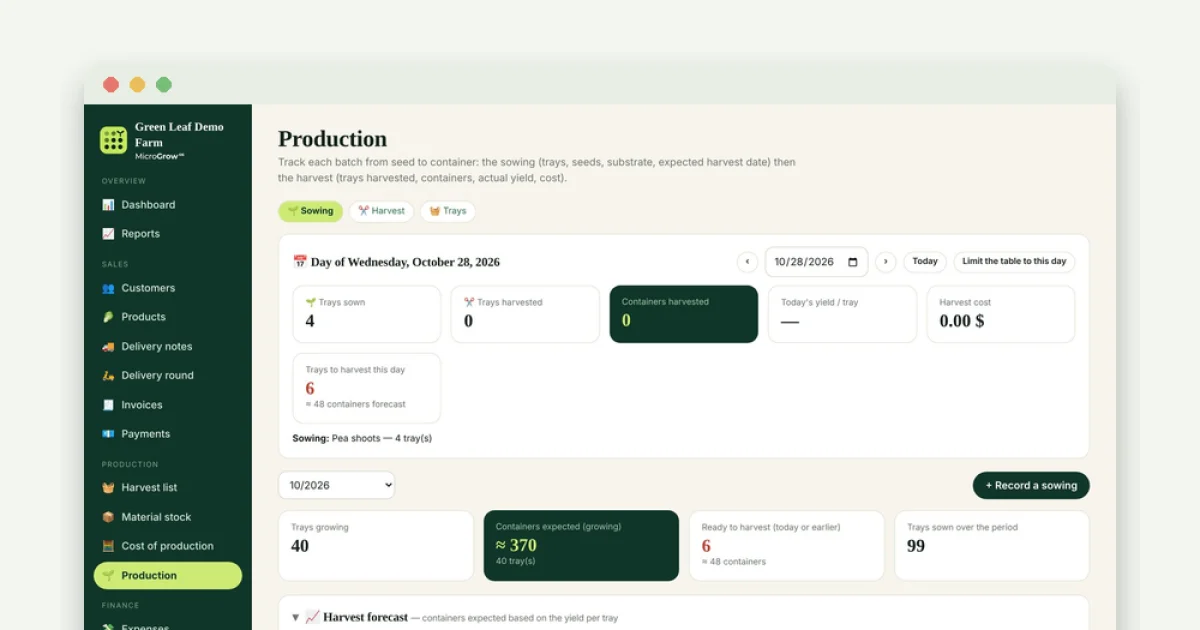
The production module tracks each batch through three stages, germination, blackout and light. The user enters the duration of each stage at sowing, and the harvest date is calculated automatically. When trays move to the next stage, a single click records the change and the harvest date updates to reflect what actually happened. The system forecasts container counts from a yield-per-tray setting, lets users edit past sowings, and produces a printable harvest sheet for whoever does the cutting. A learning feature is also mentioned, which estimates each variety's stage durations from the grower's own sowing history rather than relying on fixed generic timings.
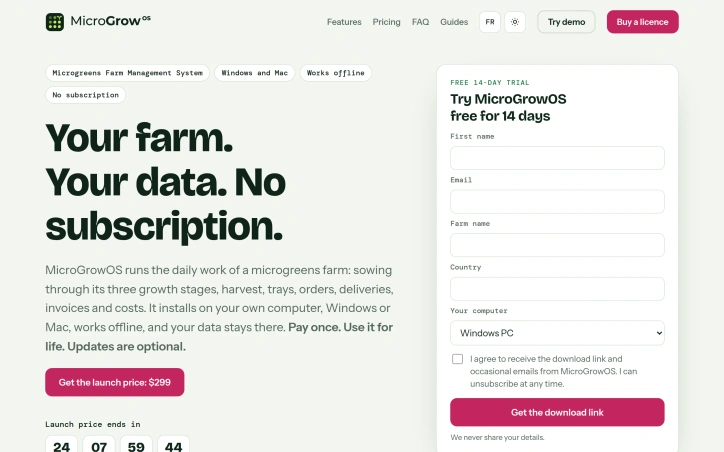
On business model, the vendor offers a one-time payment for a licence with no subscription. The software installs on a local computer, stores its database as a file on the user's own machine, and works without an internet connection, with only a few optional extras requiring one. Updates are optional, and the purchased version continues to function if the user never pays again. For growers wary of recurring software fees or of third-party hosting of their records, these terms are a clear selling point.
Founder Diary
DevlogThe maker hasn't posted a diary entry yet.
Key Features
Unified Order Workflow
One order produces a harvest list, a delivery note and an invoice without retyping data.
Three-Stage Batch Tracking
Each batch moves through germination, blackout and light stages, with harvest dates calculated automatically from entered durations.
One-Click Stage Updates
Moving trays to the next stage records the change in a single click and updates the harvest date to match what actually happened.
Container Forecasting
Container counts are forecast from a yield-per-tray setting.
Printable Harvest Sheets
The software produces a printable harvest sheet for whoever does the cutting.
Variety Duration Learning
Stage durations for each variety are estimated from the grower's own sowing history rather than fixed generic timings.
Use Cases
-
1
Small microgreens growers
Operations ranging from a handful of racks in a garage to a full grow room can consolidate scattered records into one workflow.
-
2
Growers running delivery rounds
Farms that make regular deliveries can generate harvest lists, delivery notes and invoices from a single order.
-
3
Farms with recurring restaurant orders
Growers handling standing restaurant orders can reduce repeated data entry across spreadsheets and invoicing apps.
-
4
Growers wary of recurring software fees
Those who prefer a one-time licence and local data storage without internet dependency can use the software without a subscription.
FAQ
Is MicroGrowOS a subscription service? ▾
Does MicroGrowOS require an internet connection? ▾
Who is MicroGrowOS designed for? ▾
How does MicroGrowOS calculate harvest dates? ▾
Pricing
The vendor sells a one-time paid licence with no subscription, though the specific price is not stated in the description.
Tech Stack & Tags
Discussion
No comments yet — be the first!
Join the conversation — sign up to comment.
Sign up freeCommunity Support
Boost this project on Sell With boost