Pixal3D
- No match
Machine translation — the English original is authoritative.
The Story
I built Pixal3D to simplify 3D model creation by generating textured GLB models from single images, solving the problem of manual geometry building and tedious video prompts.
AI Overview
AI-generatedThe process of creating 3D models can be a daunting task, often requiring extensive technical expertise and tedious manual work. Pixal3D addresses this challenge by providing a streamlined solution that generates textured 3D models from a single image. This innovative tool is geared towards creators who want to quickly bring their ideas to life without getting bogged down in complex geometry building or lengthy video prompts.
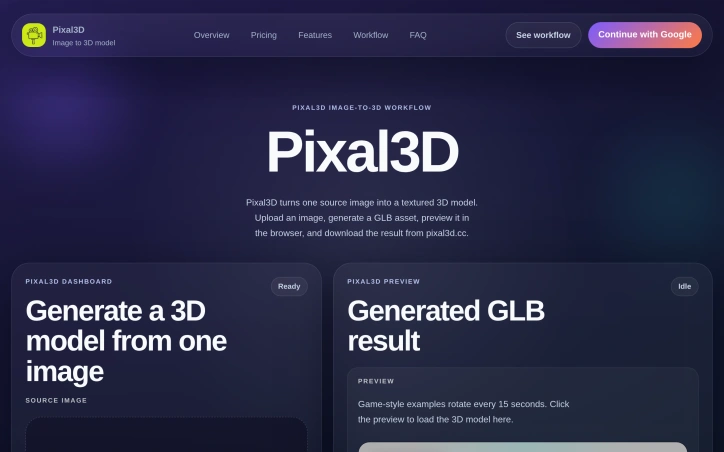
What sets Pixal3D apart is its focused approach to image-to-3D model generation. By simplifying the process to just a few steps - uploading an image, selecting a resolution, and downloading the resulting GLB model - the platform makes it easy for users to produce high-quality 3D assets. The dashboard provides a user-friendly interface for managing uploads, tracking progress, and previewing results.
Notably, Pixal3D offers a range of features that enhance its usability and output. Users can choose between standard and high-resolution outputs, with the latter providing more detailed textures. The generated models are also previewable directly in the browser, allowing for instant feedback. Additionally, the platform provides a gallery of example 3D models that demonstrate its capabilities.
In terms of pricing, Pixal3D operates on a credit-based system, with different tiers offering varying numbers of credits per month or year. The basic plan is geared towards hobbyists and beginners, while the standard plan is more suited to creators who require more credits. Annual billing comes with a 50% discount, making it a more cost-effective option for those who plan to use the service regularly. The pricing plans also include a commercial use license, making it suitable for professional applications. Overall, Pixal3D offers a compelling solution for creators looking to simplify their 3D model creation workflow.
Founder Diary
DevlogThe maker hasn't posted a diary entry yet.
Key Features
Image Upload
allows users to generate 3D models from a single image
Resolution Options
users can choose between standard and high-resolution outputs
Model Preview
generated models are previewable directly in the browser
Gallery Examples
provides a gallery of example 3D models to demonstrate capabilities
GLB Output
downloads resulting models in GLB format
Use Cases
-
1
Creators
can quickly bring their ideas to life without complex geometry building
-
2
Hobbyists
suitable for beginners and hobbyists with the basic plan
-
3
Professionals
suitable for professional applications with a commercial use license
FAQ
How do I generate a 3D model? ▾
What file format is the output? ▾
Can I use Pixal3D for commercial projects? ▾
Pricing
Annual billing comes with a 50% discount.
Tech Stack & Tags
Discussion
No comments yet — be the first!
Join the conversation — sign up to comment.
Sign up freeCommunity Support
Boost this project on Sell With boost
Meet the Founder

More in AI Generative Media

AI Mixer - AI Photo | AI Video | AI Voice. All AI tools in one app!
AI Mixer was built to solve a simple but frustra...
FacelessGenie
We built FacelessGenie to solve the biggest bott...

GeniusAI
We built GeniusAI to make professional AI image...

MyRaxAI
I built MyRaxAI to help creators generate stunni...

Berrioo
We built Berrioo to democratize professional vis...

Seedance
We built Seedance to make cinematic video creati...