
swiftpulse

- No match
Machine translation — the English original is authoritative.
The Story
SwiftPulsePC brings live diagnostics, cooling, performance testing, storage review, and recovery tools into one honest control center,
- There really aren’t any honest apps like this out there. SwiftPulse lets you control what you can and doesn't fake readings for what you cant
AI Overview
AI-generatedPerformance diagnostics for Windows gaming and PC maintenance need honesty. Most tools in this space trade accuracy for dramatic readings or blanket recommendations that don't respect hardware limits. SwiftPulsePC, built for Windows 10 and 11, solves this by layering real sensor data alongside actionable guidance without inventing precision where it doesn't exist.
The product targets gamers and power users who want to optimize thermal performance and storage without guessing. Its core value proposition rests on refusing to fake readings. Direct sensor temperatures stay visibly separate from estimates and fallbacks, letting users calibrate expectations to their actual hardware. This separation extends through the entire interface: controls only activate when your PC actually supports them, using driver-reported AMD presets rather than generic tuning profiles that might destabilize unsupported systems.
The feature set covers the full PC health spectrum. A Check My PC tool provides plain-language diagnostics with detailed readings available when needed. For gamers, it surfaces refresh rate, power delivery, Game Bar status, and linked-game setup in a single pane. The stress-testing component runs bounded CPU, memory, and WebGL workloads to identify which system component hits its limit first. Storage tooling focuses on recovery-safe cleanup, letting users inspect large files and preview candidates before using the Windows Recycle Bin, not automatic deletion.
What distinguishes SwiftPulsePC is its architectural constraint: every reading reports its source and confidence level, and every control respects hardware limitations. Fan controls use supported firmware profiles. Temperature alerts tie to live metrics without automatic file deletion. System modifications employ signed helpers and recovery snapshots. This disciplined approach suggests the software was built by someone skeptical of the overclaimed performance tools flooding the market.
The application is available through the Microsoft Store, signed by CordiApps, and requires no cloud account. Recent updates improved sensor-temperature separation, setup validation, multi-GPU reporting, and keyboard navigation, indicating active maintenance focused on reliability rather than feature bloat.
For users tired of dubious optimization software that promises miracles while hiding behind vague metrics, SwiftPulsePC offers a refreshing alternative. It won't dramatically boost frame rates or promise mystical cooling improvements. What it will do is tell you what your PC actually supports and what's genuinely happening under the hood.
Founder Diary
DevlogThe maker hasn't posted a diary entry yet.
Key Features
Real Sensor Reporting
Direct sensor temperatures displayed separately from estimates with visible confidence levels
Hardware-Aware Controls
Feature activation respects hardware capabilities using driver-reported profiles to prevent system destabilization
PC Health Diagnostics
Check My PC tool provides plain-language diagnostics with detailed readings available on demand
Stress Testing Analysis
CPU, memory, and WebGL workload testing identifies which system component hits its limit first
Storage Recovery Cleaning
Recovery-safe cleanup with file inspection and preview before deletion via Windows Recycle Bin
Gaming Performance View
Single-pane display of refresh rate, power delivery, Game Bar status, and linked-game setup
Use Cases
-
1
Gamers
Optimize thermal performance and monitor GPU metrics while stress-testing to identify performance bottlenecks
-
2
Power Users
Get detailed system diagnostics with honest sensor data and hardware limitation reporting instead of guesswork
-
3
Storage Optimization
Safely recover disk space by previewing and inspecting large files before deletion
-
4
Users Skeptical of Optimization Tools
Receive credible diagnostics with visible confidence levels instead of overclaimed performance promises
FAQ
Does SwiftPulsePC work on Windows 11? ▾
Will this tool make my PC faster? ▾
Is the storage cleanup safe? ▾
Do I need a cloud account? ▾
Discussion
No comments yet — be the first!
Join the conversation — sign up to comment.
Sign up freeCommunity Support
Boost this project on Sell With boost
Meet the Founder

More in Productivity

OkComputer
OkComputer is an AI harness for professionals an...
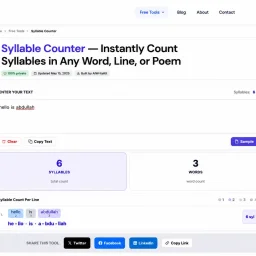
Syllable Counter
This is a syllable counter tool made by AIWriteK...

AppDeploy
AppDeploy was built to solve a problem I repeate...

NexusAI
NexusAI began with a straightforward observation...

Devpalettes
Devpalettes was built to make everyday developme...

Tabreon
I built Tabreon because I was tired of "free" on...