UnixTime
- No match
Machine translation — the English original is authoritative.
The Story
UnixTime is a fast, native macOS menu bar app and Unix timestamp converter — turn Unix timestamps (epoch time) into readable dates and convert dates back to timestamps.
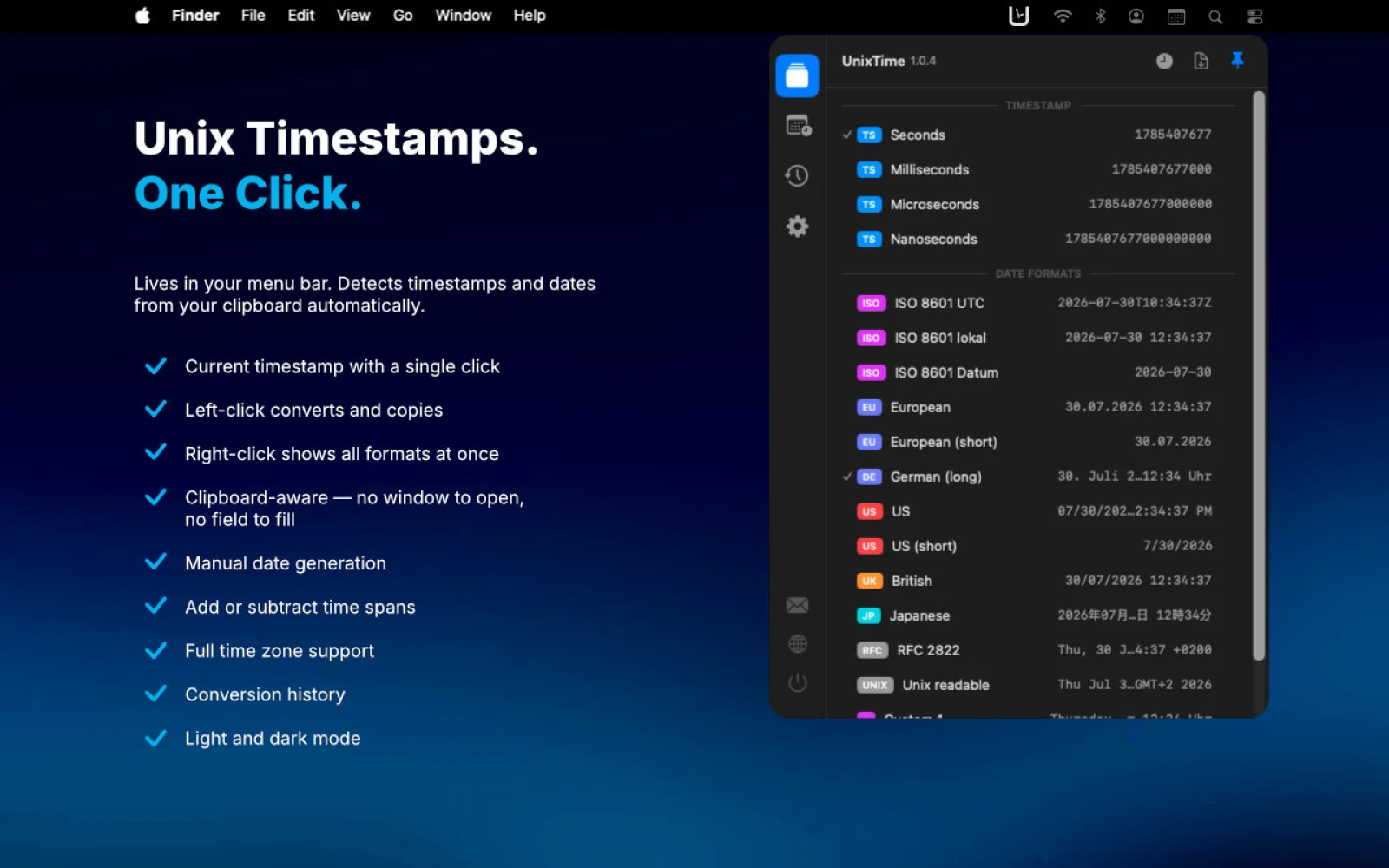
Hover the menu bar icon and a tooltip previews what's on your clipboard, its counterpart (timestamp or date), and exactly what a click will copy. One click copies the converted timestamp or date to your clipboard, ready to paste. Empty clipboard? A click copies the current Unix timestamp in your chosen format.
Conversion runs both ways and is auto-detected. Beyond Unix seconds and milliseconds, UnixTime converts microseconds, nanoseconds and platform-specific epoch/timestamp formats: .NET Ticks, Windows FILETIME/LDAP, Chrome/WebKit, Cocoa/NSDate, HFS+, Mozilla PRTime and Julian Day. Every timestamp shows its unit.
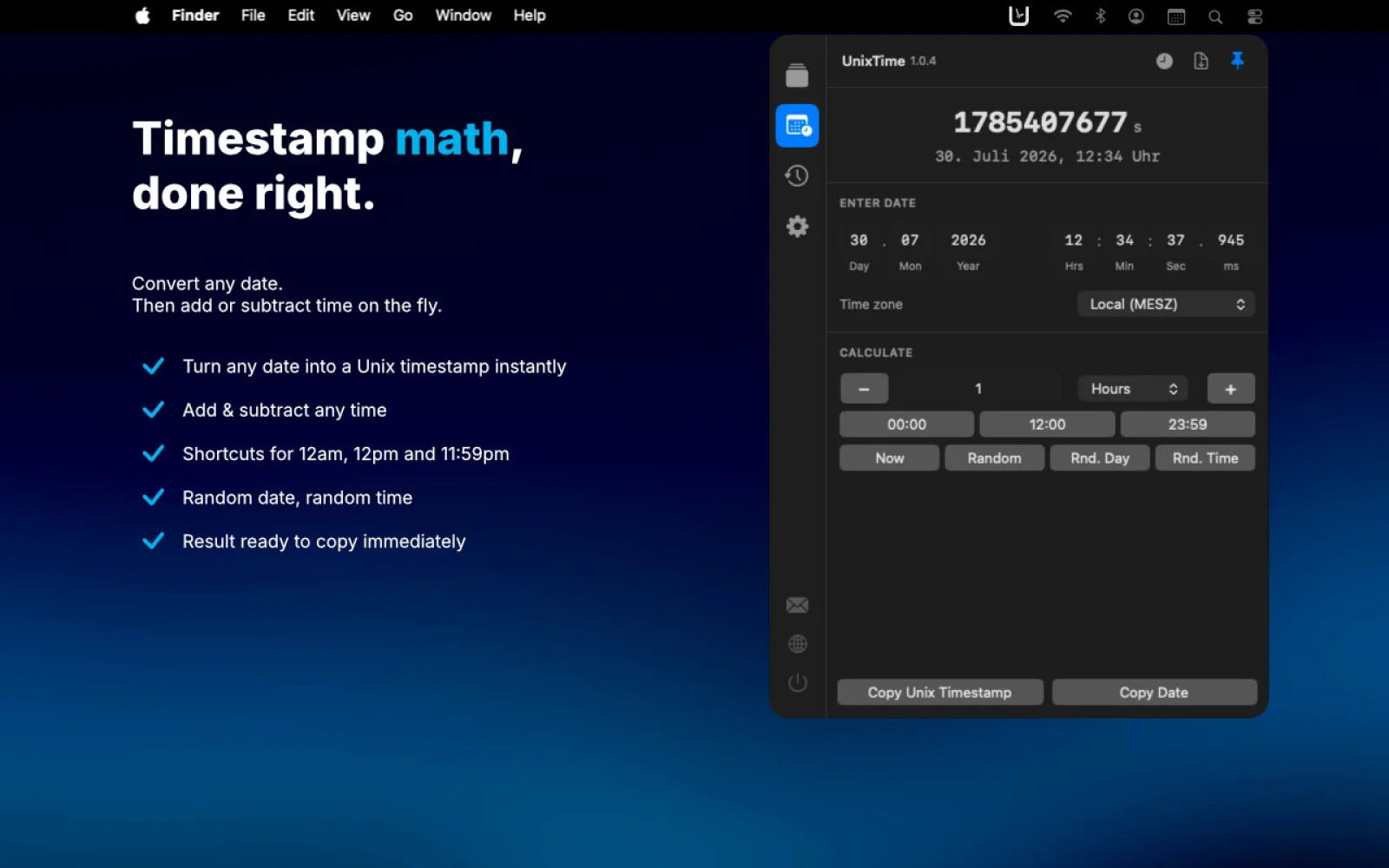
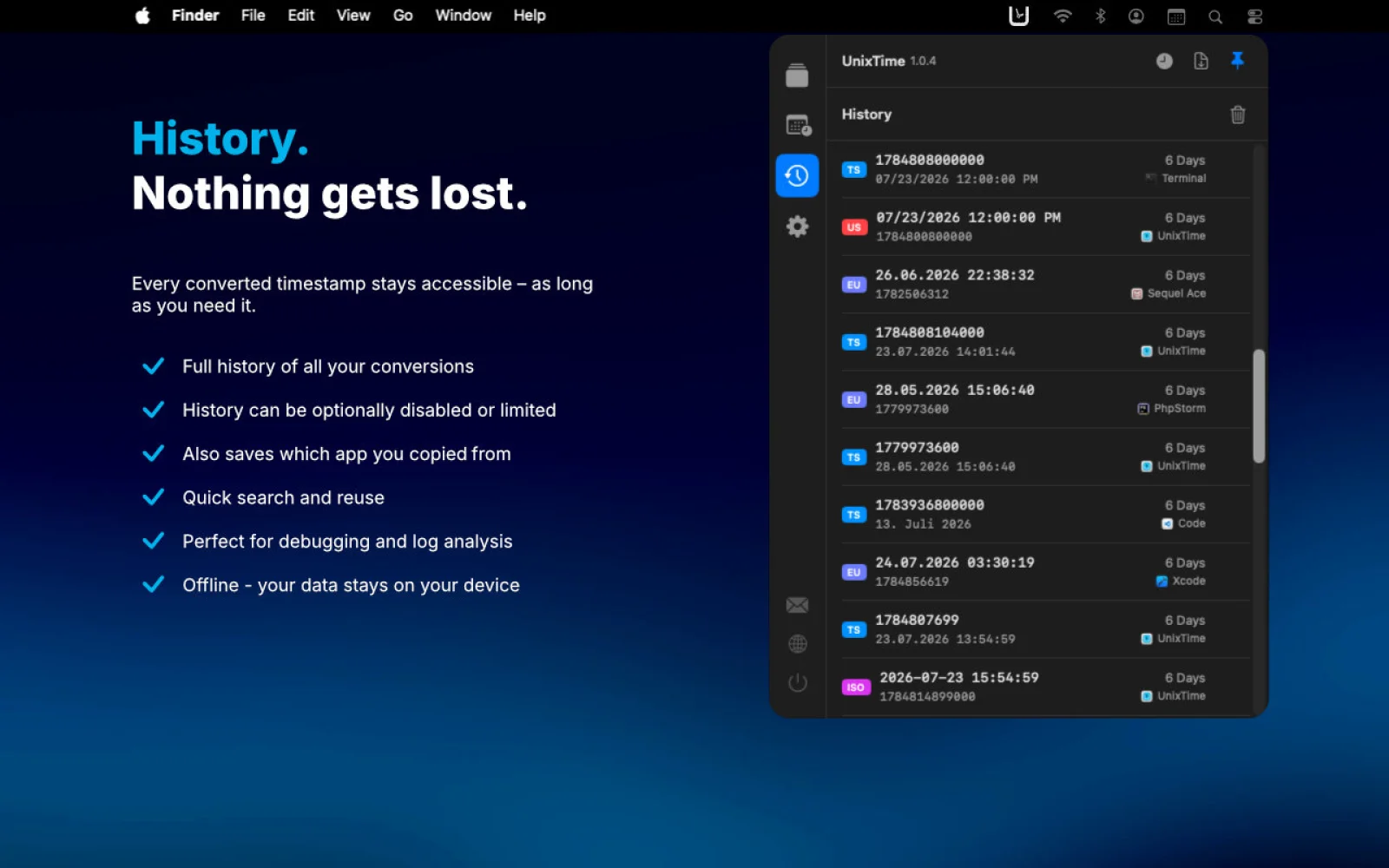
A built-in date & time calculator with time zones builds, shifts and randomizes dates. A history keeps past conversions. Show, hide and reorder formats, and add unlimited custom date formats.
AI Overview
AI-generatedDevelopers working with Unix timestamps face a recurring friction: converting between epoch time and human-readable dates typically requires opening a browser, finding a converter, and pasting back and forth. UnixTime, a native macOS menu bar app, eliminates this workflow entirely by placing timestamp conversion directly where developers already spend their attention—in the menu bar.
The core interaction is immediate. Hover over the menu bar icon to see what's on your clipboard, its conversion counterpart, and what a single click will copy, all before committing to the action. Click left to perform a conversion or copy the current timestamp if the clipboard is empty. Right-click to see all available output formats at once, customizable through drag-and-drop to show only what matters. The app operates completely offline, never transmitting data outside the local machine.
What distinguishes UnixTime is its comprehensive format support. Beyond the standard Unix seconds and milliseconds, it handles microseconds, nanoseconds, and platform-specific formats used by .NET, Windows, Chrome, WebKit, Mozilla, Apple, and legacy Macintosh systems. It even converts astronomical Julian Day Numbers. Timestamps appear with their units labeled, eliminating ambiguity about scale.
A built-in date and time calculator moves beyond simple conversions. Users can construct specific moments by entering dates, adjusting values by seconds through years, switching time zones, or generating random dates for testing purposes. Every conversion gets logged in a searchable history tied to the source application, so previously converted values can be retrieved and recopied without re-entering data.
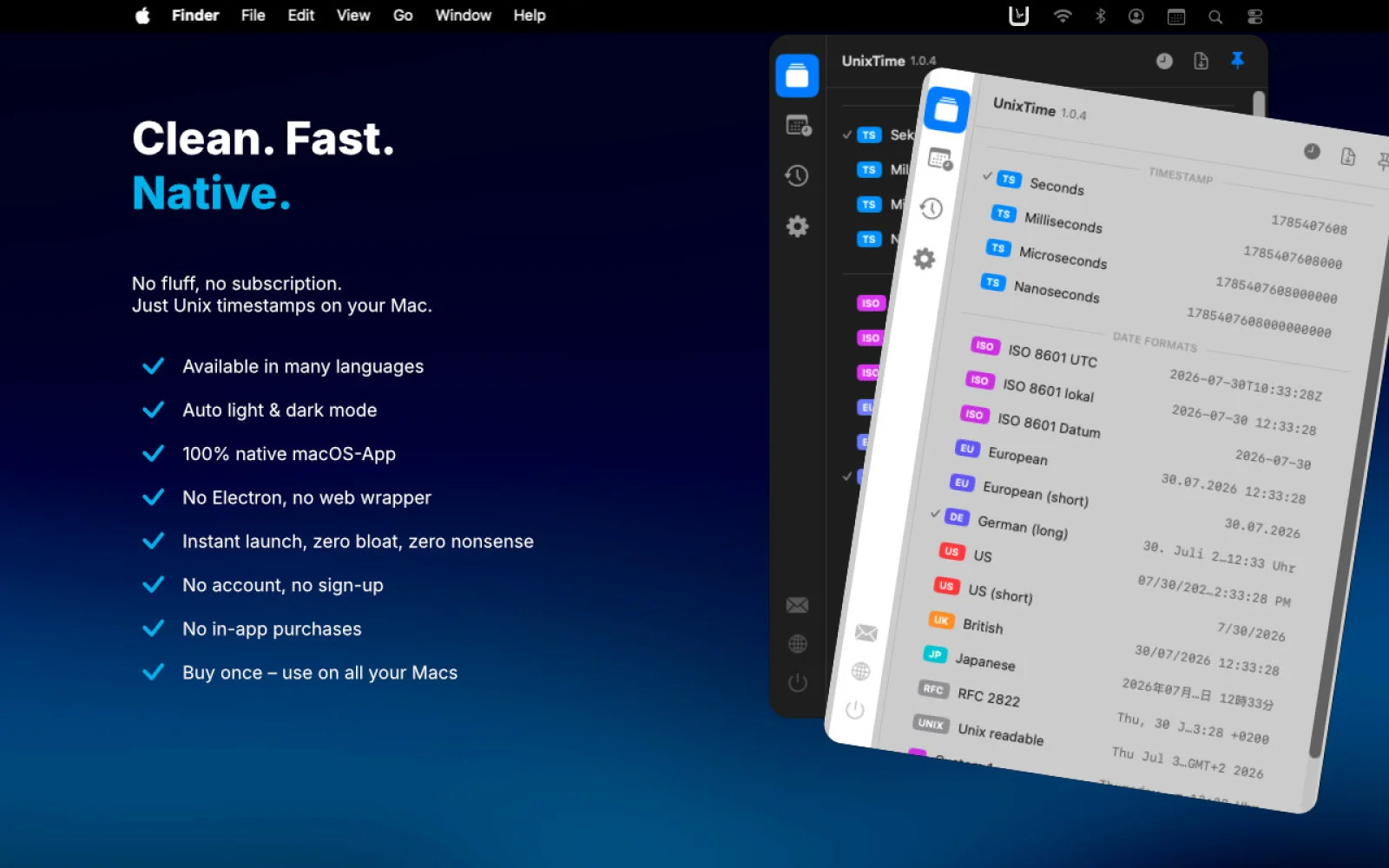
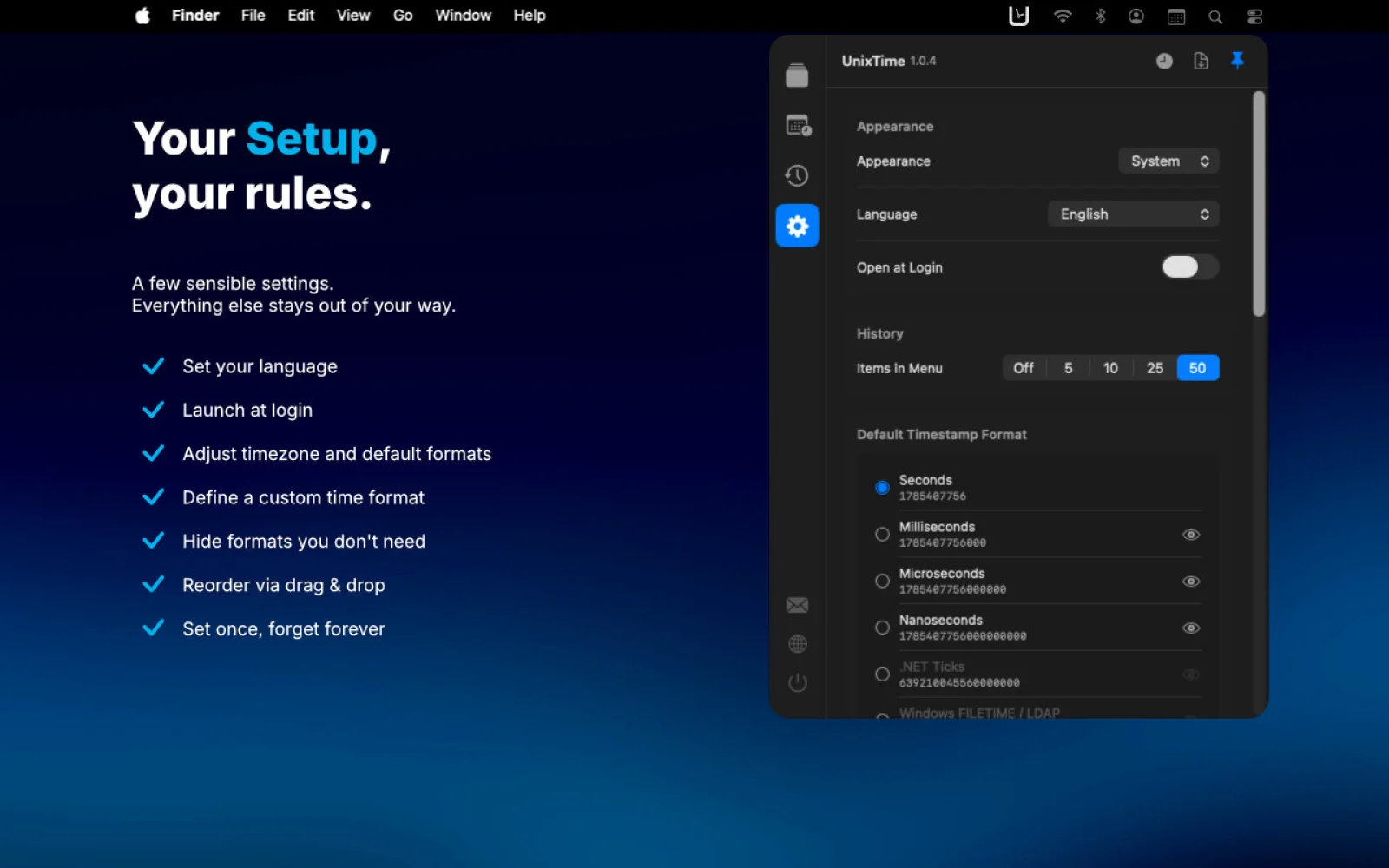
Customization is thorough. Users control which formats appear and in what order, set preferred defaults for timestamp and date output, and create unlimited custom date formats with unique names and patterns. The app respects macOS appearance settings, automatically following light and dark modes or locked to either.
Localization spans 12 languages, and the business model is straightforward: a 2.99 euro one-time purchase with no subscription, advertisements, or data collection. The result is an app built directly for how developers actually work—minimizing context switching and reducing unnecessary steps in a task they perform hundreds of times.
Founder Diary
DevlogThe maker hasn't posted a diary entry yet.
Key Features
Menu Bar Integration
Timestamp conversion directly accessible from the macOS menu bar
Instant Preview
Hover to see clipboard content, conversion counterpart, and what will be copied before acting
Comprehensive Format Support
Handles Unix seconds, milliseconds, microseconds, nanoseconds, and platform-specific formats from .NET, Windows, Chrome, WebKit, Mozilla, Apple, and Macintosh systems
Date and Time Calculator
Construct moments by entering dates, adjusting values by time units, switching time zones, or generating random dates for testing
Searchable History
Conversions are logged in searchable history tied to source applications for easy retrieval
Custom Format Creation
Create unlimited custom date formats with unique names and patterns, organized via drag-and-drop
Use Cases
-
1
Software developers
Eliminates workflow friction of switching to browsers and using online converters multiple times daily
-
2
DevOps and systems engineers
Supports platform-specific timestamp formats from .NET, Windows, Chrome, WebKit, Mozilla, and Apple systems
-
3
QA testers
Built-in random date generator enables testing with various timestamp values without manual data entry
FAQ
How do I convert Unix timestamps on macOS? ▾
What timestamp formats does UnixTime support? ▾
Does UnixTime send data to the cloud? ▾
Can I customize which formats appear in the app? ▾
Pricing
One-time purchase with no subscription, advertisements, or data collection.
Tech Stack & Tags
Discussion
No comments yet — be the first!
Join the conversation — sign up to comment.
Sign up freeCommunity Support
Boost this project on Sell With boost