
VidBoards
- No match
Machine translation — the English original is authoritative.
The Story
AI creators like me spend hours jumping between apps to compare and present generated videos and images. I built VidBoards to give us one focused tool—a free canvas where you can organize, compare frame-by-frame with a shared timeline, and present your work without switching apps. No subscription, no account, just local control over your creative workflow.
AI Overview
AI-generatedCreators working with AI-generated media face a fragmented workflow. After spending time generating images and videos across various AI tools, they must jump between multiple applications to organize, compare, and present their results. VidBoards consolidates this repetitive context-switching into a single, focused application designed specifically for reviewing and presenting generated batches.
The product targets AI creators actively using generation tools like ComfyUI, Automatic1111, Stable Diffusion, and similar platforms. Rather than building yet another creation tool, VidBoards solves the problem that comes after generation: managing outputs efficiently, comparing results systematically, and presenting sequences without leaving the application.
What distinguishes VidBoards is its philosophical foundation. The application operates entirely locally without subscriptions, accounts, or cloud services. It reads embedded metadata directly from generated files, eliminating manual documentation burden. This approach appeals to creators who prioritize privacy and control over their workflow.
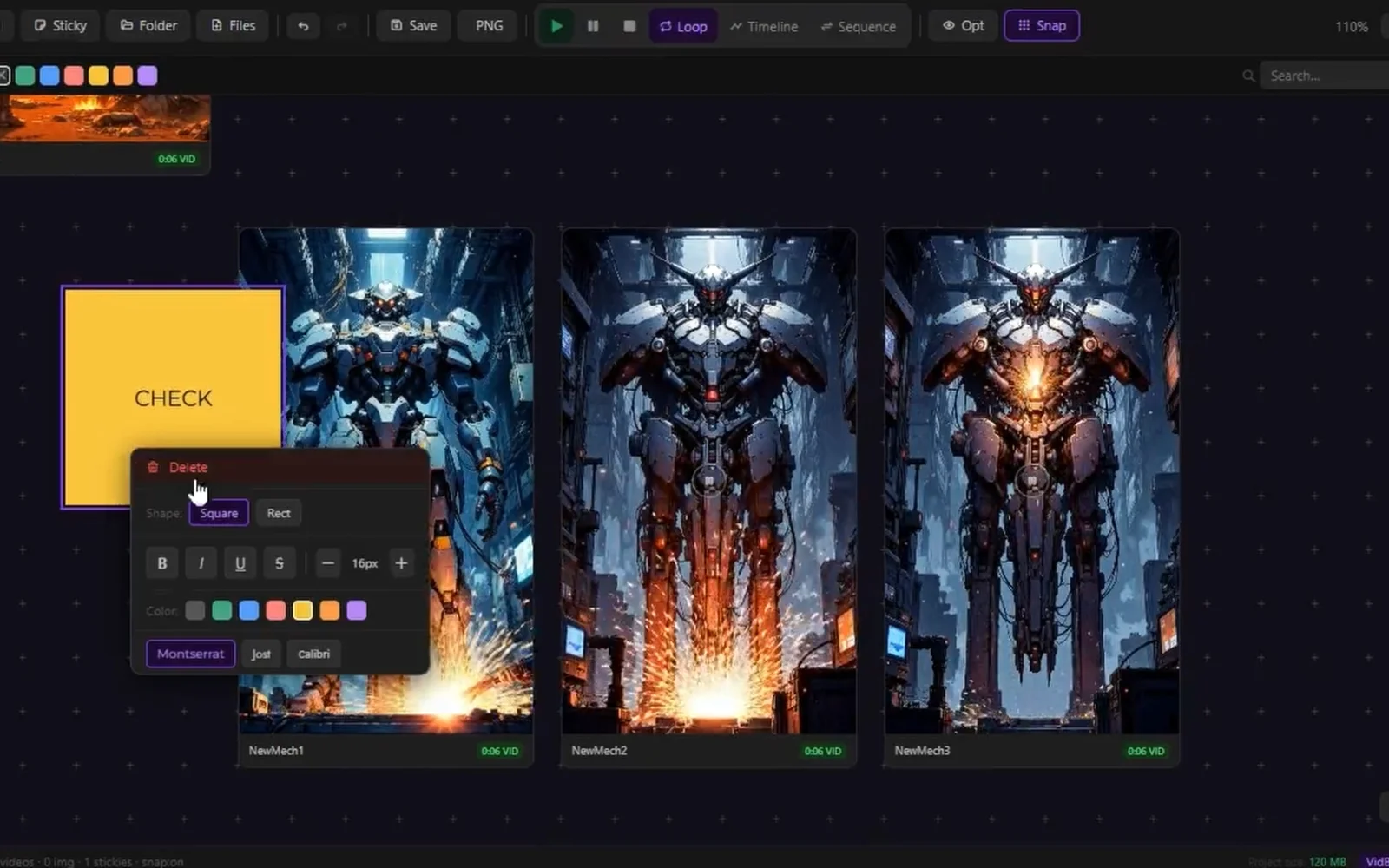
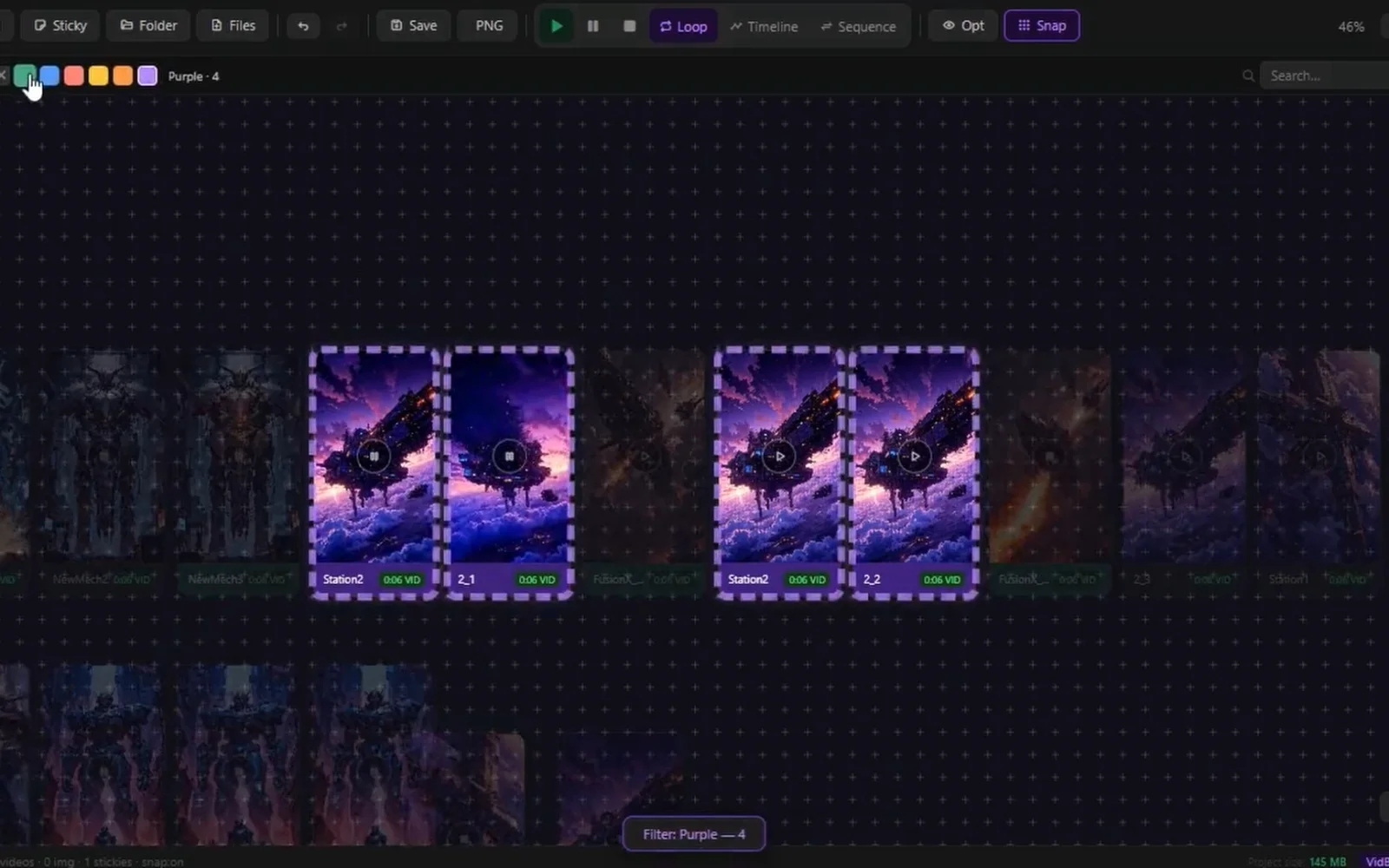
The interface centers on an infinite canvas where users arrange videos and images freely using standard gestures: middle-mouse panning, scroll-wheel zooming, and optional snap-to-grid alignment. Multiple boards support unlimited cards per project, saved as lightweight .vdb files. The architecture remains deliberately simple, keeping users focused on their media rather than fighting interface complexity.
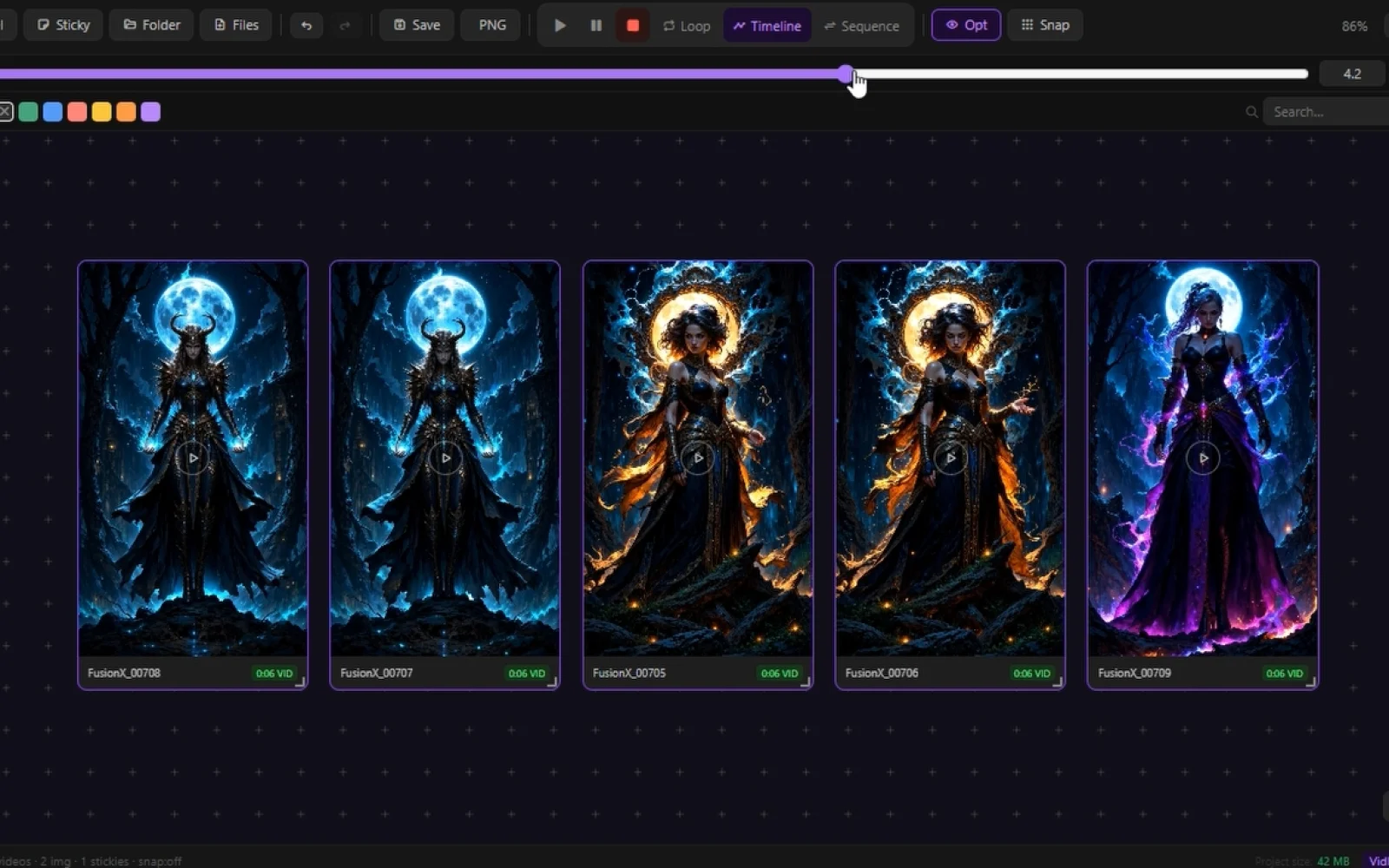
The shared timeline feature represents the core innovation. A single scrubber syncs all videos to the exact same frame simultaneously, enabling instant comparison across dozens of clips. Rather than opening multiple players and mentally tracking differences, creators see frame-by-frame variations across all takes at once. This directly addresses the time spent hunting for optimal shots.
Sequence Mode transforms the application into a presentation tool. Users activate a full-screen overlay, arrange clips in order, and play them back-to-back like a showreel. Auto-advance between items and keyboard controls eliminate the need to export to external presentation software.
Supporting tools include batch operations through multi-select, quick media controls for simultaneous playback or looping, and support for PNG, JPEG, WebP, MP4, and MKV formats. The application also handles metadata from multiple AI generation tools seamlessly.
The pricing model is unambiguous: free, forever, with no subscription, no account requirement, and no cloud dependency. For a creator-focused tool addressing a specific workflow bottleneck, VidBoards demonstrates disciplined product design aligned with its audience's actual needs.
Founder Diary
DevlogThe maker hasn't posted a diary entry yet.
Key Features
Infinite Canvas
Arrange images and videos freely with panning, zooming, and snap-to-grid alignment.
Shared Timeline
Sync multiple videos to the same frame simultaneously for frame-by-frame comparison.
Sequence Mode
Full-screen presentation tool for arranging and playing clips back-to-back.
Local Storage
Entirely offline operation with no subscriptions, accounts, or cloud services.
Batch Operations
Multi-select controls for simultaneous playback, looping, and quick media operations.
Metadata Support
Reads embedded metadata directly from AI-generated files to eliminate manual documentation.
Use Cases
-
1
AI Content Creators
Consolidate workflow for creators using ComfyUI, Automatic1111, Stable Diffusion, and similar generation tools.
-
2
Batch Comparison
Compare dozens of generated clips frame-by-frame simultaneously to find optimal shots without manual tracking.
-
3
Presentation Workflows
Create and present sequences directly without exporting to external presentation software.
-
4
Privacy-Conscious Creators
Those prioritizing privacy and control over their workflow with fully local storage.
FAQ
Does VidBoards work offline? ▾
What file formats does VidBoards support? ▾
How does VidBoards help compare multiple videos? ▾
Is there a subscription fee? ▾
Pricing
Free forever with no subscriptions, accounts, or cloud services required.
Tech Stack & Tags
Discussion
No comments yet — be the first!
Join the conversation — sign up to comment.
Sign up freeCommunity Support
Boost this project on Sell With boost
Meet the Founder

More in AI Generative Media

AI Mixer - AI Photo | AI Video | AI Voice. All AI tools in one app!
AI Mixer was built to solve a simple but frustra...
FacelessGenie
We built FacelessGenie to solve the biggest bott...

GeniusAI
We built GeniusAI to make professional AI image...

MyRaxAI
I built MyRaxAI to help creators generate stunni...

Berrioo
We built Berrioo to democratize professional vis...

Seedance
We built Seedance to make cinematic video creati...