
BuildCalcs
- No match
Machine translation — the English original is authoritative.
The Story
A slab quote is usually one number, and one number tells you nothing about whether the price is fair. BuildCalcs splits it: the volume side works out cubic yards from length, width and thickness, including the 5-10% waste that short orders and uneven subgrade eat, and the cost side prices that volume at regional material rates, then adds delivery, base prep and labor.
It shows material per cubic yard, installed price per square foot and running totals for 10x10, 20x20 and 24x24 slabs, which are the sizes most residential quotes are written for. Ranges rather than single figures are used on purpose: ready-mix varies by region and by season, and a price that looks precise is usually a price that is out of date.
If the volume is the open question rather than the money, the slab volume calculator does that step alone: dimensions in, cubic yards, cubic feet and bag counts out, with thickness guidance for patios, shed floors and driveways. Both pages are free and need no account, and the formulas are printed below each result so an estimate can be reproduced or handed to a supplier.
AI Overview
AI-generatedBuildCalcs turns a concrete slab quote into two separate questions, which is a sensible way to read one. The first is how much concrete the job needs. The second is whether the price for that volume is reasonable. Most quotes arrive as a single figure, and that figure hides both the volume assumptions and the cost build-up. The site addresses that gap by showing its working, so a homeowner, contractor or small builder can check an estimate before signing anything.
The volume side takes length, width and thickness and returns cubic yards, which is the unit ready-mix suppliers actually quote. The site also adds a 5 to 10 percent waste allowance, covering spillage, uneven subgrade and over-excavated edges. Thickness is converted from inches automatically, a step where unit errors commonly creep in. The calculator handles imperial and metric entries and converts between them, and it offers bag counts for common retail sizes, with a note that bag yields vary by brand and product, so the printed yield on the actual bag should be checked before ordering.
The cost side prices that volume at regional material rates and adds delivery, base preparation and labour. It reports material cost per cubic yard, installed cost per square foot, and running totals for 10 by 10, 20 by 20 and 24 by 24 slabs, which are the sizes most residential quotes use. The site deliberately presents ranges instead of single figures, because ready-mix prices shift by region and season. That choice is more honest than a precise number that may already be out of date, though users should treat the output as a planning benchmark rather than a binding price.
The site is aimed at homeowners comparing quotes, DIY builders estimating patios, sheds and driveways, and anyone who needs a figure to send to a supplier. Both the volume and cost tools are free and require no account, and the formulas are printed beneath each result so the numbers can be reproduced by hand. That transparency is the product's clearest strength. It is also a sensible fit for shoppers who want to understand a quote before accepting it.
Founder Diary
DevlogThe maker hasn't posted a diary entry yet.
Key Features
Volume Calculator
Takes length, width and thickness and returns cubic yards, the unit ready-mix suppliers quote.
Waste Allowance
Adds a 5 to 10 percent waste allowance for spillage, uneven subgrade and over-excavated edges.
Unit Conversion
Converts thickness from inches automatically and handles imperial and metric entries.
Bag Count Estimates
Offers bag counts for common retail sizes, with a note to check the printed yield on the actual bag.
Cost Breakdown
Prices volume at regional material rates and adds delivery, base preparation and labour.
Common Slab Totals
Reports running totals for 10 by 10, 20 by 20 and 24 by 24 slabs.
Use Cases
-
1
Homeowners
comparing a concrete slab quote before accepting it.
-
2
DIY builders
estimating concrete for patios, sheds and driveways.
-
3
Small builders and contractors
checking an estimate against the volume and cost behind it.
-
4
Anyone needing a figure for a supplier
producing a volume estimate to send to a ready-mix supplier.
FAQ
How do I calculate how much concrete I need for a slab? ▾
Is BuildCalcs's concrete calculator free to use? ▾
How much does a concrete slab cost per square foot? ▾
Can I use metric measurements for concrete calculations? ▾
Pricing
Both the volume and cost tools are free and require no account.
Tech Stack & Tags
Discussion
No comments yet — be the first!
Join the conversation — sign up to comment.
Sign up freeCommunity Support
Boost this project on Sell With boost
Meet the Founder

"Founder of buildcalcs.io - Free Practical Calculators for Builders, Contractors & DIYers"
More in Productivity

OkComputer
OkComputer is an AI harness for professionals an...

My2Do
Type tasks the way you would say them, like "sen...

ToolPotion
ToolPotion.ai — Discover the Right AI Tools for...
Word Puzzle World
Word Puzzle World started with a familiar frustr...
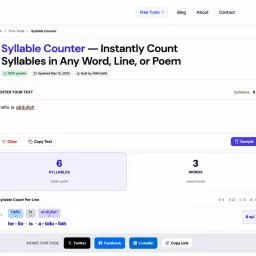
Syllable Counter
This is a syllable counter tool made by AIWriteK...

SpeakerEject
SpeakerEject is a free collection of browser aud...