
Cursor 1.7

- No match
Machine translation — the English original is authoritative.
The Story
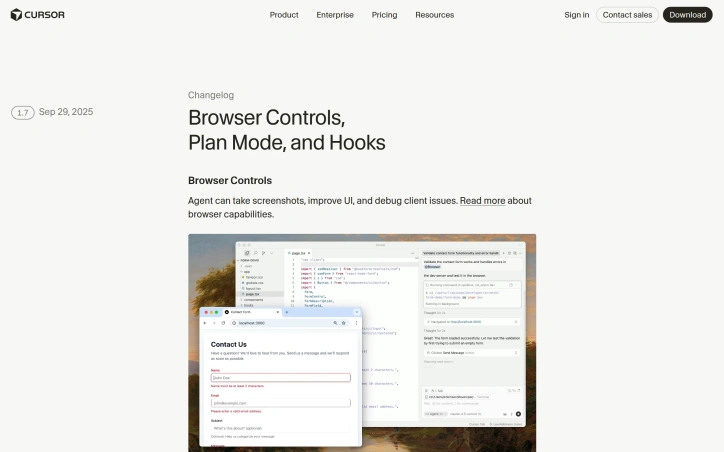
Cursor 1.7 is here! Introducing autocomplete for agent, hooks, team rules, ability to share prompts with deeplinks, and more. Look forward to hearing what you think!
AI Overview
AI-generatedFor engineering teams running AI agents in production, control and visibility matter as much as capability. Cursor's latest release tackles the governance gap that emerges when autonomous agents scale across teams, introducing tooling designed to balance agent autonomy with operational safety.
The core problem Cursor 1.7 solves is runtime control over AI agent behavior. Teams deploying agents face real risks—unintended command execution, context leakage, secret exposure—but traditional sandboxing feels clunky and restrictive. Hooks address this directly by letting teams write custom scripts that observe and intercept the agent loop, audit usage, block dangerous commands, or redact sensitive data before it reaches the model. This is a pragmatic solution for organizations that want AI agents but need guardrails.
Beyond governance, Plan Mode stands out as a meaningful shift in how agents approach complex work. By writing detailed plans before execution, agents can reason through problems at higher levels of abstraction and sustain longer, more coherent task sequences. This mirrors how human developers approach large features—sketch before building. Combined with the new ability for agents to read image files directly from workspaces and take screenshots, Cursor is expanding what agents can actually accomplish without constant human context-switching.
The smaller features compound the value proposition. Team rules let organizations scale policies across projects without configurable drift. Autocomplete during prompt writing surfaces context-aware suggestions based on recent changes, shortening the feedback loop between thought and execution. Deeplink-shareable prompts turn repetitive workflows into repeatable templates. PR summaries from Bugbot automatically document code reviews, reducing the tedious work of context summarization.
Sandboxed terminal execution adds another layer of safety—non-allowlisted commands run in an isolated environment by default, with the system detecting when sandboxing caused failures and prompting users to retry with elevated privileges if genuinely needed. This is thoughtful design that prevents legitimate work from being blocked while maintaining security posture.
What's conspicuously absent from this release is any focus on reducing cost or improving inference speed. Cursor is not playing the commoditization game. Instead, it's betting that teams will pay for agents that actually work reliably in real codebases with real security requirements. The menubar monitoring feature, superficially small, suggests Cursor understands that agent work is background work—developers need lightweight visibility without disrupting flow.
The release positions Cursor as an enterprise-grade agentic platform rather than a general-purpose AI assistant. It's maturing in the direction that matters to its core audience: teams building at scale.
Founder Diary
DevlogThe maker hasn't posted a diary entry yet.
Key Features
Hooks System
Observe and intercept agent behavior with custom scripts for auditing, blocking dangerous commands, and redacting sensitive data.
Plan Mode
Agents write detailed plans before execution for higher-level reasoning and sustained longer task sequences.
Visual Perception
Agents can read image files directly from workspaces and capture screenshots.
Team Rules
Scale security policies across projects consistently without configuration drift.
Smart Autocomplete
Context-aware suggestions during prompt writing based on recent workspace changes.
Sandboxed Terminal
Non-allowlisted commands execute in isolation with automatic privilege elevation prompts.
Use Cases
-
1
Engineering Teams
Need control and visibility with safety guardrails when deploying autonomous AI agents in production.
-
2
Enterprise Organizations
Scale AI agents across teams while maintaining security, compliance, and audit requirements.
-
3
Complex Development Tasks
Agents with Plan Mode and visual perception handle intricate code work and longer task sequences.
-
4
Security-Conscious Teams
Require command blocking, data redaction, and governance capabilities for agent deployment.
FAQ
What security features does Cursor 1.7 have for AI agents? ▾
How does Plan Mode improve AI agent performance? ▾
Can Cursor agents access images and visual context? ▾
Does Cursor focus on reducing AI costs? ▾
Tech Stack & Tags
Discussion
No comments yet — be the first!
Join the conversation — sign up to comment.
Sign up freeCommunity Support
Boost this project on Sell With boost
Meet the Founder
Anonymous Maker
More in AI Code Editors

RightNow AI Code Editor
RightNow AI is the first CUDA-native code editor...
Nexion - For Windows & Open Source
🎉 Big news! Windows version + Open-source relea...

Strix
Strix is an open-source AI hacking agent that fi...

shadcn CLI 3.0 and MCP Server
shadcn/ui is the foundation for your design syst...

Merge Agent Handler
Securely connect AI agents to enterprise-ready t...

Jam SQL Studio
We built Jam SQL Studio because Microsoft retire...