
shadcn CLI 3.0 and MCP Server
- No match
Machine translation — the English original is authoritative.
The Story
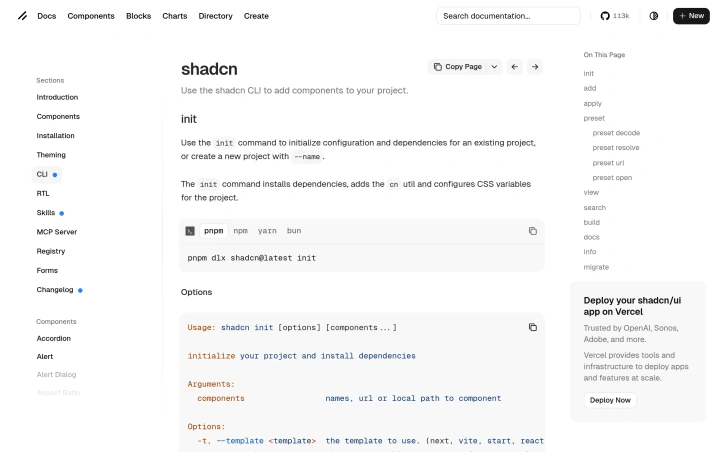
shadcn/ui is the foundation for your design system—A set of beautifully designed components that you can customize, extend, and build on. Use the shadcn CLI to add UI components to your project. Start here: npx shadcn@latest init
AI Overview
AI-generatedThe shadcn CLI 3.0 and MCP Server combo is a comprehensive solution designed for teams building design systems from scratch or expanding existing ones. It's an all-in-one tool that addresses several pain points in the development process by providing a seamless way to integrate UI components, manage dependencies, and customize visual themes.
One standout feature of this platform is its robust CLI (Command-Line Interface) tool, which simplifies the initialization and configuration of new projects. With shadcn CLI 3.0, developers can quickly set up their projects using customizable templates, choose from a range of component libraries, and even scaffold monorepo projects with ease.
The MCP Server, part of this solution, offers an efficient way to manage UI components, dependencies, and configurations across multiple projects. It allows teams to create, update, and publish components in a centralized manner, ensuring consistency throughout their design system.
Key features worth noting include the ability to customize CSS variables for theming, support for right-to-left (RTL) layouts, and an intuitive way to add new components with optional confirmation prompts or silent installation options. The CLI also supports various package managers, including npm and yarn.
Unfortunately, pricing details are not explicitly mentioned in the provided documentation, so potential users will need to look elsewhere for this information. Overall, shadcn CLI 3.0 and MCP Server offer a powerful and streamlined solution for teams working on complex design systems, making it an attractive option for those seeking efficiency and consistency in their development workflows.
Founder Diary
DevlogThe maker hasn't posted a diary entry yet.
Key Features
CLI Tool
Simplifies project initialization and configuration with customizable templates
Component Management
Centralized way to create, update, and publish components across projects
Theming Support
Customize CSS variables for visual theme customization
RTL Layout Support
Built-in support for right-to-left language layouts
Package Manager Compatibility
Supports multiple package managers including npm and yarn
Monorepo Scaffolding
Ability to scaffold monorepo projects with ease
Use Cases
-
1
Design System Teams
Provides a comprehensive solution for building design systems from scratch or expanding existing ones
-
2
Enterprise Development
Enables teams to maintain consistency throughout their design system with centralized component management
-
3
Multi-Project Environments
Allows developers to manage UI components and configurations across multiple projects efficiently
FAQ
What is shadcn CLI 3.0? ▾
How does the MCP Server help manage components? ▾
Does it support different languages or layouts? ▾
What package managers are supported? ▾
Tech Stack & Tags
Discussion
No comments yet — be the first!
Join the conversation — sign up to comment.
Sign up freeCommunity Support
Boost this project on Sell With boost
Meet the Founder
Anonymous Maker
More in AI Code Editors

RightNow AI Code Editor
RightNow AI is the first CUDA-native code editor...
Nexion - For Windows & Open Source
🎉 Big news! Windows version + Open-source relea...

Strix
Strix is an open-source AI hacking agent that fi...

Merge Agent Handler
Securely connect AI agents to enterprise-ready t...

Jam SQL Studio
We built Jam SQL Studio because Microsoft retire...

Cursor 1.7
Cursor 1.7 is here! Introducing autocomplete for...