#open source Startups & Tools
Discover the best open source startups, tools, and products on SellWithBoost.
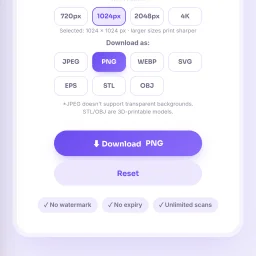
Generating QR codes has become ubiquitous in marketing, operations, and everyday information sharing, yet many solutions require software installation or paid subscriptions. A free, browser-based QR code generator addresses this friction point for individuals, small businesses, students, and content creators who need quick access to barcode creation without complexity. QRSnap fills this need as a no-signup online tool that operates entirely in the browser. The product distinguishes itself not simply through its core QR code functionality but through an expansive ecosystem of supplementary utilities that transforms it from a single-use tool into a broader productivity suite. Beyond standard QR code generation for URLs and WiFi networks, QRSnap supports business card codes and barcode creation with customization options acknowledged for branding purposes. The platform extends into image manipulation with a built-in editor, compressor, and converter that handles multiple formats including JPG, PNG, and WebP conversions. A tool for converting images to PDF rounds out this feature set. The utility catalog broadens further with calculator tools spanning general mathematics, health metrics such as body fat and pregnancy estimations, financial planning through compound interest and loan amortization, and time tracking features. An outfit generator addresses personal styling needs, while SEO tools allow website owners to audit technical elements and metadata. Several additional features carry "coming soon" status, including PDF merging and splitting capabilities. Several elements suggest purposeful design: the emphasis on browser-based operation eliminates installation friction, customization options for QR codes acknowledge business needs, and the breadth of tools consolidates multiple utilities within a single platform. However, the expansion into fashion styling and general calculators dilutes focus from the core QR code value proposition, raising legitimate questions about navigation simplicity and feature discoverability within what amounts to a collection of disparate utilities. Pricing remains transparent and straightforward. The entire suite operates free of charge with no paywalls or premium tiers mentioned. The product serves its stated mission of making QR code generation accessible without friction, though the scattered feature set suggests the platform aspires to be a general online utility hub rather than a focused solution.

Building complex dynamic systems typically forces engineers into a choice between mathematical rigor and practical usability. Modeling interactive components as a single monolithic differential equation demands expertise and produces brittle systems that resist changes. A new platform takes a different approach by letting engineers describe system components individually and their interactions, with the execution engine handling the mathematical integration. The core insight here is compositional modeling. Rather than writing one master equation, engineers define state owned by each component—a battery's temperature and charge, a coolant reservoir's fill level—and the specific relationships between them. This graph-based structure mirrors how real engineers think about systems: individual devices with properties that influence one another. The platform targets digital twin applications and engineering simulations where this decomposition directly reflects physical reality. What distinguishes this approach is the combination of visual and native execution. The workbench lets users create nodes, connect them graphically, and define equations against explicit state and parameter references. Behind the scenes, simulations run as compiled C++ code for speed. Users can disable or delete components in place without restructuring the entire model, a practical feature that acknowledges real-world iteration. The feature set addresses the gap between high-level design and low-level execution. A data recovery mode can import time-series CSV data and propose candidate components and relationships for review—essentially extracting model structure from historical behavior. An embedded model assistant accepts natural language descriptions of changes, validates them against the model structure, and presents structured proposals before committing anything to the workbench. This reduces both the risk of invalid models and the friction of iteration. Extensibility is designed in from the start. An add-on interface lets users contribute custom visualizers for both live and completed simulations. The platform supports multiple AI providers—Ollama for local inference, OpenAI, NVIDIA, Hugging Face, and Gemini for hosted options—giving teams flexibility around where inference runs. The source code is open, and the platform includes both a desktop application and command-line validator, suggesting a workflow that spans interactive modeling and automated validation pipelines. The geometric representation layer sits decoupled from model semantics, allowing engineers to visualize components with bundled shapes, library models, or custom CAD imports. The offering is currently in beta, with the full pipeline from model composition through time-dependent analysis already functional.

Record any meeting on macOS. Speakers labelled, transcript searchable. No bot joins the call, and your recordings stay on your Mac. No third participant ever joins

Anyone tired of uploading files to mysterious servers for simple image tasks now has an alternative. PixelTools addresses a straightforward but persistent problem: users need quick image and document processing without surrendering their files to third-party servers. The product targets anyone who handles images regularly but values privacy and speed—content creators, developers, designers, and professionals who want instant results without friction or data exposure. What distinguishes PixelTools is its execution of a privacy-first architecture. Every tool runs entirely in the browser using WebAssembly and browser APIs, eliminating the traditional server upload bottleneck. This approach delivers genuinely instant processing since computation happens locally on the user's device rather than queuing in a server pipeline. The developer behind the project built it explicitly to solve a personal frustration with existing workflows, bringing authentic motivation to the product. The current toolkit spans ten utilities: image compression, text extraction via OCR, AI-powered background removal, format conversion between PNG, JPG, and WebP, favicon generation, image resizing with preset templates, watermarking, QR code generation, a color picker for palette building, and screen recording with audio. This breadth addresses common image workflows without forcing users to juggle multiple tabs or services. The business model relies entirely on non-intrusive advertising, keeping all tools permanently free while avoiding accounts, subscriptions, or file limits. Users download or process their work without friction. This approach appeals to cost-conscious individuals and small teams who might otherwise piece together expensive software or resort to less legitimate alternatives. Technically, the product reflects solid frontend engineering. The developer brings five years of professional experience building React and Next.js applications, with demonstrated expertise in performance optimization and responsive design. That background shows in the product's interface and stability. The main limitation lies in feature scope. While the ten tools cover common tasks well, they remain fairly focused. Advanced image editing, batch operations across all tools, or custom processing pipelines remain absent. For users needing specialized functionality beyond these core utilities, more comprehensive solutions may prove necessary. PixelTools succeeds by doing one thing well: giving users fast, private image processing without requiring trust in unknown servers or payment. For that specific need, it delivers reliably.

Losing unsaved text to a browser crash or network failure is a common frustration that most internet users have experienced at least once. UTexSave addresses this problem by running quietly in the background to automatically capture and preserve everything you type. The product targets anyone who spends significant time writing online: form entries, email drafts, AI prompts, social media posts, or any text input that matters. The founder built this after losing thirty minutes of work to a browser crash, discovering no simple solution existed at the time. What distinguishes UTexSave is its commitment to offline operation. The software stores all data locally on your device with no cloud component, internet connection, or account required. This design choice prioritizes security and privacy while ensuring your backups remain accessible even during network outages. The application runs entirely on your machine, eliminating transmission risks associated with cloud-based competitors. The feature set directly addresses recovery scenarios. Continuous local backup captures everything you write in real time. The previous session recovery function restores text even after unexpected shutdowns or crashes. A clipboard tracker logs the last 100 copied items in the standard version, expanding to 400 in the Pro tier. Pro users also gain access to a backup folder storing the last 30 sessions, allowing recovery of text deleted long ago. Technical execution shows discipline. The entire application weighs under 2 megabytes, meaning minimal system overhead and no noticeable performance impact. Installation is straightforward, with taskbar menu access for retrieving saved files. A pause feature lets users stop recording temporarily, useful when typing passwords or sensitive information. The business model relies on lifetime licenses rather than subscriptions. The Standard version costs 9.90 dollars with installation limited to three authorized PCs. The Pro version costs 39.90 dollars and supports up to twenty PCs. A Microsoft Store version available at 13.99 dollars ties installation to a single Microsoft account. All versions include the core backup and recovery functionality. UTexSave solves a specific, genuine problem with a straightforward approach. The offline-first philosophy appeals to users prioritizing data control and privacy. For writers, developers, and anyone vulnerable to data loss through crashes or accidental deletion, the product delivers measurable value without complexity or subscription costs.
Menu bar system monitors solve a real friction point for Mac users: the need to quickly check CPU, memory, and thermal performance without opening Activity Monitor or third-party bloatware. MacBar addresses this with a lightweight, native alternative that stays out of the way until needed. The product installs entirely on your terms. Rather than downloading a prebuilt binary, the terminal installation command builds MacBar locally on your machine, with checksum verification to prevent tampering. This approach eliminates a common trust barrier between users and developer tools. The application collects no telemetry and requires no account, making it straightforward for privacy-conscious users to adopt without suspicion of data harvesting downstream. The monitoring capabilities deliver what users expect from a menu bar app: real-time CPU usage, temperature readings, clock speed, and memory stats. The interface includes a per-core CPU breakdown and a 60-second history graph, which adds useful context beyond the current snapshot. For Mac users who want to diagnose sudden slowdowns or track thermal behavior under load, this granularity matters. The technical implementation choices reinforce the privacy position. MacBar is built as native code and comes ad-hoc signed rather than notarized, a trade-off that keeps installation simple at the cost of a one-time security warning. The developers have committed to supporting Apple Silicon going forward while ending updates for Intel Macs after version 1.2.5, a pragmatic decision reflecting the real-world platform shift in the Mac ecosystem. Installation presents three paths: a hardened terminal command, a ZIP file, or compilation from source via Xcode. The terminal route is the default recommendation and avoids Gatekeeper friction entirely. This layered approach accommodates different user risk tolerances and technical comfort levels. The pricing model is straightforward: the application is free. This, combined with open-source development and no account requirements, positions MacBar as a genuine public service rather than a loss leader or future revenue trap. MacBar targets a specific audience: technical Mac users who want transparency in their system performance without the overhead of full-featured system utilities. It does not attempt to be everything; it stays in the menu bar and reports metrics. For users in that niche, it removes friction and requires no compromise on privacy.
For developers managing multiple AI coding agents simultaneously, tracking active sessions and monitoring usage across Claude Code, Codex, Antigravity, Grok, and Cursor presents a constant friction. Agent Island addresses this directly—a local-first status companion that lives in your menu bar and keeps session state, quotas, and costs visible without requiring cloud infrastructure or user telemetry. What distinguishes Agent Island is its architectural stance: the application runs entirely on your machine, reads transcript files your tools already generate, and maintains zero dependency on external servers or Agent Island accounts. This design choice matters. It means your coding patterns stay private, API integrations leverage tokens you already control, and the tool's benefit doesn't hinge on a company's continued operation. The code is open source under the MIT license with every line public on GitHub. The feature set addresses genuine workflow pain points. Real-time session monitoring surfaces when an agent is working, waiting, or stalled—the distinction that determines whether you should check on progress. Usage tracking combines token counts with estimated API costs and displays weekly summaries breaking down model preferences and ranking your consumption against other users. The application integrates deeply with the operating system: on macOS it occupies the notch, on Windows it hooks into the taskbar, and both implementations alert you when your next turn arrives rather than requiring you to poll manually. Installation is straightforward—one Homebrew command on macOS or a single executable download on Windows. The macOS version ships with ad-hoc signing rather than a paid developer certificate, which triggers a one-time security prompt on first launch; subsequent updates are verified using EdDSA signatures before installation. The product has accumulated significant adoption across numerous community directories and "awesome" lists, with over three thousand reported active users. No pricing exists by design—this is open source software with no commercial licensing, subscriptions, or freemium upsells. Agent Island fills a specific but real niche: developers who work across multiple AI coding agents and need centralized visibility into session state and spending patterns. The commitment to local processing, transparent code, and zero telemetry will resonate with users who prioritize privacy. For those already managing these tools, the menu bar integration makes monitoring frictionless enough to justify installation.

Staying informed about the latest developments in artificial intelligence is a challenge for founders, developers, and innovators. With the rapid pace of advancements in AI, it is crucial to have a reliable source of news, insights, and tool reviews. AIBeat.dev delivers on this need, providing a one-stop destination for AI enthusiasts to stay ahead of the curve. What stands out about AIBeat.dev is its comprehensive coverage of the AI landscape, featuring breaking news, in-depth analysis, and reviews of over 500 AI tools. The platform's content is curated to cater to the needs of its target audience, providing valuable insights into the implications of AI on various industries and aspects of business. The daily brief is a key feature of AIBeat.dev, offering subscribers a concise summary of the most important AI news and tool picks every morning. With a subscriber base of over 8,400 founders and freelancers, this feature has clearly resonated with the AI community. The platform also showcases top tools, categorized by their applications and ratings, making it easier for users to discover and evaluate AI solutions. AIBeat.dev is built using modern technology, leveraging Next.js and TypeScript to deliver a seamless user experience. The platform's commitment to providing high-quality content is evident in its in-depth articles and analysis, such as its coverage of the impact of AI safety features on cybersecurity research. The service is offered free of charge, with no spam, and users can unsubscribe at any time. Overall, AIBeat.dev is a valuable resource for anyone looking to stay informed about the latest developments in AI and discover new tools and solutions to drive innovation.

Professionals preparing for high-stakes conversations now have a low-risk environment to build competency. This AI-powered simulation platform targets three common career challenges: behavioral interview preparation, negotiation strategy, and difficult workplace dialogue. Users engage with customizable AI personas that present varied communication styles and hidden objectives, creating scenarios that feel closer to reality than rote practice. The dual interface—text and voice—accommodates different learning preferences and helps users practice oral delivery for situations where tone and pacing matter. Immediate feedback on emotional recognition and goal attainment provides actionable insights on the fly rather than vague reinforcement. The approach addresses a real gap. Many professionals lack safe spaces to stumble through these conversations before stakes rise, and live coaching can feel expensive or intimidating. By positioning practice as judgment-free repetition against software opponents, the platform removes social friction while building actual fluency. The value hinges on scenario quality and AI responsiveness. Personas must feel authentically reactive rather than scripted, and feedback must be specific enough to inform better choices next round. Success also depends on whether users actually internalize lessons from practice or simply chase scores. For career-conscious professionals who want to rehearse rather than improvise, this fills a practical niche.

Content analysis tools have become essential for anyone publishing online, whether for search engine optimization, social media, or academic purposes. This word counter addresses a genuine need: writers and creators want instant feedback on their text's metrics without surrendering their privacy to cloud storage. The tool's core strength lies in its comprehensive real-time analysis. It delivers word, character, sentence, and paragraph counts as users type or paste content. Beyond basic metrics, it estimates both reading time using a standard 200 words per minute rate and speaking time at 130 words per minute. This dual-time feature proves particularly valuable for podcasters, presenters, and audiobook creators planning content duration. The readability scoring employs the Flesch-Kincaid scale, helping writers gauge text accessibility on a 0-100 scale where higher scores indicate easier comprehension. Combined with the character-limit tracking for Twitter/X posts, meta descriptions, and meta titles, the tool directly serves SEO practitioners optimizing content for search visibility and social media distribution. The word frequency analysis adds another layer, identifying repeated terms and helping refine content for both readability and keyword targeting. What distinguishes this offering is its commitment to privacy. The application processes all analysis client-side, meaning users' text never touches external servers. For writers working with sensitive material, confidential documents, or simply those concerned about data collection, this approach removes a significant barrier to adoption. The interface includes thoughtfully chosen shortcuts for power users: Ctrl+H for find and replace, Ctrl+Shift+C to copy, and Ctrl+Shift+D to download. The dark and light theme options accommodate different working environments and preferences. Mobile responsiveness ensures the tool functions equally well on phones and tablets, matching how many writers actually compose content today. The product positions itself at the intersection of multiple audiences. Casual Twitter users benefit from character counting. SEO professionals leverage the meta description and title length trackers alongside readability metrics. Students writing essays rely on word count verification. This multi-use approach broadens appeal without diluting focus. No pricing information appears on the site, suggesting the tool operates as a free offering, though the presence of ad space indicates an advertising-supported model rather than a premium subscription approach. For anyone seeking a straightforward, privacy-preserving text analysis solution with solid feature depth, this counter delivers practical value without friction.

Creators constantly face friction when trying to save videos from social platforms—Instagram watermarks downloads, Facebook adds branding, and YouTube Shorts resists traditional saving. TezVid addresses this with a straightforward web tool that strips watermarks and captures original-quality footage across six major platforms in seconds. The service targets creators, marketers, and researchers who need to work with video content from Instagram, Facebook, YouTube, TikTok, Twitter, and Threads. The experience is frictionless: no extensions, no apps, no complex authentication. Copy a link, paste it, and the download arrives in your folder within 10 seconds. What distinguishes TezVid centers on speed and quality preservation. The platform maintains original HD resolution without re-encoding and processes most requests in under 10 seconds. A bulk-download feature for Pro subscribers handles up to 30 Instagram reels at once, appealing to agencies and archivists working at scale. Privacy stands out as a deliberate design choice. TezVid fetches videos in real time and never stores the actual files, only metadata for user history. This addresses legitimate concerns for creators handling copyrighted or sensitive content. The business model divides between a free tier offering 5 monthly downloads without payment information and a Pro plan starting at ₹299 per month in India, with regional pricing for Southeast Asia and Latin America. This structure targets growth markets where subscription adoption patterns differ from Western markets. The product's competitive moat is simplicity. While other video downloaders exist, the combination of multi-platform support, watermark removal, speed, and low entry friction creates clear value. TezVid reports more than 50,000 daily active users and carries a 4.9-star rating. For creators regularly working with video across multiple platforms, TezVid reduces the alternative: managing six separate tools or fighting platform limitations. The service fills that practical gap effectively.
Open-source platforms that eliminate the need for custom programming have gained traction in recent years, but most still require at least some technical knowledge. dFrame tackles a specific problem: automating the creation of business applications directly from normalized database schemas, without requiring developers to write frontend code. The platform targets organizations that want to deploy operational applications quickly, particularly those working alongside AI database generation tools like Chat2DB. Rather than starting from scratch, users can leverage AI to generate database structures, then have dFrame automatically produce the web interface layer. This workflow removes two major friction points: SQL expertise and frontend development. What distinguishes dFrame from generic no-code platforms is its architectural approach. Applications generated through dFrame run against fully normalized MySQL databases, with each application stored in its own database schema. This encapsulation creates clear boundaries between applications, improving maintainability and making it feasible to host multiple applications on a single instance. For teams that need custom logic beyond basic data operations, the platform offers a low-code path through MySQL procedures, views, functions, and triggers, avoiding the need to rewrite entire application layers. The feature set covers typical business application needs: data entry, searching, editing, and list views with pagination. Export capabilities include PDF and CSV formats. The workflow follows a natural progression—users define objects and fields in a settings mode, then switch to an application mode for actual data operations. Existing database schemas can be imported directly, eliminating setup friction for teams migrating from legacy systems. The platform is available as open source through GitHub, removing licensing barriers to adoption. No explicit pricing model appears in available materials, suggesting this is positioned as a community-driven project rather than a commercial offering. The documentation positions dFrame primarily around AI integration and no-code workflows, though the practical limitations of purely no-code systems deserve consideration. The platform works best for applications with standard CRUD operations and normalized data structures. More specialized requirements would require stepping into the low-code layer, which increases complexity accordingly. dFrame positions itself as infrastructure for a specific workflow: leveraging AI to generate database structures, then exposing them through automatically generated web interfaces. Organizations with this exact need have a working solution. Those building more complex applications or requiring deep customization would need to evaluate whether the low-code extensions or hand-coding alternatives better serve their timeline and capability constraints.
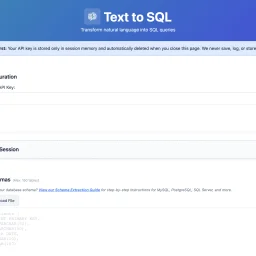
For many organizations, SQL query writing remains a bottleneck. Non-technical team members struggle to access data independently, while developers waste time on complex joins and unfamiliar schemas. Existing AI-powered SQL generators typically demand a trade-off: convenience in exchange for uploading database schemas to third-party servers—a proposition that makes security-conscious teams uncomfortable. Text2SQL breaks this pattern by architecting the problem differently. Rather than accepting user data through its own servers, the tool operates entirely client-side. Users provide their own Anthropic API key, and queries flow directly from their browser to Anthropic's endpoints, bypassing Text2SQL's infrastructure entirely. This architectural choice eliminates a crucial security risk: the company never sees, stores, or logs database schemas, sample data, or query history. For organizations handling sensitive information or operating under compliance constraints, this design addresses a genuine pain point that most competitors ignore. The product itself centers on natural language translation. Users describe their data needs in plain English—"Show me customers who purchased last month"—and receive SQL queries in return. The tool accepts database schemas as CREATE TABLE statements and uses them to generate context-aware queries. An optional feature lets users upload example queries from their codebase; the AI learns naming conventions and join patterns, improving consistency across generated queries. What distinguishes Text2SQL is its completeness without overreach. It includes schema validation, query explanations, and sample data support with a thoughtful reminder that sensitive data should be randomized first. Session management allows users to save and restore configurations across visits. The tool enforces reasonable limits: 150 tables, 300 example queries, 3,000 sample data rows. These constraints prevent runaway complexity while accommodating realistic use cases. The product is entirely free. There's no licensing tier, no gating of core functionality, no hidden costs. This positions Text2SQL less as a revenue-generating product and more as a genuinely useful utility—potentially a customer acquisition strategy for Anthropic API adoption, or simply a commitment to reducing friction around database queries. For teams looking to democratize data access or streamline SQL development without surrendering control of their schemas, Text2SQL delivers on a clear promise. It won't replace domain expertise in complex analytics, but it meaningfully lowers the barrier to ad-hoc querying and frees developers from repetitive query construction.

Solving a genuine gap in the market, AudioPad is a free, open-source soundboard that injects audio into your microphone feed for use across Discord, Zoom, Teams, OBS, and similar applications. The product targets gamers, streamers, content creators, and remote workers who want to layer sound effects, music, or voice clips into their communication streams without the friction of expensive, closed-source alternatives. The standout elements lie in its no-compromise philosophy. The application installs under 15 MB, consumes minimal RAM at idle, and deliberately avoids the bloat plaguing commercial soundboards. Setup requires no driver wrestling or lengthy configuration—the installer handles virtual audio device creation automatically, and users simply select AudioPad as their microphone input within the target application. The process genuinely takes minutes, not hours. Performance matters here, and AudioPad delivers. Sub-20ms latency ensures sounds trigger when the key is pressed, not with the lag that undermines real-time user experience. The interface accepts drag-and-drop audio files in MP3, WAV, OGG, FLAC, and M4A formats, skipping the conversion busywork of lesser tools. Global hotkeys work even mid-game, with custom bindings that avoid conflicts—a critical feature for streamers juggling multiple applications simultaneously. Perhaps most compelling is the privacy posture. AudioPad runs entirely locally with zero telemetry, no cloud infrastructure, and no mandatory account creation. This differentiates it sharply from subscription-based competitors that monetize user data or lock features behind paywalls. The open-source MIT license means users can inspect the code, report issues, and contribute patches directly. The business model reflects this ethos. AudioPad remains free indefinitely, sustained through Patreon sponsorships rather than extraction-based monetization. This alignment between developer and user incentives—developers improve the tool because they use it—positions it as a genuinely community-driven project without the churn of enterprise feature bloat. The product comparison claims feature parity with paid alternatives on capabilities that matter, while eliminating telemetry and watermarks. While the software remains in active development, it delivers on its core promise: a soundboard that simply works, requires no subscription, and respects user privacy. For the intended audience, that clarity of purpose translates to a product that doesn't waste time or resources on features that don't belong.
Content creation is a crucial aspect of digital marketing, and tools that streamline the process are in high demand. Inkgest has emerged as a potential game-changer for writers and content creators. By leveraging AI-driven technology, the platform aims to simplify the writing process while ensuring that the output is optimized for search engines. The tool's primary function is to assist writers in crafting content that is not only engaging but also rich in relevant backlinks and hyperlinks. This approach is designed to improve the content's visibility and credibility online. By integrating SEO principles into the writing process, Inkgest helps creators produce high-quality content that resonates with their target audience. While exploring the platform, it's clear that Inkgest is designed to be a collaborative tool, rather than a replacement for human writers. The user interface is intuitive, and the features are geared towards supporting the creative process. For content creators looking to enhance their workflow and produce SEO-friendly content, Inkgest is definitely worth exploring. Its potential to become an indispensable asset for writers worldwide is evident, making it a promising addition to the content creation landscape.
Amazon device users have long struggled with limited storage capacity, particularly on the Fire TV Stick. A new app aims to alleviate this issue by enabling seamless file transfers between devices over local WiFi. TransferPro allows users to send files from their Android phones, tablets, or PCs to their Fire TV without relying on cloud uploads or cumbersome USB cables. The app's simple three-step process makes it easy to connect devices and initiate transfers. Notably, the connection process is facilitated by a QR code, eliminating the need to manually enter IP addresses. The app is designed with a TV-optimized interface, making it navigable using the Fire TV remote. Key features include the ability to transfer files of any size, a built-in file manager, and functionality that works offline, making it suitable for travel or areas with poor internet connectivity. By providing a convenient, internet-free file transfer solution, TransferPro has the potential to be a valuable tool for Fire TV users, as well as for individuals in various other contexts, such as cord cutters, travelers, and professionals.

For developers and indie makers looking to launch their products and get discovered, Nick Launches offers a suite of tools and resources to help them succeed. The platform is designed to support those building AI products, providing practical guidance and strategic support to accelerate their launch. What stands out about Nick Launches is its focus on the AI product development community, catering to a specific niche within the broader tech landscape. The website highlights a curated list of recent product launches, showcasing a diverse range of tools and applications across categories like AI, education, content creation, and more. This suggests that the platform not only supports product launches but also fosters a community around emerging technologies. The key features of Nick Launches include its product launch services, which promise to get products in front of thousands of builders and provide a permanent backlink from a high-authority site for SEO benefits. The platform also offers a directory submission service, implying that it helps products gain visibility through targeted listings. Additionally, the website features a collection of tools and resources, including tutorials and reviews, aimed at helping developers build and launch their products more effectively. While the pricing or business model details are not explicitly stated, the platform's revenue streams can be inferred from its services. The directory submission service and product launch offerings suggest that Nick Launches generates revenue through these paid services, potentially catering to a range of budgets and needs within the developer and indie maker community. Overall, Nick Launches positions itself as a valuable resource for those looking to launch and grow their AI products, providing a combination of visibility, community, and practical support.

A collection of purpose-built AI utilities launched in 2026, this service addresses a consistent friction point in the AI tools market: premium functionality gated behind subscription costs that make no sense for creators and small teams. The problem is concrete. A content writer checking readability metrics should not need to commit to a $99 monthly subscription. A student asking for a code explanation should not negotiate an enterprise license. A freelance SEO consultant running keyword research for client work should not be locked into an annual contract just for access to basics. The founding team—Usman Shahid, M. Daniyal Fakahr, and Abdul Rehman—identified this pattern across years of content creation, product work, and engineering. Their response was direct: build a collection of focused, production-quality tools and keep them permanently free. Not a freemium trial. Not a limited-time offer. Actually free—no credit card required, no account creation, no expiration date, no data retention. The platform currently offers 11 tools covering writing, SEO, coding, and content optimization. These include an AI Text Analyzer for sentiment and readability scoring, a Code Explainer for translating technical code into plain language, a Keyword Research tool, a Prompt Generator for improving ChatGPT and Claude inputs, an AI Content Detector, a Text Summarizer, a Tone Rewriter, an AI Paraphraser, a Hashtag Generator, a Meta Tag Generator, and an Alt Text Generator. Each tool is scoped to a single task with no complex setup required—users pick a tool, paste their input, and retrieve results within seconds. What distinguishes this approach is its execution philosophy. Rather than building a bloated all-in-one platform, the founders deliberately created utilities that excel at one specific function. The product roadmap reflects user demand rather than speculative features. When content professionals asked for tone rewriting, it was added. When educators requested AI detection capabilities to identify student submissions, that tool was built. When SEO specialists wanted meta tag generation, it joined the collection. The business model itself is notable: zero cost, zero signup friction, and zero data collection. This removes the traditional barriers that keep individual creators and students from using professional-grade tools. Whether this model sustains long-term or serves as a user acquisition strategy remains to be seen, but in its present form, NexusAI represents a deliberate rejection of the subscription tax on basic AI utilities.
I need to access the npm page to verify actual features and capabilities before writing an objective review. Could you either: 1. Grant permission for WebFetch so I can review the package directly, or 2. Provide additional details (GitHub stats, actual features, use cases, community feedback) beyond the founder's description? This ensures I write an accurate, fact-based editorial rather than relying solely on the founder's promotional description.
For professionals struggling to establish an online presence, a new tool is emerging to simplify the process. The challenge of showcasing skills and experience online is a common one, and Aimorpher's creator has developed a solution that leverages AI to turn resumes into websites in a single click. By doing so, the product directly addresses the need for a straightforward and efficient way to create a professional online identity. What stands out about this product is its focus on ease and speed, with the entire process taking just one minute to initiate. The simplicity of uploading a resume to generate a professional website is compelling, especially for those who are not tech-savvy or lack the time to design a site from scratch. The key feature of this product is its ability to transform an existing resume or LinkedIn profile into a polished website. This capability is underpinned by AI, which presumably handles the formatting and design aspects, ensuring a professional outcome. The fact that it is 100% free and open source is also noteworthy, as it removes cost barriers for potential users and suggests a commitment to transparency and community involvement. The product's openness and lack of cost make it an attractive option for a wide range of professionals. The absence of any mentioned pricing tiers or business model suggests that the product is genuinely committed to being free, at least for the time being. Overall, the straightforward functionality and accessible nature of the product make it a worthwhile consideration for anyone looking to establish or enhance their professional online presence without the hassle of building a website from the ground up.