#privacy Startups & Tools
Discover the best privacy startups, tools, and products on SellWithBoost.

For printed puzzle enthusiasts who want to verify their work without manually solving every clue, Squoku offers a streamlined approach to Sudoku scanning and solving on iOS devices. The app addresses a specific friction point: the gap between completing a puzzle by hand and confirming the solution, while preserving the satisfaction of the achievement itself. The core appeal lies in its privacy-first architecture. Instead of requiring account creation or cloud uploads, Squoku performs all scanning and solving locally on the device. This design choice eliminates a common barrier for users hesitant about privacy or unwilling to create yet another app account. The camera-based scanning feature handles the practical work of recognizing printed puzzle clues, reducing manual entry that would otherwise consume time and introduce errors. What distinguishes Squoku from basic calculator apps is its preservation-focused model. Users can store completed puzzles in local history, with the ability to review both the original scan and the solved result side by side. This transforms the app from a one-off solver into a record-keeping tool that lets users revisit their achievements without leaving the device. The pricing structure avoids common mobile app pitfalls. Rather than defaulting to a subscription model, Squoku offers a transparent choice: the first two solutions are free, then users can either purchase individual solutions for 99 cents or unlock unlimited solving with a one-time 5.99 euro payment. This positions the app as an optional enhancement rather than an essential subscription, respecting users who simply want occasional puzzle verification without long-term commitment. The target audience is narrow but defined: people who regularly solve printed Sudoku puzzles, typically in newspapers or puzzle books. This focus avoids the bloat of features appealing to casual players and keeps the experience straightforward. The app delivers a single job with minimal friction. One implicit strength is the absence of competitive pressure or advertising. By charging directly for functionality rather than relying on ad impressions, Squoku aligns its incentives with user satisfaction rather than engagement metrics. The emphasis on local storage and offline capability further reinforces this philosophy. For its target market, Squoku removes a genuine pain point: confirming solutions without disrupting the satisfaction of having completed a puzzle by hand.

Portrait photographs transformed into cinematic character cards represent a gap-filling use case in mobile content creation. TitleHero addresses this directly on iPhone and iPad, allowing users to convert everyday photos into visually striking designs suitable for social media profiles, promotional materials, or digital character representations. The product distinguishes itself primarily through its privacy-forward approach. The entire workflow runs locally on the device—subject separation, effect rendering, and preview generation all happen without uploading images to external servers. This local-first architecture means users retain full control over their source material and can work without an internet connection. The absence of required accounts or analytics tracking reinforces this commitment to user privacy. The core workflow is straightforward. Users select or capture a portrait, then browse pre-designed treatments that apply effects like distressed ink rendering, halftone patterns, and monochrome etching. The app shows multiple styled variations side by side, allowing direct comparison before committing to a final export. Once a treatment is selected, users can customize the title text, typography, colors, and effects before sharing through iOS's native share sheet. TitleHero demonstrates thoughtful design for iPad users beyond simple scaling. The app supports portrait and landscape orientations, Split View, and Stage Manager, maintaining the same photo-first interface across all form factors. This attention to the full iOS ecosystem suggests the developer understands both professional and casual users work across devices. The technical foundation—local subject separation and rendering—enables responsive performance while addressing privacy concerns that increasingly matter to users. Rather than treating privacy as a marketing afterthought, it's embedded into the fundamental architecture. Monetization follows a freemium model. The base app is free and functional, with Pro exports unlocking additional design treatments. This approach lets users evaluate the core experience without committing financially while generating revenue from those who value the expanded look catalog. For photographers, social media creators, and anyone seeking to turn portraits into designed assets, TitleHero offers genuine utility. The local processing removes friction around privacy and connectivity, while the curated aesthetic treatments and streamlined interface make stylization accessible without requiring design skills. The product is deliberately scoped—it solves one problem well rather than attempting to be a comprehensive photo editor—and that focus is its strength.
Research on emerging companies and ventures has historically required piecing together information from scattered sources—financial databases, news articles, LinkedIn, and company websites. StartupWiki consolidates this fragmented landscape into a single research directory designed for investors, competitive analysts, job seekers, and anyone needing comprehensive intelligence on deep-tech startups. The platform serves a clear market need: the difficulty of evaluating startups across emerging sectors like AI, Biotech, CleanTech, FinTech, Cybersecurity, and Quantum Computing. Rather than manually aggregating data from multiple sources, users access centralized profiles that combine multiple dimensions of startup information. This approach acknowledges that startup evaluation requires understanding both quantitative performance and qualitative context—who is founding the company, what similar competitors are raising, and how a venture positions itself in its market. What distinguishes StartupWiki is its multifaceted data integration. Beyond listing basic company information, the directory incorporates funding histories, financial metrics, competitive positioning, and team composition into single profiles. This combines practical research requirements that would otherwise demand manual data gathering across disparate platforms. The community-driven model is worth noting. Rather than relying solely on editorial teams to maintain coverage, the platform invites user contributions and validation. This structure enables faster scaling across startups and sectors compared to traditional databases, though the implications for data quality and verification aren't clarified in the available materials. The directory supports multiple browsing patterns. Users can explore by sector categories, browse a complete alphabetical listing, or engage with narrative analysis through an associated blog focused on startup insights and deep dives. This structure positions StartupWiki not merely as a reference tool but as an analysis platform, offering interpretive content alongside structured data. The platform's categorization across seven major sectors—including AI and Machine Learning, Quantum Computing, and others—reflects the current innovation landscape and investor interest in deep-tech ventures. The inclusion of financial metrics and competitive analysis signals that the product targets sophisticated users conducting formal due diligence rather than casual market browsing. For investors, corporate development teams, and market researchers, the platform addresses a genuine operational challenge in startup research. The combination of structured company data, competitive context, and team information creates a foundation for investment decisions and market positioning that would otherwise require considerable manual research effort across multiple databases and news sources. This consolidation has clear value for professionals who evaluate startups as part of their core work.

For SEO professionals tired of fragmented workflows and data exposure, this offline analysis platform offers a compelling alternative to the cloud-first tools that dominate the market. The software tackles a real pain point: the need to consolidate insights from Google Analytics, Google Search Console, and Screaming Frog SEO Spider without surrendering data to third-party servers. The core differentiation lies in its commitment to local processing. Rather than uploading client data or proprietary website intelligence to external systems, the platform runs entirely on the user's own computer using Microsoft Excel as its analysis engine. This appeals directly to agencies and consultants managing sensitive client information, as well as individual practitioners concerned about data control and privacy. No cloud infrastructure, no subscription tracking, no ongoing account management needed. The platform delivers structured automation through ten built-in deep-dive analyses that surface specific, actionable problems: pages receiving traffic but generating no revenue, rankings without clicks, missing landing pages, thin content that still indexes, and other blind spots that typically require manual investigation across fragmented tools. The interface prioritizes speed and clarity, diagnosing issues in under a minute without requiring users to build custom dashboards or configure complex workflows. What sets this apart from competitors is both its positioning and its limitations. The offline-first approach appeals to a genuine subset of the market skeptical of cloud dependencies, but it also constrains real-time collaboration and data freshness in ways cloud solutions don't. The software functions as an integration layer rather than a replacement for existing tools, accepting exports from each platform and processing them locally. This workflow requires some manual orchestration compared to API-driven alternatives, but also eliminates dependency on third-party API stability. The licensing model operates on a time-based structure, contrasting with the monthly subscriptions typical of SaaS competitors, though specific costs are not disclosed in available materials. The value proposition centers on privacy, control, and cost predictability rather than feature breadth or collaboration capabilities. The software targets a specific buyer: professionals who already use the standard SEO toolkit and want faster analysis without compromising data handling. It succeeds most clearly where privacy concerns, regulatory requirements, or competitive sensitivity make cloud storage untenable. For teams requiring real-time collaboration or agencies handling large volumes of properties, the offline constraint may feel restrictive. For solitary practitioners or tightly controlled client relationships, it offers a genuine productivity advantage.

Android users drowning in screenshots and duplicate photos now have a privacy-conscious alternative to cloud-based cleanup services. ClearSpace is a photo cleaner that prioritizes manual control and on-device processing, letting users decide exactly what gets deleted rather than trusting automated systems. The core problem is straightforward: screenshots, similar photos, quality failures, and large media files accumulate quickly, wasting device storage without meaningful impact. ClearSpace addresses this by scanning for these categories and presenting them for review, but crucially, it never deletes anything without explicit user confirmation. This separation between detection and deletion sets it apart from auto-cleanup competitors that operate behind the scenes. What makes ClearSpace distinctive is its privacy-first architecture. All analysis happens locally on the device—no account creation, no cloud upload, no data transmission to third parties. This eliminates the privacy trade-off common in cloud-based photo tools and appeals to users who find traditional services too invasive. The app also integrates with Android's Trash system, meaning deleted items remain recoverable until permanently purged, adding a safeguard against accidental loss. The feature set focuses on intentional cleanup workflows. A dedicated screenshot scanner lets users start with focused cleanup instead of analyzing the entire library. The Swipe Review interface moves through photos one at a time, allowing detailed inspection of duplicates and similar-photo groups. Recent versions added a Screenshot Inbox feature that organizes captures by age, with a Swipe Oldest function for tackling older content first. The app also flags large videos and quality issues, then displays cleanup results showing items removed and storage freed. ClearSpace operates on a freemium model. The free tier offers unlimited scanning and review but caps deletions at 50 per month. ClearSpace Pro unlocks unlimited deletion and full access to Swipe Review, with monthly, annual, and lifetime purchase options. The app targets privacy-conscious Android users who want control over their photo libraries without surrendering personal data. It trades the convenience of automatic deletion for transparency and user agency, positioning photo cleanup as a deliberate process rather than a background task.

Record any meeting on macOS. Speakers labelled, transcript searchable. No bot joins the call, and your recordings stay on your Mac. No third participant ever joins

Browser tabs containing bank logins, client files, and sensitive emails remain completely unprotected throughout the workday. Locksy solves this by adding encryption and automatic locking directly within the browser, eliminating the need for traditional password managers or manual security rituals. The product targets anyone who handles confidential information in a browser but finds existing security tools either invasive or inconvenient—remote workers, consultants, and professionals dealing with sensitive client materials fall into this category. Locksy's defining characteristic is its refusal to rely on cloud infrastructure. All encryption happens locally on the user's device, meaning data never leaves the browser itself. This architecture eliminates an entire category of risk that cloud-based competitors cannot escape: the possibility of a central breach, subpoenaed logs, or a company pivoting toward data monetization. The product functions offline, removing dependency on internet connectivity for basic security operations. Auto-locking addresses the behavioral side of security—where users fail to manually protect information. By making protection automatic rather than optional, the product closes the gap between intention and action. The company's bootstrapped foundation shapes its entire approach differently than venture-backed security startups. While competitors pile on features to justify premium subscriptions, Locksy provides free access to core functionality. This reflects confidence in the value proposition and an emphasis on removing adoption friction rather than maximizing revenue per user immediately. The founders articulate their philosophy clearly: they built Locksy out of frustration with security products that sacrifice usability in the name of safety. That focus on combining practical convenience with actual security distinguishes the positioning. Rather than attempting to replace password managers or become an identity platform, Locksy tackles one specific problem exceptionally rather than many problems adequately. The product mentions military-grade encryption, though specifics on cryptographic standards or implementation details aren't disclosed in available materials. For a security product, greater technical transparency would strengthen confidence among informed users, though the offline-first architecture already eliminates major attack surfaces that cloud competitors face. Locksy represents a meaningful attempt to solve a real problem—unprotected browser tabs—without the surveillance capitalist undertones that plague many privacy-focused tools.

Anyone tired of uploading files to mysterious servers for simple image tasks now has an alternative. PixelTools addresses a straightforward but persistent problem: users need quick image and document processing without surrendering their files to third-party servers. The product targets anyone who handles images regularly but values privacy and speed—content creators, developers, designers, and professionals who want instant results without friction or data exposure. What distinguishes PixelTools is its execution of a privacy-first architecture. Every tool runs entirely in the browser using WebAssembly and browser APIs, eliminating the traditional server upload bottleneck. This approach delivers genuinely instant processing since computation happens locally on the user's device rather than queuing in a server pipeline. The developer behind the project built it explicitly to solve a personal frustration with existing workflows, bringing authentic motivation to the product. The current toolkit spans ten utilities: image compression, text extraction via OCR, AI-powered background removal, format conversion between PNG, JPG, and WebP, favicon generation, image resizing with preset templates, watermarking, QR code generation, a color picker for palette building, and screen recording with audio. This breadth addresses common image workflows without forcing users to juggle multiple tabs or services. The business model relies entirely on non-intrusive advertising, keeping all tools permanently free while avoiding accounts, subscriptions, or file limits. Users download or process their work without friction. This approach appeals to cost-conscious individuals and small teams who might otherwise piece together expensive software or resort to less legitimate alternatives. Technically, the product reflects solid frontend engineering. The developer brings five years of professional experience building React and Next.js applications, with demonstrated expertise in performance optimization and responsive design. That background shows in the product's interface and stability. The main limitation lies in feature scope. While the ten tools cover common tasks well, they remain fairly focused. Advanced image editing, batch operations across all tools, or custom processing pipelines remain absent. For users needing specialized functionality beyond these core utilities, more comprehensive solutions may prove necessary. PixelTools succeeds by doing one thing well: giving users fast, private image processing without requiring trust in unknown servers or payment. For that specific need, it delivers reliably.
For anyone tired of recording screens with tools that either demand subscriptions, steal your data, or integrate only with bloated communication platforms, ScreenGlimpse offers a focused alternative built on a refreshingly simple premise: privacy-first recording that happens entirely on your device. The tool targets creators, educators, and teams who need to produce polished screen recordings without friction. Its core innovation centers on cursor visibility and automatic zoom-on-click—features that transform raw screen captures into directed, viewer-friendly content. Every cursor movement gains a soft highlight, and double-clicking triggers an automatic zoom that keeps viewers locked on the relevant action rather than lost in a sea of screen real estate. ScreenGlimpse stands apart through its commitment to local processing. Nothing leaves your computer. Recording, encoding, and export all happen on-device, eliminating both the privacy concerns that plague cloud-dependent tools and the upload delays that plague most competitors. Export happens immediately upon stopping the recording—no render queues, no waiting bars. Users can choose between MP4 and WebM formats at various quality levels before recording even starts. The feature set extends beyond basic recording. The app supports simultaneous capture of screen, microphone, webcam, and system audio in any combination. A draggable webcam bubble keeps your face present without consuming the entire frame. Beyond video, ScreenGlimpse includes screenshot capabilities with markup tools, a freeform whiteboard mode, and the ability to export recordings as animated GIFs. A custom watermark feature allows teams to add branding without the intrusive stamps common in competing tools. Distribution reaches across platforms. Windows, macOS, and Linux each get native installers, while a browser version accommodates one-off recordings or users unwilling to install software. The pricing structure rewards flexibility. A free tier, called Glimpse, offers unlimited local recordings with 720p export and basic features. Focus, the paid tier at five dollars monthly or fifty dollars annually, unlocks 4K export and advanced screenshot markup capabilities. A Forever option provides a one-time purchase of one hundred dollars for permanent access with a year of included updates—a model designed for users skeptical of subscriptions. The absence of required account creation for free use removes friction at the entry point. Paid tiers use license keys rather than tracking usage, respecting the privacy pledge that anchors the entire product philosophy.
Menu bar system monitors solve a real friction point for Mac users: the need to quickly check CPU, memory, and thermal performance without opening Activity Monitor or third-party bloatware. MacBar addresses this with a lightweight, native alternative that stays out of the way until needed. The product installs entirely on your terms. Rather than downloading a prebuilt binary, the terminal installation command builds MacBar locally on your machine, with checksum verification to prevent tampering. This approach eliminates a common trust barrier between users and developer tools. The application collects no telemetry and requires no account, making it straightforward for privacy-conscious users to adopt without suspicion of data harvesting downstream. The monitoring capabilities deliver what users expect from a menu bar app: real-time CPU usage, temperature readings, clock speed, and memory stats. The interface includes a per-core CPU breakdown and a 60-second history graph, which adds useful context beyond the current snapshot. For Mac users who want to diagnose sudden slowdowns or track thermal behavior under load, this granularity matters. The technical implementation choices reinforce the privacy position. MacBar is built as native code and comes ad-hoc signed rather than notarized, a trade-off that keeps installation simple at the cost of a one-time security warning. The developers have committed to supporting Apple Silicon going forward while ending updates for Intel Macs after version 1.2.5, a pragmatic decision reflecting the real-world platform shift in the Mac ecosystem. Installation presents three paths: a hardened terminal command, a ZIP file, or compilation from source via Xcode. The terminal route is the default recommendation and avoids Gatekeeper friction entirely. This layered approach accommodates different user risk tolerances and technical comfort levels. The pricing model is straightforward: the application is free. This, combined with open-source development and no account requirements, positions MacBar as a genuine public service rather than a loss leader or future revenue trap. MacBar targets a specific audience: technical Mac users who want transparency in their system performance without the overhead of full-featured system utilities. It does not attempt to be everything; it stays in the menu bar and reports metrics. For users in that niche, it removes friction and requires no compromise on privacy.

For self-directed traders and researchers tired of renting their trading research environment through browser-based subscription tools, AptiStockX offers a pragmatic alternative built on a simple premise: serious technical analysis deserves dedicated software that runs on your computer, stores your data locally, and doesn't depend on cloud connectivity. The product represents a modernization of AptiStock, which served individual traders for more than two decades beginning in 2005. The new version is engineered as a native desktop application for Windows, macOS, and Linux, targeting investors who prioritize speed, customization, and ownership over convenience bundled with monthly fees. What distinguishes AptiStockX is its uncompromising commitment to local-first operation. Chart files, downloaded market data, watchlists, workspaces, and user credentials never leave the user's computer. The absence of cloud synchronization is by design, not a limitation—it resolves privacy concerns and removes dependency on company infrastructure for core functionality. This approach appeals directly to a segment of traders who distrust centralized platforms and view data control as non-negotiable. The feature set reflects this positioning. AptiStockX delivers customizable technical indicators, drawing tools, multiple chart windows, multi-monitor support, flexible workspaces, and an AI Assistant in its Pro tier. These capabilities are standard across professional charting platforms, but the local desktop implementation means they perform at the responsiveness users expect from workstation software rather than web applications running in browser tabs. AptiStockX follows a freemium model with a Basic edition available at no cost and additional capabilities in Pro. New users can test Pro features through a seven-day trial triggered directly in the app via email verification—no credit card required upfront. Extension requests are handled by support. This trial structure removes friction from initial adoption while preserving genuine product evaluation. The company's explicit positioning around privacy, ownership, and technical rigor sets realistic expectations. AptiStockX does not attempt to be a broker-integrated trading platform or claim real-time data feeds unless its providers genuinely supply them. This restraint in marketing claims differentiates it from products that oversell capabilities and subsequently disappoint. For traders who have outgrown spreadsheets and reject browser-based SaaS, AptiStockX provides a viable path forward with recognizable legacy and clear technical tradeoffs.

Hallucinating AI summaries plague the current generation of document tools, where plausible-sounding claims bypass verification until the reader discovers they were never in the source material. Sidenote tackles this through a forced citation model: every answer the AI generates must quote directly from the document being analyzed, and the server validates each citation against the actual retrieved text. Wrong claims get dropped. Citations become clickable, scrolling the document to highlight the exact passage. This transforms summarization from something requiring skeptical re-reading into a tool that actually compresses reading time. The product works as a browser extension across Chrome, Edge, and Firefox, sitting in a side panel next to whatever document the user is reading. It handles the document ecosystem comprehensively: Confluence pages, PDFs with OCR support, Google Docs, Notion, SharePoint, GitHub READMEs, arXiv papers, Slack canvases, and generic web articles. The core features cover typical summarization needs: text summaries, chat interfaces, explanations, glossary generation, and semantic search within documents. Users can highlight passages, attach notes, export outputs as Markdown, HTML, or PDF, and organize their document library with tags and starred collections. The product positions itself for internal knowledge work first, targeting users who spend time with runbooks, specifications, wikis, and technical documentation where accuracy matters more than polish. This focus is reflected in the data architecture: embeddings live in a UK region with row-level security policies isolating documents per user account. Users choose between two retention modes for each document. Store mode keeps documents indexed for the account lifetime, while Discard purges everything within 24 hours. The commitment to data privacy is explicit: documents are never used to train models. What distinguishes Sidenote is its acceptance of friction as a feature. The citation requirement means summaries trade some fluency for verifiability, a calculation that resolves a real reliability problem other summarization tools avoid through opacity. The product launches free, remains a solo project built in the UK, and emphasizes shipped features over roadmap promises. For document-heavy work where verification time often exceeds reading time, this tradeoff addresses a genuine gap in the current landscape.

Fragmented AI workflows drain productivity more than the technology itself should. TKCORE AI consolidates what typically demands five browser tabs, three separate subscriptions, and endless copy-pasting into a single workspace—collapsing a two-hour content production cycle into ten minutes. The product targets content teams and marketing departments that produce articles, visuals, and narration from research materials. Rather than shuttling between ChatGPT for writing, a separate image tool, and another service for voiceovers, users attach knowledge files to a project, run prompts across multiple models simultaneously, and route the strongest output into integrated writing, image, and speech tools without ever leaving the platform. What distinguishes TKCORE AI is its explicit commitment to context persistence and privacy. Project knowledge remains attached to a single workspace rather than scattered across disconnected chats. The company promises not to use prompts or outputs for model training, processing content only to deliver service. Data moves over encrypted connections with contractual safeguards. This matters to organizations that cannot risk proprietary briefs or brand guidelines contaminating a training dataset or leaking across competing projects. The multi-model comparison engine stands out operationally. Rather than testing DeepSeek, Qwen, and Kimi sequentially in separate interfaces, users compare outputs from all three against the same prompt on a single screen, then promote the best draft downstream. This transforms model selection from guesswork into deliberate evaluation within a single workflow. The platform supports an expanding roster of models: TkCore-V5.5-Pro, DeepSeek-V4 variants, Qwen models including a vision-enabled version, Kimi K2.5, GLM-5.1, and MiniMax M2.5. This breadth avoids locking users into a single vendor's capabilities. A project generates a research PDF, then produces an SEO blog post, three social posts, and video narration in parallel—all derived from the same knowledge base, all contained within the project boundary. The comparison between traditional fragmented workflows and TKCORE's model is stark: longer, more error-prone, context-bleeding processes versus tighter, single-interface pipelines. For teams currently outsourcing content production or spending disproportionate time on tool switching rather than creation, the efficiency gain is tangible. The product does not claim to replace human editorial judgment, only to eliminate the logistical overhead that prevents teams from reaching content velocity. That's a narrower and more credible promise than most AI publishing tools make.

Developers who have grown weary of subscription-based AI coding assistants and the associated data privacy concerns now have an alternative. Bodega One Code addresses the issue of costly and proprietary coding tools by offering a local-first AI coding IDE that runs on the user's own hardware. What stands out about this product is its commitment to user ownership and control. By allowing users to choose their preferred large language model (LLM) and run it locally, Bodega One Code eliminates the need for reliance on third-party servers and the associated risks of data exposure. The product's air-gap mode ensures that sensitive information remains on the user's machine. The IDE itself is fully-featured, incorporating an AI chat and an autonomous agent that reviews its own work before completing tasks. Users can hand off tasks to the agent, which runs in the background on its own git worktree, allowing for parallel processing and isolated task management. The "Loops" feature enables users to automate recurring tasks, such as doc syncs and dead-code sweeps, on a scheduled basis. Notably, the product is available for download at no cost, with no forced subscriptions. Users have the flexibility to choose from over 10 LLM providers or run models locally using tools like Ollama or LM Studio. By decoupling the coding tool from subscription fees and proprietary infrastructure, Bodega One Code offers a compelling alternative for developers seeking a more autonomous and cost-effective solution. The product's design and features suggest that it is geared towards developers who value control over their coding environment and are looking for a customizable and extensible tool. By providing a local-first AI coding IDE, Bodega One Code is poised to appeal to developers who prioritize data privacy and are seeking a more flexible and cost-effective coding solution.

Content analysis tools have become essential for anyone publishing online, whether for search engine optimization, social media, or academic purposes. This word counter addresses a genuine need: writers and creators want instant feedback on their text's metrics without surrendering their privacy to cloud storage. The tool's core strength lies in its comprehensive real-time analysis. It delivers word, character, sentence, and paragraph counts as users type or paste content. Beyond basic metrics, it estimates both reading time using a standard 200 words per minute rate and speaking time at 130 words per minute. This dual-time feature proves particularly valuable for podcasters, presenters, and audiobook creators planning content duration. The readability scoring employs the Flesch-Kincaid scale, helping writers gauge text accessibility on a 0-100 scale where higher scores indicate easier comprehension. Combined with the character-limit tracking for Twitter/X posts, meta descriptions, and meta titles, the tool directly serves SEO practitioners optimizing content for search visibility and social media distribution. The word frequency analysis adds another layer, identifying repeated terms and helping refine content for both readability and keyword targeting. What distinguishes this offering is its commitment to privacy. The application processes all analysis client-side, meaning users' text never touches external servers. For writers working with sensitive material, confidential documents, or simply those concerned about data collection, this approach removes a significant barrier to adoption. The interface includes thoughtfully chosen shortcuts for power users: Ctrl+H for find and replace, Ctrl+Shift+C to copy, and Ctrl+Shift+D to download. The dark and light theme options accommodate different working environments and preferences. Mobile responsiveness ensures the tool functions equally well on phones and tablets, matching how many writers actually compose content today. The product positions itself at the intersection of multiple audiences. Casual Twitter users benefit from character counting. SEO professionals leverage the meta description and title length trackers alongside readability metrics. Students writing essays rely on word count verification. This multi-use approach broadens appeal without diluting focus. No pricing information appears on the site, suggesting the tool operates as a free offering, though the presence of ad space indicates an advertising-supported model rather than a premium subscription approach. For anyone seeking a straightforward, privacy-preserving text analysis solution with solid feature depth, this counter delivers practical value without friction.
In an era when our digital traces accumulate silently—searches, draft posts, AI conversations—this application offers a different kind of self-reflection: analyzing your own data to understand patterns about desire, anxiety, and hidden interests. The product targets people curious about what their online behavior reveals about their deeper self, positioning itself squarely as entertainment and personal insight rather than any kind of professional guidance. The core offering is straightforward. Users provide their browser history and can optionally add AI chat logs, social media drafts, diary notes, or email excerpts. The application processes these inputs to generate a personality profile based on repeated patterns and behavioral signals. The technology identifies what matters to you through what you choose to search for, explore, and draft—treating your digital footprint as a window into unstated desires and anxieties. What distinguishes this product is its deliberate privacy stance. Rather than storing input data in a server database, the analysis happens client-side, with results cached only temporarily in the browser itself. This addresses a fundamental tension: people want insights into themselves, but hesitate to upload sensitive material to unknown servers. By keeping data local to the user's device, the tool removes that friction without requiring trust in cloud infrastructure. The application is bilingual, available in both English and Japanese. A clear disclaimer appears throughout the interface, specifying that outputs are for entertainment and self-understanding, not medical, legal, or investment advice. The tool explicitly forbids users from entering passwords, addresses, payment information, or other credentials, recognizing the risks of aggregating sensitive data. Result accuracy depends on input quality. The more concrete and specific the material provided, the sharper the analysis. Thin inputs produce thin outputs. This reflects honest positioning about algorithmic capabilities. The pricing structure remains unspecified in available materials. Whether the tool operates as free, freemium, or paid remains unclear. For now, Ura Persona AI occupies a narrow but distinct space: treating your own digital history as a source of self-knowledge, with privacy built into the architecture rather than as an afterthought.

Securing online transactions before they happen addresses a real gap in consumer safety. Fraudly tackles the moment between seeing a link or storefront and deciding whether to trust it with money, credentials, or personal information. The product targets everyday internet users—shoppers, email checkers, QR code scanners, social media link-followers—who encounter suspicious websites constantly but lack reliable tools to evaluate legitimacy in seconds. The core differentiator centers on explainability. Rather than hiding behind opaque risk scores, Fraudly breaks down trust signals across specific dimensions like website safety, business reputation, and shopping intelligence. Users see the reasoning behind each assessment, enabling them to make informed judgments rather than blindly accepting automated warnings. This design philosophy extends beyond marketing; the company explicitly positions itself against unnecessary fear-mongering, acknowledging that not every website fits neatly into safe or unsafe categories. The product reaches users across multiple contexts. The web interface handles website checks with one free analysis daily, no signup required. A mobile app extends functionality to pasted links from messages and emails, QR code scanning in parking lots and cafes, and screenshot analysis—catching suspicious links embedded in images users receive. Browser extensions for Chrome and Microsoft Edge offer passive protection, warning users during normal browsing rather than forcing manual checks. Privacy forms another stated pillar. Unlike many security tools that build detailed browsing profiles, Fraudly commits to not tracking users or commercializing their activity data. This matters because trust products themselves become targets if they collect and monetize user behavior. The Trust Profile synthesizes analysis from multiple established security sources using AI, combining rather than inventing conclusions. The company positions this as stronger than manually researching across separate services. The website reveals little about accuracy rates, false positive performance, or how it handles emerging scams. A sample Trust Profile shows a four-star rating with an 84 confidence score, but public examples don't illuminate edge case handling. The free tier caps users at one daily check, which may frustrate power users or security professionals needing unlimited access. No premium pricing appears on the site. For consumers tired of making trust decisions blindly, the product delivers focused value that explains itself.

B2B lead generation is a challenging task, especially when relying on outdated databases that often yield stale or irrelevant results. Surfaced tackles this problem head-on by utilizing AI-powered live web searches to deliver targeted, up-to-date leads. This is particularly beneficial for businesses seeking to connect with newer, niche, or regional companies that may not be listed in traditional databases. What sets Surfaced apart is its ability to search the live web in real-time, rather than relying on static databases that can be months out of date. This approach ensures that the leads generated are current and relevant, giving users a significant advantage in their outreach efforts. The AI-driven search process is also refined through a series of clarifying questions, ensuring that the results closely match the user's specific needs. The platform's functionality is streamlined into a three-step process: describing the target market and industry segment, launching an AI-powered search, and receiving a structured list of leads. The resulting list includes essential company information, such as website, contact details, location, and a relevance score, which can be easily exported to a CRM or cold email sequence. Notably, Surfaced's business model includes a fair pricing structure, where unused credits are returned if a search yields no results, and a built-in mail bounce checker to ensure that only valid email addresses are suggested. Overall, Surfaced offers a robust solution for businesses seeking to identify and connect with their target audience in a more efficient and effective manner.
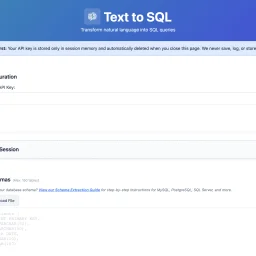
For many organizations, SQL query writing remains a bottleneck. Non-technical team members struggle to access data independently, while developers waste time on complex joins and unfamiliar schemas. Existing AI-powered SQL generators typically demand a trade-off: convenience in exchange for uploading database schemas to third-party servers—a proposition that makes security-conscious teams uncomfortable. Text2SQL breaks this pattern by architecting the problem differently. Rather than accepting user data through its own servers, the tool operates entirely client-side. Users provide their own Anthropic API key, and queries flow directly from their browser to Anthropic's endpoints, bypassing Text2SQL's infrastructure entirely. This architectural choice eliminates a crucial security risk: the company never sees, stores, or logs database schemas, sample data, or query history. For organizations handling sensitive information or operating under compliance constraints, this design addresses a genuine pain point that most competitors ignore. The product itself centers on natural language translation. Users describe their data needs in plain English—"Show me customers who purchased last month"—and receive SQL queries in return. The tool accepts database schemas as CREATE TABLE statements and uses them to generate context-aware queries. An optional feature lets users upload example queries from their codebase; the AI learns naming conventions and join patterns, improving consistency across generated queries. What distinguishes Text2SQL is its completeness without overreach. It includes schema validation, query explanations, and sample data support with a thoughtful reminder that sensitive data should be randomized first. Session management allows users to save and restore configurations across visits. The tool enforces reasonable limits: 150 tables, 300 example queries, 3,000 sample data rows. These constraints prevent runaway complexity while accommodating realistic use cases. The product is entirely free. There's no licensing tier, no gating of core functionality, no hidden costs. This positions Text2SQL less as a revenue-generating product and more as a genuinely useful utility—potentially a customer acquisition strategy for Anthropic API adoption, or simply a commitment to reducing friction around database queries. For teams looking to democratize data access or streamline SQL development without surrendering control of their schemas, Text2SQL delivers on a clear promise. It won't replace domain expertise in complex analytics, but it meaningfully lowers the barrier to ad-hoc querying and frees developers from repetitive query construction.
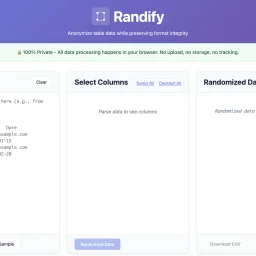
Privacy-conscious organizations managing sensitive data have long faced a troubling choice: anonymize customer or patient information for testing and demonstrations, or upload it to third-party services and accept the compliance and security risks. Randify eliminates that tension by processing all anonymization within the browser, never transmitting anything to external servers. The problem it targets is concrete. Development teams, QA engineers, and data analysts regularly need realistic test datasets without exposing actual customer records. Healthcare organizations must anonymize patient data for testing while maintaining HIPAA compliance. Financial services firms need to randomize customer information for development while staying PCI-compliant. SaaS companies want to demonstrate products with convincing but fabricated data. Randify addresses these scenarios through a single architectural commitment: all data stays local. What distinguishes the tool is its execution of this privacy-first model. It requires no registration and works offline, with zero network requests—users can verify this in their browser's developer console. For organizations subject to data protection regulations, this eliminates an entire class of security and compliance risk. The feature set reflects genuine practical needs. Rather than indiscriminately scrambling content, Randify lets users specify which columns to randomize and which to preserve, maintaining referential integrity so identical input values consistently produce identical outputs. The tool automatically detects PII patterns including email addresses, phone numbers, dates, names, addresses, and company names, applying appropriate formatting rules during randomization so results look realistic rather than obviously synthetic. It accepts data in multiple formats: CSV, TSV, pasted tables from spreadsheets, and SQL INSERT statements. Multi-language support for names and regional data patterns demonstrates attention to genuinely global use cases. The ability to preview changes before applying them reduces mistakes and friction. Randify is free and carries no monetization messaging in available materials, making it an accessible entry point for privacy-conscious teams. For organizations already skeptical of third-party data handling, a purpose-built, client-side-only solution occupies meaningful space in an otherwise server-dependent tooling landscape.