Time Capsule - Memory Vault
- No match
Machine translation — the English original is authoritative.
The Story
I built Time Capsule because most memories get lost in camera rolls, notes, or forgotten apps. I wanted a simple private place to leave messages, photos, and moments for my future self. It turns memories into something you can actually come back to later.
AI Overview
AI-generatedCapturing memories for future reflection has become increasingly common, but most solutions treat time capsules as an afterthought. This app tackles the specific use case of sealing away meaningful moments—photos, videos, voice recordings, notes, and files—to be opened at a predetermined date, preserved exactly as they were locked away.
The target audience is broad but specific: people marking milestones who want to freeze a moment in time. This includes high school graduates saving photos and letters for their adult selves, parents recording a child's early moments to be revisited at 18, friend groups documenting shared trips, and individuals tracking personal goals for yearly review.
What distinguishes this offering is its uncompromising stance on privacy. The application stores everything on-device using AES-256 encryption, avoids cloud servers entirely, requires no account creation, and collects no analytics or user data. This approach appeals to users skeptical of tech companies' data practices, though it carries a trade-off: responsibility for manually backing up capsules as encrypted files to prevent device loss from becoming data loss.
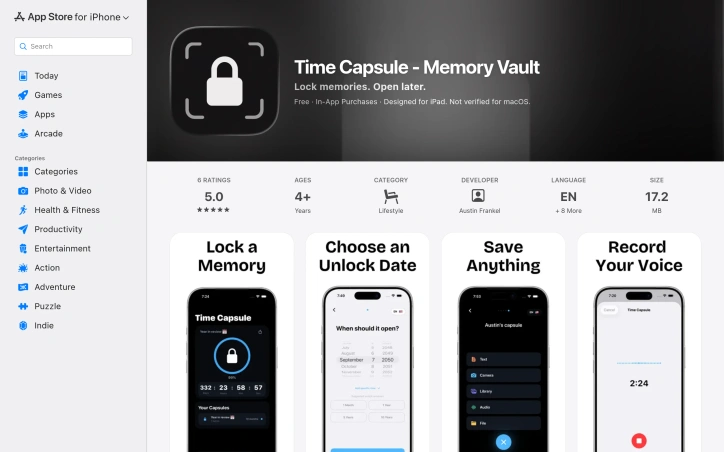
The interface emphasizes simplicity. Users name a capsule, choose an unlock date ranging from one day to decades away, add their content, and press and hold to seal it. A countdown timer displays time remaining until each capsule unlocks. The app supports flexible content types, from imported media to built-in voice recording and text composition. Sharing encrypted capsules with others requires a premium subscription.
The service operates on a freemium model with in-app purchases. Core capsule creation and storage is free, while premium access unlocks capsule sharing and some advanced features. The documentation doesn't clearly distinguish what exactly requires payment, which prospective users should clarify before relying on the app for long-term memory storage.
One practical consideration: since everything is local and unsynced, device loss means capsule loss unless backups exist as external encrypted files. The developer emphasizes this backup requirement, suggesting they understand the inherent risks of an entirely on-device architecture.
For users prioritizing privacy over convenience, who accept responsibility for backups, and who find meaning in time-delayed memory capture, this fills a genuine gap in the app ecosystem.
Founder Diary
DevlogThe maker hasn't posted a diary entry yet.
Key Features
On-Device Encryption
Uses AES-256 encryption to store all memories locally without cloud servers
Multiple Content Types
Supports photos, videos, voice recordings, notes, and files in a single capsule
Customizable Unlock Dates
Users set unlock dates ranging from one day to decades in the future
Privacy-First Design
Requires no account creation, collects no analytics, and maintains zero user data tracking
Encrypted Sharing
Premium feature allowing capsules to be securely shared with others
Use Cases
-
1
High School Graduates
Save photos and letters to be opened as adults, preserving milestone moments
-
2
Parents
Record early childhood moments for children to revisit at age 18
-
3
Friend Groups
Document shared trips and create time-delayed memories to relive together
-
4
Personal Goal Tracking
Store yearly reviews and milestones for future reflection and self-reflection
FAQ
Does Time Capsule store my data in the cloud? ▾
What happens if I lose my phone or device? ▾
Do I need to create an account? ▾
Can I share capsules with friends? ▾
Pricing
Core capsule creation and storage are free; premium access unlocks sharing and advanced features with pricing not detailed.
Tech Stack & Tags
Discussion
No comments yet — be the first!
Join the conversation — sign up to comment.
Sign up freeCommunity Support
Boost this project on Sell With boost
Meet the Founder

More by Austin Frankel

More in Note and writing apps

JumpNotes — The missing notebook for Youtube
A lightweight Chrome extension for time-stamped...
Markbin
We built Markbin to make sharing markdown effort...
Edda - Author's Bible
Edda is novel writing and worldbuilding software...
Mind Elixir
I built Mind Elixir to supercharge creativity wi...

cipherwrite.com
At last year in December, I had a lot on my mind...

UTEX SAVE
UTex Save is a local software application dedica...