Markdown Viewer
- No match
Machine translation — the English original is authoritative.
The Story
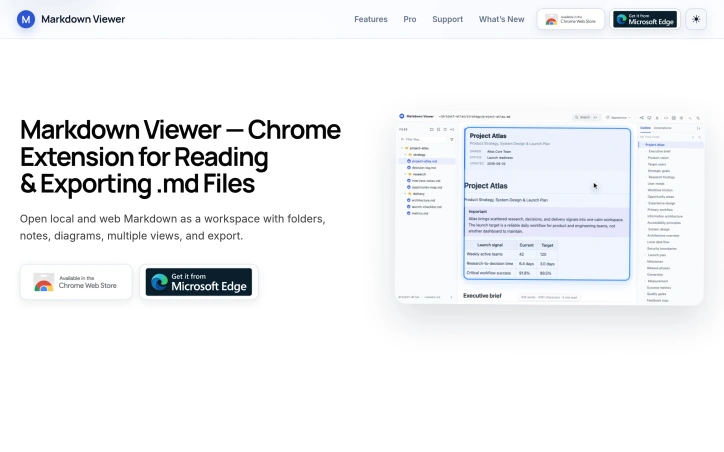
Markdown Viewer turns local and web Markdown files into a focused browser workspace in Chrome and Edge. Browse folders and bookmarks, navigate a searchable outline, highlight passages, add comments, and search across documents. Render diagrams and math, explore a heading-based mind map, and export to HTML, Word, or PDF. Core features are free. Version 1.0.1 includes Launch Access to Pro-labelled features, without an account or license key.
AI Overview
AI-generatedTechnical professionals and project planners managing collections of Markdown files across repositories and documentation sites now have a browser-based alternative to juggling multiple applications. Markdown Viewer, a Chrome and Edge extension, transforms local and web-hosted Markdown files into an integrated reading workspace without requiring files to be copied into online converters or opened in separate editors.
The extension addresses a specific friction point: developers and technical teams often need to navigate, annotate, and reference Markdown files that live in version control systems, project directories, and documentation repositories. Rather than accepting the limitations of basic text viewers or the overhead of switching between applications, Markdown Viewer consolidates these workflows into the browser itself.
Several design choices distinguish the product. The folder-tree navigation system allows users to browse entire project directories and switch between files seamlessly, with automatic restoration of reading position and quick access to recent documents. The extension renders technical content natively—including tables, syntax-highlighted code, mathematical notation via KaTeX, and complex diagrams through Mermaid, Graphviz, PlantUML, and Vega-Lite—keeping these elements integrated within the document flow rather than presenting them as disconnected previews.
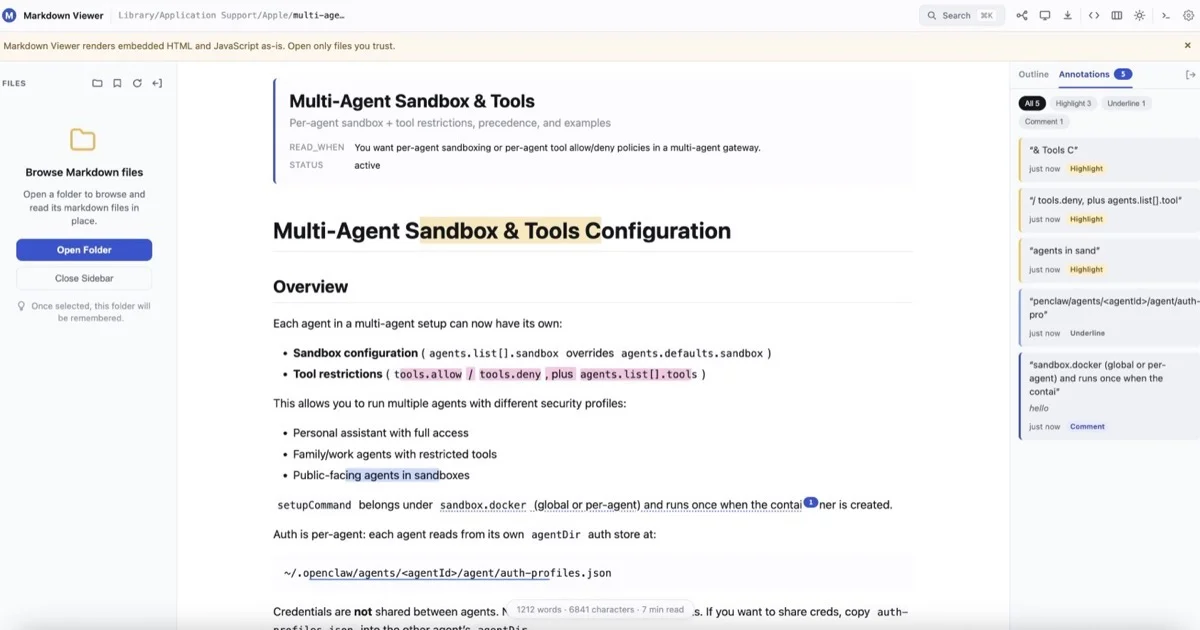
The annotation system links highlights, underlines, and comments to specific passages, enabling users to mark up documents and navigate directly to annotated sections. A searchable heading-based outline supports document traversal, and folder-wide search capability helps users locate content across multiple files. The extension also supports Document, Mind Map, and Presentation views of the same Markdown source, allowing users to shift between reading formats depending on context.
Export flexibility extends utility beyond the browser. Users can generate standalone HTML, Word documents, PDF files, full-document PNG images, and—for mind maps specifically—SVG, PNG, and JPEG exports. Appearance customization through themes, typography controls, and background options addresses different reading contexts, from technical documentation to academic papers to distraction-free workflows.
The business model emphasizes accessibility. Core features are available free to all users. The extension offers Pro-labeled features through a launch access program, currently without requiring account setup or license keys, suggesting an intention to maintain free access while introducing optional paid capabilities as the product matures.
Installation requires only a single permissions step after which users can open local files, folders, or remote Markdown URLs directly in the workspace. The extension targets a real workflow gap for technical professionals managing distributed Markdown-based knowledge.
Founder Diary
DevlogThe maker hasn't posted a diary entry yet.
Key Features
Folder Navigation
Browse entire project directories with automatic reading position restoration and quick access to recent documents.
Technical Content Rendering
Displays syntax-highlighted code, mathematical notation via KaTeX, and diagrams through Mermaid, Graphviz, PlantUML, and Vega-Lite.
Annotation System
Link highlights, underlines, and comments to specific passages for document markup and direct navigation.
Search Capabilities
Includes searchable heading-based outline and folder-wide search across multiple files.
Multiple View Modes
Switch between Document, Mind Map, and Presentation views of the same Markdown source.
Export Flexibility
Generate standalone HTML, Word documents, PDF files, and image exports in PNG, SVG, and JPEG formats.
Use Cases
-
1
Developers and technical teams
Navigate, annotate, and reference Markdown files in version control systems and project directories without switching applications.
-
2
Project planners managing documentation
Browse and organize collections of Markdown files across distributed repositories with integrated folder-tree navigation.
-
3
Technical professionals with distributed knowledge
Consolidate workflows for reading and annotating Markdown-based content across multiple documentation sources.
-
4
Remote documentation viewers
Access and render web-hosted Markdown files directly in the browser with native technical content support.
FAQ
Can I open local Markdown files in the extension? ▾
What file formats can I export to? ▾
Does it support code highlighting and technical diagrams? ▾
Is there a free version? ▾
Pricing
Core features are free, with optional Pro features available through a launch access program.
Discussion
No comments yet — be the first!
Join the conversation — sign up to comment.
Sign up freeCommunity Support
Boost this project on Sell With boost
Meet the Founder

More in Note and writing apps

JumpNotes — The missing notebook for Youtube
A lightweight Chrome extension for time-stamped...

Time Capsule - Memory Vault
I built Time Capsule because most memories get l...
Markbin
We built Markbin to make sharing markdown effort...

Mind Elixir
I built Mind Elixir to supercharge creativity wi...

UTEX SAVE
UTex Save is a local software application dedica...
ShixxNOTE 7.net
Modern note-taking and productivity apps are oft...