FinConv
- No match
Machine translation — the English original is authoritative.
The Story
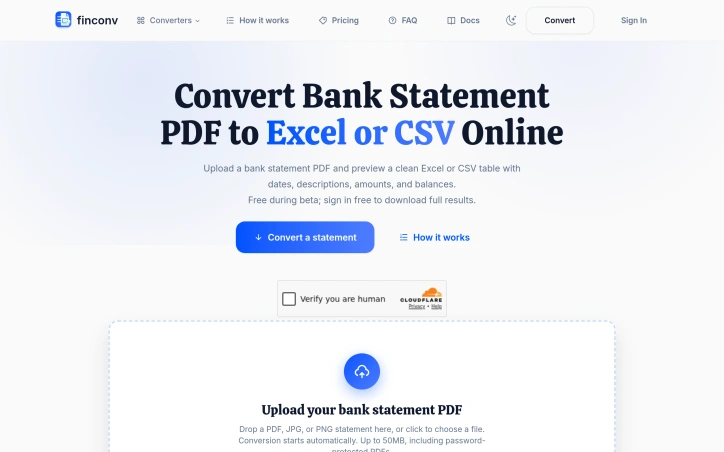
I built FinConv because converting bank statements from PDFs to spreadsheets was tedious and error-prone. It automates transaction extraction using AI, turning messy PDFs, scans, and images into clean, editable Excel or CSV files instantly—no software installation needed.
AI Overview
AI-generatedAutomating the extraction of bank transaction data from PDFs addresses a genuine friction point for accountants, bookkeepers, and anyone managing business finances. FinConv tackles this by accepting PDF statements—along with scanned images and JPG/PNG photos—and transforming them into structured spreadsheets ready for analysis or import into accounting software.
The product's core strength lies in its low barrier to entry. There's no software to install, no complex setup, and initial access requires no account creation. Users can upload a file, preview the extracted data immediately, then decide whether to sign in before downloading. This frictionless preview mechanism signals confidence in accuracy and removes the anxiety of committing to a conversion blind. The platform promises to read dates, descriptions, debits, credits, and running balances—the fundamental columns any accountant needs—and presents them in a clean table format.
FinConv's feature set is deliberately broad in format support. Beyond standard PDFs, it handles scanned statements and password-protected files up to 50MB, eliminating the preparatory step of unlocking and re-saving documents before conversion. The export options span Excel, CSV, and JSON, catering to different workflows: Excel for spreadsheet manipulation, CSV for raw data entry into accounting systems, and JSON for developers integrating the output into applications or scripts. Credit card statements receive the same treatment as bank statements, extending utility across financial document types.
The privacy stance warrants attention. The company is explicit that uploaded files aren't stored on its servers—data is sent only to an AI provider for extraction. For users handling financial documents containing sensitive account information, this claim of non-persistence is a significant differentiator in a space where data handling practices are often opaque.
The business model remains straightforward. FinConv operates under a free beta with free sign-in gated to downloads, suggesting monetization will arrive once the service moves beyond beta testing. This approach buys credibility while the product proves its accuracy and reliability.
The product doesn't reinvent the wheel—PDF-to-spreadsheet conversion has existed for years—but it narrows the focus to bank statements specifically and wraps the solution in a modern, user-friendly interface. For the intended audience, that combination of focused scope and accessible design likely translates to genuine time savings over manual entry or wrestling with generic conversion tools.
Founder Diary
DevlogThe maker hasn't posted a diary entry yet.
Key Features
PDF to Spreadsheet
Converts bank transaction PDFs into structured spreadsheets ready for analysis or import
No Account Preview
Users can upload and preview extracted data without account creation before downloading
Multi-Format Support
Handles PDFs, scanned images, JPG/PNG photos, and password-protected files up to 50MB
Multiple Export Options
Offers Excel, CSV, and JSON formats to cater to different workflows
No Server Storage
Uploaded files are not stored on servers; data is sent only to an AI provider for extraction
Use Cases
-
1
Accountants and Bookkeepers
Automates extraction of bank transaction data to eliminate manual spreadsheet entry
-
2
Business Finance Management
Extracts transaction data from statements for analysis and import into accounting software
-
3
Credit Card Statement Processing
Handles credit card statements alongside bank statements for comprehensive financial document conversion
FAQ
What file formats does FinConv support? ▾
Do I need to create an account to try FinConv? ▾
What data does FinConv extract from statements? ▾
Is my financial data stored on FinConv's servers? ▾
Pricing
Currently in free beta with monetization planned once the service moves beyond beta testing.
Tech Stack & Tags
Discussion
No comments yet — be the first!
Join the conversation — sign up to comment.
Sign up freeCommunity Support
Boost this project on Sell With boost