Focus Session by SyncTasks
- No match
Machine translation — the English original is authoritative.
The Story
Select your tasks and enter a distraction-free mode. Designed to help you focus on one task at a time, avoiding distractions and multitasking.
AI Overview
AI-generatedFor individuals struggling with cluttered task management systems and seeking a distraction-free experience, SyncTasks offers an attractive solution. The app's primary function is to simplify task organization by integrating seamlessly with popular services such as Notion and Apple Reminders.
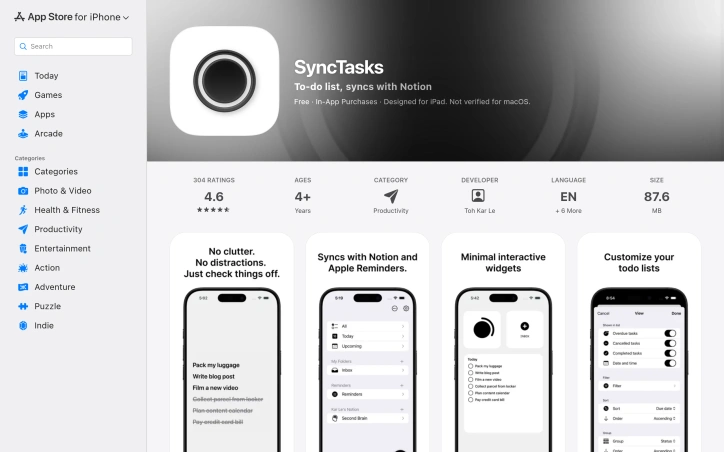
What sets SyncTasks apart from other productivity apps is its focus on minimalism. Inspired by the simplicity of dumb phones, the app features a clean interface that blends seamlessly with wallpaper, providing an uncluttered view of tasks without any distractions. This design choice makes it easy to stay focused on a single task at a time.
The app's integration capabilities are also noteworthy. SyncTasks allows for two-way syncing with Notion databases, including those from multiple workspaces, and supports Apple Reminders as well. Users can create new lists or leverage existing ones, making it an excellent choice for managing tasks across different platforms.
In terms of features, the app stands out for its widget integration, which provides a convenient way to view tasks without opening the app itself. This feature is particularly useful for tracking simple tasks like grocery lists or other on-the-go needs. The developer has also included a folder system and search filters to help users stay organized and find specific tasks quickly.
Pricing information reveals that SyncTasks operates on a one-time purchase model, avoiding subscription fees – a refreshing approach in the productivity app market. With its commitment to transparency, regular updates, and lack of ads or tracking, SyncTasks appears poised to appeal to those seeking a straightforward, ad-free experience.
As a standalone solution for task management, SyncTasks is certainly worth considering for individuals looking for an intuitive and distraction-free way to stay organized. Its clean design, robust integration capabilities, and transparent business model make it an attractive option in the productivity app market.
Founder Diary
DevlogThe maker hasn't posted a diary entry yet.
Key Features
Notion & Apple Reminders Integration
seamlessly syncs tasks with Notion databases across multiple workspaces and Apple Reminders
Distraction-Free Interface
minimalist design inspired by dumb phones with a clean, uncluttered view that blends with wallpaper
Widget Integration
provides convenient task viewing through widgets without opening the app
Two-Way Syncing
supports bidirectional synchronization between the app and Notion or existing task lists
Folder System & Search
includes folder organization and search filters for quick task lookup
Use Cases
-
1
Individuals with cluttered systems
seeking a distraction-free way to organize and focus on single tasks
-
2
Multi-platform users
need to sync tasks across Notion workspaces and Apple Reminders seamlessly
-
3
On-the-go task tracking
perfect for simple tasks like grocery lists via convenient widget access
FAQ
Does SyncTasks sync with Notion? ▾
Is there a subscription fee? ▾
Can I use tasks without opening the app? ▾
Pricing
One-time purchase model with no subscription fees, ads, or tracking.
Tech Stack & Tags
Discussion
No comments yet — be the first!
Join the conversation — sign up to comment.
Sign up freeCommunity Support
Boost this project on Sell With boost
Meet the Founder
Anonymous Maker
More in Project management software
Snippetly
Snippetly helps developers and teams capture, or...

Chatquick AI
Create audiobooks, podcasts, and interactive aud...

Dropstone
Dropstone: World's first generational recursive...
Krisp AI Note Taker Mobile
Meetings don’t wait. Neither should your notes....
Stash
Capture anything on your Mac with Stash. This sm...
US Global Mail
Managing paper mail costs time and resources. US...