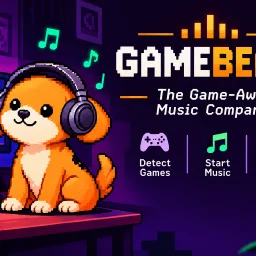
GameBeats

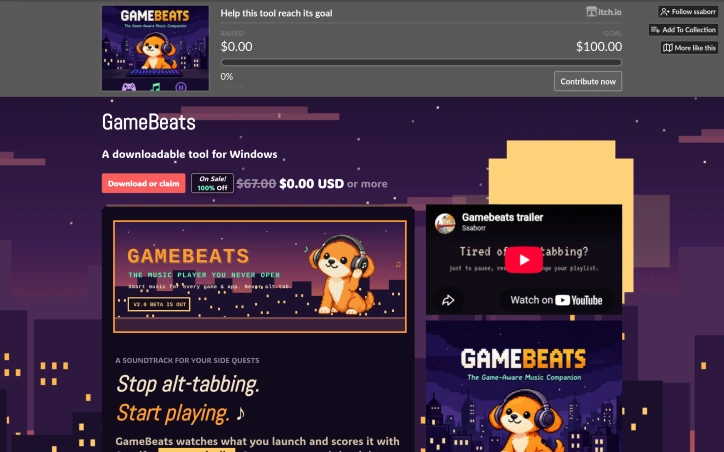
- No match
Machine translation — the English original is authoritative.
The Story
GameBeats is a Windows 10/11 app that manages your soundtrack for games and apps, so music never pulls you out of the moment. Whether you want music to pause while you watch a course, or you have a specific playlist for a certain game or app, it detects what’s running (Steam, Epic, or any custom .exe) and switches to the Spotify playlist you mapped to it. It auto-pauses when audio gets loud, like cutscenes or dialogue, and resumes after a delay you choose. A non-focus-stealing puppy overlay offers the next playlist when one ends, and a global hotkey skips tracks without alt-tabbing. It works with Spotify Free or Premium through browser login, with no desktop client or developer setup needed. Settings and login stay local on your PC.
AI Overview
AI-generatedAutomating music selection based on what application is running, GameBeats solves a genuine friction point in gaming: the need to manually switch between soundtracks or manage Spotify while playing. The tool targets PC gamers who want immersive, contextually appropriate music without the interruption of alt-tabbing.
The product's core innovation lies in its simplicity and automation. Users link their Spotify account, add games by their executable files, and the tool handles the rest. For most games, GameBeats consults SteamDB tags to infer genre and mood, then pulls matching playlists. The system recognizes when you open a cozy farming simulation versus a challenging action game and adjusts accordingly. For non-gaming applications, users pick a style manually or provide a custom search query.
What distinguishes GameBeats is its attention to real user friction. The development log reveals three specific problems the creator identified and resolved: wrong music selections for mismatched games, the inability to skip tracks without leaving the game, and Spotify audio bleeding into videos or calls. The smart music layer addresses the third issue by automatically pausing playback when other audio is detected, then resuming when appropriate. This extends utility beyond gaming into everyday computing.
Setup requires three steps: authenticate Spotify, add a game to the shelf, and launch it. The tool works with both Spotify Free and Premium accounts, lowering the barrier to adoption. An optional pixel puppy mascot adds personality without intruding on functionality.
The product remains in active beta, currently offered at no cost despite an original $67 price point. This positions it as either a loss leader during the development phase or a shift toward the free-to-play model increasingly common in utility software. The emphasis on community feedback suggests the creator is still refining core features, making early adoption somewhat experimental.
GameBeats is Windows-only, which significantly narrows its addressable market in a gaming ecosystem increasingly fragmented across platforms. For those on the supported operating system, however, it genuinely reduces cognitive load during gaming sessions, solving a problem that doesn't require a sophisticated solution—just the right observation about how gamers actually use their machines.
Founder Diary
DevlogThe maker hasn't posted a diary entry yet.
Key Features
Automatic Music Selection
Detects running games and automatically switches music based on genre and mood using SteamDB tags
Spotify Integration
Authenticates with Spotify and pulls matching playlists for detected games
Smart Audio Management
Automatically pauses playback when other audio is detected and resumes when appropriate
In-Game Track Skipping
Skip tracks without alt-tabbing or leaving the game
Custom Music Selection
For non-gaming applications, manually select a style or provide custom search queries
Use Cases
-
1
PC Gamers
Provides immersive, contextually appropriate music without interrupting gameplay by manual switching
-
2
Cozy Game Players
Ensures relaxing background music matches farming simulations and similar relaxed games
-
3
Action Game Enthusiasts
Delivers intense music that adapts to challenging gameplay
-
4
Remote Workers and Content Creators
Automatically pauses music when audio from videos or calls is detected
FAQ
How does GameBeats know what music to play for my game? ▾
Does GameBeats work with Spotify Free? ▾
What operating systems does GameBeats support? ▾
Can I skip songs without leaving my game? ▾
Pricing
Currently offered at no cost despite an original $67 price point, positioned as either a loss leader or shift toward free-to-play utility software.
Tech Stack & Tags
Discussion
No comments yet — be the first!
Join the conversation — sign up to comment.
Sign up freeCommunity Support
Boost this project on Sell With boost
Meet the Founder

More in Automation tools
CMDragon Tools
I built CMDragon Tools to eliminate the friction...

Infrabase.ai
I was evaluating AI infrastructure products for...
QRSnap | Free Online QR Code Generator
QRSnap is a free online QR code generator that m...

ListFlow – Crosslist to Poshmark, eBay, Mercari & More
I built ListFlow because resellers were wasting...

HVAC Tools Hub
I built HVAC Tools Hub because I saw professiona...

DMly
We built DMly to help local service businesses a...