
Home Design AI
- No match
Machine translation — the English original is authoritative.
The Story
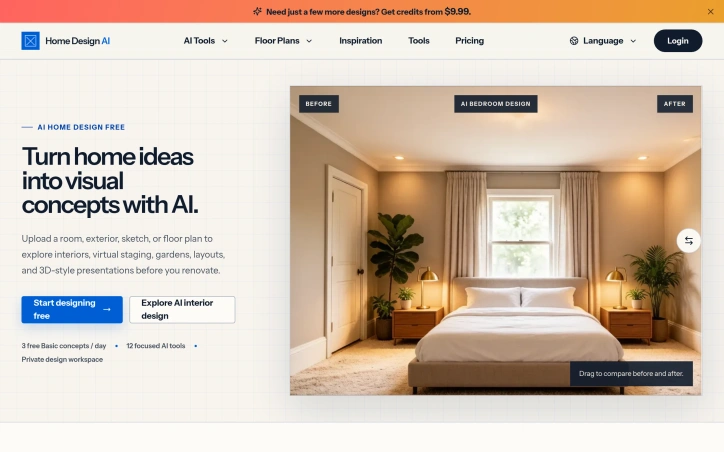
AI Interior Exterior Floor Plans. AI-powered home design tool for interiors, exteriors, and floor plans. Upload a photo and get realistic redesign renders in seconds. Home Design AI is an AI home design platform that turns room photos into realistic interior and exterior redesigns, style options, and floor-plan concepts. Built for homeowners and designers who want fast visual ideas without hiring a studio.
AI Overview
AI-generatedRenovations and home redesigns typically demand either expensive consultations with designers or hours spent imagining how changes might look. Home Design AI addresses this gap by converting room photos into realistic render options in seconds, eliminating the need to hire a studio just to explore visual directions.
The platform targets both homeowners seeking design inspiration before committing to renovations and professionals who want to accelerate their concept development process. By lowering the friction between idea and visualization, the product sits at an intersection of accessibility and efficiency.
Several features distinguish the offering. The tool employs a focused workflow structure, letting users choose between specific project types—interior redesign, kitchen remodeling, exterior facades, landscape planning, or floor plan generation—rather than presenting a single generic interface. This modular approach streamlines the design exploration process. Virtual staging, furniture swapping, and texture replacement tools extend the core rendering capability, addressing different stages of the design process. The floor-plan-to-3D conversion feature bridges planning and visualization, helping users move from abstract layouts to furnished spatial concepts.
The platform stores designs in a private workspace, enabling users to download, share, or iterate on results without starting over. The ability to refine concepts through multiple rounds supports a more exploratory design process than one-shot tools typically allow. Support for multiple languages suggests intentional expansion beyond English-speaking markets.
On pricing, the site indicates a free tier offering three basic concepts daily, with focused AI tools available through a paid plan. The specifics of premium pricing remain behind a view-pricing link not captured in the available content.
The platform's strength lies in its specialization. Rather than positioning itself as a general-purpose AI image generator, it targets the specific workflows of home design and renovation. The breadth of tools—spanning interiors, exteriors, planning, and staging—indicates a mature feature set designed for varied use cases. Whether the speed and quality of renders justify adoption over generic AI tools, and whether the free tier generates sufficient demand to convert users, will determine the product's commercial viability.
Founder Diary
DevlogThe maker hasn't posted a diary entry yet.
Key Features
Photo to Render Conversion
Transforms room photos into realistic render options in seconds
Project Type Selection
Choose between interior redesign, kitchen remodeling, exterior facades, landscape planning, or floor plan generation
Virtual Staging Tools
Includes virtual staging, furniture swapping, and texture replacement capabilities
Floor Plan to 3D Conversion
Converts abstract floor plans into furnished 3D spatial concepts
Design Workspace
Stores designs privately with options to download, share, and iterate multiple times
Use Cases
-
1
Homeowners
Explore design inspiration and visual directions before committing to renovations
-
2
Design professionals
Accelerate concept development and visualization without extensive manual rendering
-
3
Interior designers
Refine concepts through multiple rounds of iteration and refinement
-
4
Renovation planners
Bridge planning and visualization by moving from layouts to furnished spaces
FAQ
How does Home Design AI convert photos to designs? ▾
What design projects are supported? ▾
Can I save and iterate on my designs? ▾
Is there a free version? ▾
Pricing
Free tier includes three basic concepts daily; premium pricing details are not publicly disclosed.
Tech Stack & Tags
Discussion
No comments yet — be the first!
Join the conversation — sign up to comment.
Sign up freeCommunity Support
Boost this project on Sell With boost