iloveepub
- No match
Machine translation — the English original is authoritative.
The Story
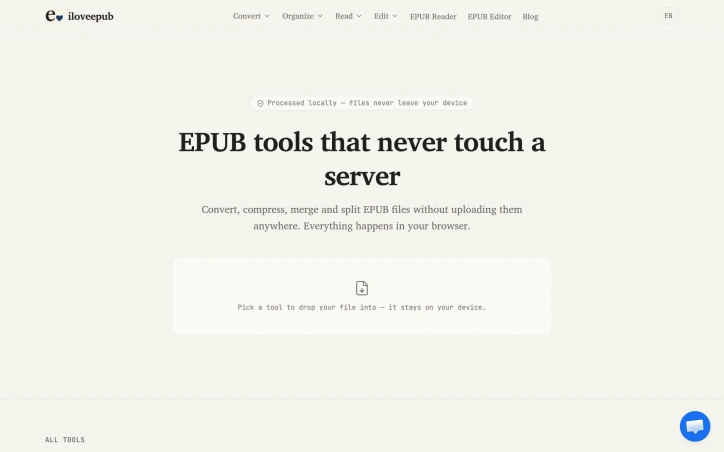
iloveepub is a free, privacy-first EPUB toolkit. Every tool runs 100% in your browser, so your books are never uploaded to a server. Read and edit EPUBs, convert EPUB to/from PDF, Markdown and Kobo KEpub, turn TXT novels into EPUB with automatic encoding and chapter detection, repair broken files, rebuild the table of contents, edit metadata and covers, compress books, and strip images for e-ink readers like Kindle, Kobo and Boox. No account, no limits, no watermarks.
AI Overview
AI-generatedConverting and editing EPUB files typically requires uploading to cloud services or installing desktop software, forcing users to choose between convenience and privacy. IloveEPUB eliminates that tradeoff by running entirely in the browser, keeping files on the user's device throughout every operation.
The service targets authors, editors, publishers, and readers who work with digital books. Anyone who needs to convert EPUBs to other formats, compress oversized files, repair broken ones, or edit metadata and covers fits the audience. The core appeal is straightforward: complete EPUB toolkit functionality without uploading anything to a server.
The feature set is comprehensive. Users can convert EPUBs to PDF, Markdown, plain text, HTML, Word documents, and Kobo's KEpub format. Reverse conversions work too, letting users transform PDFs and text files into properly structured EPUBs. The merge tool combines multiple books into one with a unified table of contents, while the split function divides EPUBs into separate volumes by chapter. A compression tool re-encodes images to reduce file size, and an image stripping option makes books suitable for e-ink readers. Beyond conversions, the platform includes an EPUB reader, word counter, text-to-speech player, metadata editor, cover image replacer, and tools for rebuilding tables of contents and fixing corrupted files.
What distinguishes iLoveEPUB from competitors is the privacy-first architecture combined with genuine offline capability. Once a tool page loads, users can work without internet. There are no account requirements, credit systems, or usage queues. The service is entirely free.
The browser-based approach creates constraints. Processing power is limited by the client's device, and very large files might be slow to handle. However, for typical use cases such as converting a novel or editing a book's metadata, the speed difference from server-side processing is negligible.
The founder positions this as a rejection of the upload-first model that dominates the EPUB tools space. Whether users prioritize privacy or simply prefer not to register for yet another online service, iLoveEPUB's no-upload promise addresses a real friction point in ebook workflows. The combination of breadth, depth, and accessibility makes it a notably capable free offering in a market dominated by subscription services and walled gardens.
Founder Diary
DevlogThe maker hasn't posted a diary entry yet.
Key Features
EPUB Conversion
Convert EPUB files to PDF, Markdown, plain text, HTML, Word documents, and Kobo's KEpub format.
Browser-Based Offline
Runs entirely in the browser with offline capability after loading, keeping files on your device.
Merge and Split
Combine multiple books into one with unified table of contents or divide EPUBs into separate volumes by chapter.
Compression Tool
Re-encode images to reduce file size and strip images for e-ink reader compatibility.
Metadata and Cover Editor
Edit EPUB metadata and replace cover images without uploading to a server.
Use Cases
-
1
Authors and Publishers
Need to convert EPUBs to multiple formats for different distribution platforms.
-
2
Content Editors
Repair, merge, and edit metadata of digital books without compromising file privacy.
-
3
E-ink Reader Users
Compress oversized files and remove images to optimize EPUB compatibility with device limitations.
FAQ
Can I convert EPUB files without uploading them? ▾
What formats can I convert EPUB to? ▾
Do I need an account to use iLoveEPUB? ▾
Can I use iLoveEPUB offline? ▾
Pricing
Entirely free with no account requirements, credit systems, or usage queues.
Tech Stack & Tags
Discussion
No comments yet — be the first!
Join the conversation — sign up to comment.
Sign up freeCommunity Support
Boost this project on Sell With boost
Meet the Founder

More in Productivity

OkComputer
OkComputer is an AI harness for professionals an...
Syllable Counter
This is a syllable counter tool made by AIWriteK...

SpeakerEject
SpeakerEject is a free collection of browser aud...

AppDeploy
AppDeploy was built to solve a problem I repeate...

NexusAI
NexusAI began with a straightforward observation...

ToolPotion
ToolPotion.ai — Discover the Right AI Tools for...