
LumoKeep – Smart Photo Cleaner & Video Compressor for iPhone
- No match
Machine translation — the English original is authoritative.
The Story
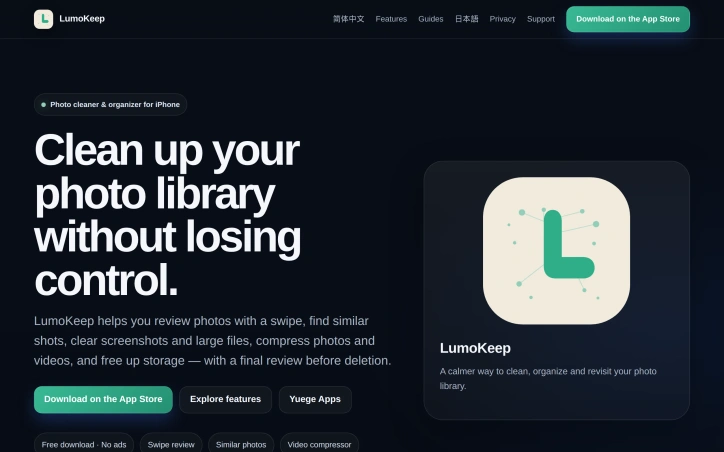
We built LumoKeep to solve the frustration of photo library clutter without aggressive auto-deletion. Our iPhone app lets you thoughtfully review photos by swiping, find similar shots, and organize with full control—all on-device, ad-free, with no accounts required.
AI Overview
AI-generatedSmartphone photo libraries have become digital junk drawers. For iPhone users drowning in duplicates, screenshots, and forgotten moments, finding a cleanup solution that doesn't feel aggressive—or require surrendering control—is genuinely difficult.
LumoKeep addresses this problem head-on with a thoughtfully designed photo management app that treats deliberate review as a feature, not an afterthought. Rather than offering a single "clean all" button, the app guides users through their camera roll one photo at a time using a swipe interface. This Tinder-like interaction model makes the cleanup process feel less like data destruction and more like curation. Users mark photos for deletion as they go, then review their selections before anything is actually removed from the library—a critical safeguard against accidental loss.
The app distinguishes itself through several practical capabilities. A similar-photo detection tool identifies and groups near-duplicate shots, helping users quickly decide which variations to keep. A dedicated screenshots and large-files finder surfaces the storage hogs users often forget about. Built-in compression tools for photos and videos let users reduce file sizes before deletion, with savings estimates shown beforehand. Beyond cleanup, LumoKeep organizes content by albums, favorites, screenshots, videos, and a timeline view, positioning itself as both a cleaner and a rediscovery tool for older photos.
What particularly stands out is the privacy architecture. LumoKeep processes everything on-device without requiring an account or sending data elsewhere. This isn't a trendy privacy claim—it's baked into the product design. For users concerned about data practices, this approach eliminates a major friction point with competitor apps.
The business model reflects a thoughtful balance. Core cleanup features are available free, with ad-free functionality as the default experience. Some advanced tools sit behind a Pro tier, though specific pricing remains undisclosed on the public site. This freemium structure allows users to test the core workflow before committing to premium features.
LumoKeep targets a specific user: the iPhone owner whose photo library has spiraled into chaos, who values control over automation, and who would prefer not to see ads while doing so. For that audience, the swipe-based review system paired with local processing and deletion safeguards represents a genuinely refreshing alternative to aggressive, cloud-dependent competitors. The app doesn't oversell what it does, and that restraint itself feels like an asset in an overcrowded market.
Founder Diary
DevlogThe maker hasn't posted a diary entry yet.
Key Features
Swipe Interface
Tinder-like interaction model for reviewing and marking photos for deletion one at a time.
Duplicate Detection
Identifies and groups near-duplicate shots to help users decide which variations to keep.
Storage Finder
Dedicated tool to surface large files and screenshots that consume storage.
Photo & Video Compression
Built-in compression tools with pre-deletion file size savings estimates.
On-Device Processing
All processing happens locally without requiring an account or sending data to the cloud.
Deletion Safeguard
Users review their marked photos before anything is permanently removed from the library.
Use Cases
-
1
Cluttered Photo Libraries
iPhone users with hundreds of duplicate, forgotten, or unwanted photos need a way to organize and clean their camera roll.
-
2
Privacy-Conscious Users
Users concerned about data practices prefer an app that processes everything locally without requiring an account or cloud uploads.
-
3
Control-Oriented Users
Users who value deliberate curation over automatic cleanup prefer reviewing each decision before permanent removal.
-
4
Ad-Free Experience
Users who don't want ad interruptions while managing their photos can use the default ad-free experience.
FAQ
Does LumoKeep require an account? ▾
How safe is deleting photos with LumoKeep? ▾
How much does LumoKeep cost? ▾
How does LumoKeep find duplicate photos? ▾
Pricing
Core cleanup features free with ad-free experience; advanced tools in Pro tier.
Tech Stack & Tags
Discussion
No comments yet — be the first!
Join the conversation — sign up to comment.
Sign up freeCommunity Support
Boost this project on Sell With boost
