Hide Photos: Secret Album
- No match
Machine translation — the English original is authoritative.
The Story
We built Hide Photos because personal memories deserve real privacy—not cloud encryption that depends on third-party servers. Our app encrypts your photos, videos, and memories directly on your device with no accounts, no ads, and complete control over your data and backups.
AI Overview
AI-generatedProtecting sensitive personal photos has become an increasingly common concern as smartphones store more intimate memories while facing mounting privacy threats. Hide Photos addresses this need by providing a dedicated vault system designed entirely around device-based encryption rather than relying on external servers or cloud infrastructure dependent on third parties.
The application targets users who want to maintain control over their most private content without sacrificing convenience or creating friction in their daily workflow. This includes individuals concerned about physical device theft, casual snooping by family members, or accidental exposure through standard sharing mechanisms.
What distinguishes this approach is the implementation of decoy vaults, a feature that creates multiple distinct collections with separate access credentials. Someone forcing access through an incorrect PIN encounters a different set of content entirely, creating genuine uncertainty about what the vault actually contains without requiring the user to memorize multiple separate applications or devices.
Complementing this security-first design are practical features for actual photo management. Users can organize content into albums and folders, take photos directly within the vault without touching the main camera roll, and set the app to automatically lock and obscure itself during app switching to prevent accidental disclosure.
The encryption relies on AES-GCM algorithms applied directly on the device, with no backend servers involved in the encryption process. Users can export encrypted backups they control directly rather than depending on a developer-operated service for recovery. An optional Pro tier adds encrypted synchronization across Apple devices via the user's own iCloud account, with the critical distinction that data is encrypted locally before any upload.
Additional security features include tracking failed unlock attempts as an intruder alert system and the ability to swap the app icon to something inconspicuous for users who want an extra layer of obscurity.
The application is free to download with core functionality immediately accessible. Premium features unlock additional capacity and synchronization capabilities through in-app purchases. The combination of decoy vault technology, genuine on-device encryption without server dependency, and minimal friction for legitimate use creates a compelling alternative to relying on basic PIN protection or standard photo library visibility settings.
Founder Diary
DevlogThe maker hasn't posted a diary entry yet.
Key Features
Decoy Vaults
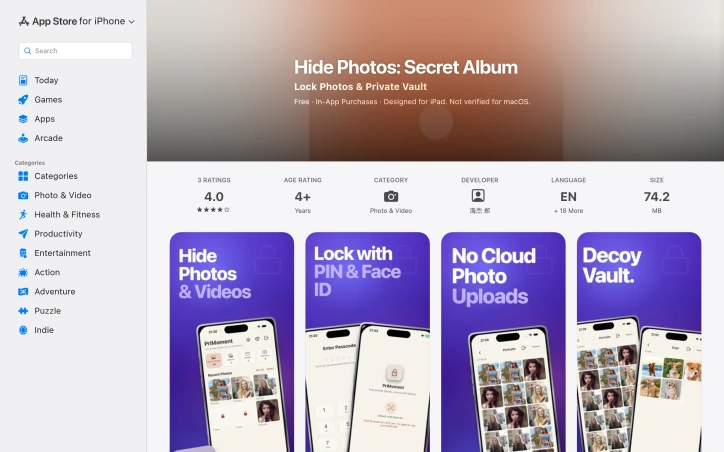
creates multiple distinct collections with separate credentials that display different content when accessed with an incorrect PIN
Device-Based Encryption
uses AES-GCM algorithms applied on-device with zero backend server involvement in encryption
Photo Organization
organize sensitive photos into albums and folders with in-app camera capability
Automatic App Locking
app automatically locks and obscures itself during app switching to prevent accidental disclosure
User-Controlled Backups
export encrypted backups directly without depending on developer-operated recovery services
App Icon Customization
swap the app icon to an inconspicuous appearance for additional obscurity
Use Cases
-
1
Protection Against Device Theft
prevents access to sensitive personal photos if a smartphone is stolen
-
2
Family Privacy
prevents casual snooping by family members with physical access to the device
-
3
Secure Intimate Content
protects private personal memories from accidental exposure through standard photo sharing mechanisms
-
4
Zero-Cloud Privacy
for users who want encryption without relying on cloud infrastructure or third-party servers
FAQ
Is Hide Photos cloud-based or dependent on external servers? ▾
What happens if someone guesses the wrong PIN? ▾
Can I sync between my iPhone and iPad? ▾
Can I recover my photos if I lose my PIN? ▾
Pricing
Free core features with in-app purchases for premium capacity and Pro tier synchronization.
Tech Stack & Tags
Discussion
No comments yet — be the first!
Join the conversation — sign up to comment.
Sign up freeCommunity Support
Boost this project on Sell With boost
Meet the Founder

More in Security software

Locksy - Tab Locker & Password Protection
Your browser tabs are a security disaster. Pr...

GeoPatrol
GeoPatrol is a cloud-based SaaS platform that de...

FixMyMacNow
We built FixMyMacNow because Mac users face cons...

Fraudly
We built Fraudly because too many people lose mo...

VeilDB
We built VeilDB because teams need production-li...

CryptonQR
The Problem: > In an era of constant data breach...