
PDF Prem
- No match
Machine translation — the English original is authoritative.
The Story
52 free PDF tools — merge, split, compress, convert, edit and sign PDFs, plus photo, exam-form and calculator tools. No sign-up, no watermark; most tools run in your browser.
AI Overview
AI-generatedAnyone who regularly handles documents without wanting to install desktop software or create an account will find a clear use case in PDF Prem. The site offers more than fifty free utilities for everyday document work, including merging and splitting PDFs, compressing files to a target size, converting between formats, and resizing photos. Students, job seekers, and small business staff who need quick results on a deadline are the most obvious audience.
What stands out most is the emphasis on privacy and verification. Most tools run directly in the browser, so files stay on the user's device rather than being uploaded to a server. The site is also upfront that a small number of AI-powered tools rely on connected services and says so on each tool's page, which is a more credible approach than a blanket promise. Each tool is labeled for no sign-up, no watermark, and mobile compatibility.
The testing claims are unusually specific. The merge and split tool is demonstrated with five sample files, the compressor is tested against an eight-page scanned document to show how many pages fit within 500 KB, and the word counter is said to match Python output across six figures. The background remover is candid about its limits, cutting a real photo cleanly but leaving ghost patches on flat drawings. Acknowledging weaknesses like this lends credibility to the rest of the listing, though readers should still test the tools on files that matter to them.
The catalog is organized by category, including Convert, Calculate, Text, Image, and Fun, along with a section of newer advanced tools aimed at professionals, creators, and website owners. These cover CSV cleaning, screenshot redaction, subtitle repair, PDF accessibility checks, and website migration link checks. The range extends well beyond standard PDF work, which broadens its appeal but also means many visitors will only need a handful of the tools.
On pricing, the site describes its tools as free forever with no sign-up required. It does not mention any paid tier, premium plan, or other revenue model, so the business model remains unstated on the page.
Founder Diary
DevlogThe maker hasn't posted a diary entry yet.
Key Features
Browser-Based Processing
Most tools run directly in the browser so files stay on the user's device rather than being uploaded to a server.
No Sign-Up Required
Tools are labeled for no sign-up, so users can start working without creating an account.
No Watermark
Each tool is labeled as adding no watermark to output files.
Mobile Compatibility
Each tool is labeled as compatible with mobile devices.
Categorized Tool Catalog
Over fifty free utilities are organized into categories including Convert, Calculate, Text, Image, and Fun.
Advanced Professional Tools
A section of newer tools covers CSV cleaning, screenshot redaction, subtitle repair, PDF accessibility checks, and website migration link checks.
Use Cases
-
1
Students
Need quick document results on a deadline without installing desktop software.
-
2
Job seekers
Need fast document handling, such as resizing or converting files, without creating an account.
-
3
Small business staff
Need quick everyday document work, such as merging, splitting, or compressing PDFs, without installing software.
-
4
Website owners and creators
Need advanced tools like link checks, subtitle repair, or screenshot redaction for specialized tasks.
FAQ
Is PDF Prem free to use? ▾
Does PDF Prem upload my files to a server? ▾
What PDF tools does PDF Prem offer? ▾
Do I need to create an account to use PDF Prem? ▾
Pricing
The site describes its tools as free forever with no sign-up, but it does not mention any paid tier or other revenue model.
Discussion (1)

Hi everyone! I'm Dinesh Singh, the maker of PDF Prem. I built it because I kept seeing students and office workers stuck on simple PDF jobs — compressing a file for an exam form, merging certificates, signing a document — and most tools were paid, ad-heavy, or wanted a sign-up first. PDF Prem is 50+ free tools that just work: no sign-up, no watermark, and most tools run right in your browser, so your files stay on your device. I'd love your feedback — and if there's a tool you're missing, tell me and I'll try to build it. Thanks for checking it out! 🙏
Join the conversation — sign up to comment.
Sign up freeCommunity Support
Boost this project on Sell With boost
Meet the Founder
More in Productivity

OkComputer
OkComputer is an AI harness for professionals an...

My2Do
Type tasks the way you would say them, like "sen...
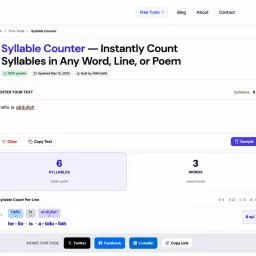
Syllable Counter
This is a syllable counter tool made by AIWriteK...
SpeakerEject
SpeakerEject is a free collection of browser aud...
Word Puzzle World
Word Puzzle World started with a familiar frustr...

ToolPotion
ToolPotion.ai — Discover the Right AI Tools for...