Push Notification - Tester
- No match
Machine translation — the English original is authoritative.
The Story
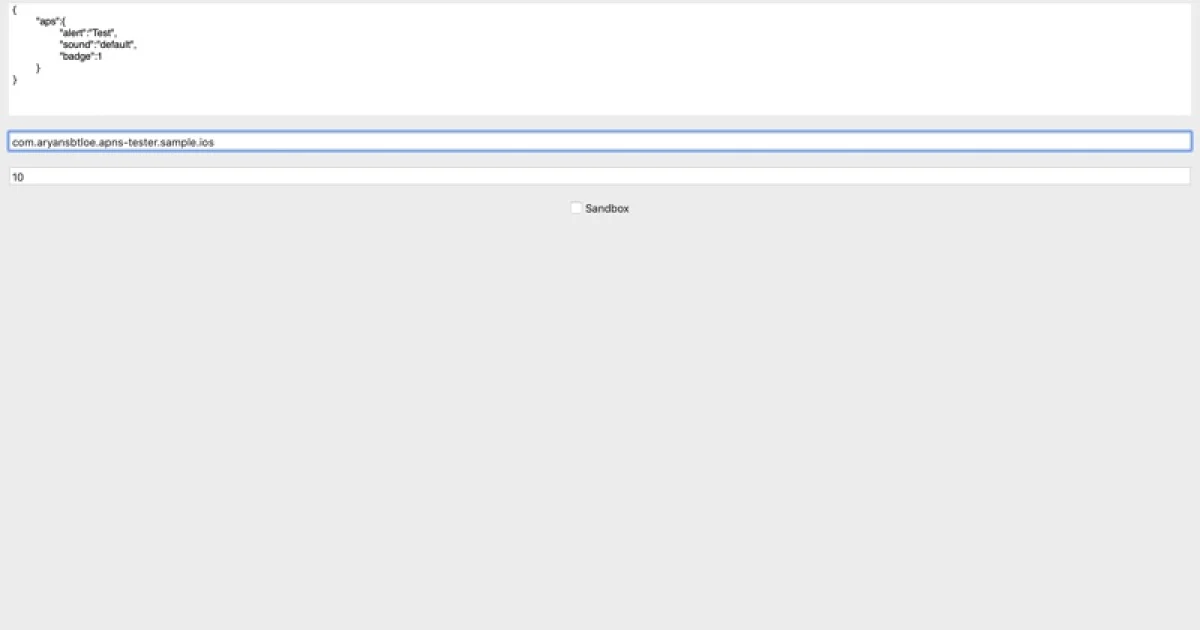
Push Notification - Tester is a Mac app for iOS developers, QA engineers, and backend developers who need to send a single Apple push without running their own server. Select your APNs .p12 or .pem certificate, paste the device token, and write a JSON payload with an alert, badge, sound, or silent content. Choose Development sandbox or Production, then tap Send Push. Teams use it to confirm a token, a certificate, and a payload before the real backend is wired up. It's free on the Mac App Store: https://apps.apple.com/us/app/push-notification-tester/id1516154713
AI Overview
AI-generatedTesting Apple push notifications without spinning up a backend server is a friction point many iOS development teams face. Push Notification Tester addresses this directly by offering a Mac application that lets developers and QA engineers send APNS messages straight from their machines. The tool targets iOS developers, QA engineers, and backend developers who need to validate tokens, certificates, and payloads before their production infrastructure is ready or during isolated testing phases.
The workflow is deliberately straightforward. Developers select their APNs certificate from their Mac keychain, enter a device token, and compose a JSON payload containing whatever notification content they need—alerts, badges, sounds, or silent notifications. The app toggles between Apple's Development sandbox and Production environments before sending. This direct certificate-based approach eliminates the burden of maintaining a test server or backend setup just to verify basic push notification functionality works as expected.
What sets this apart is its laser focus. Rather than becoming a comprehensive backend-as-a-service platform or notification hub, it stays purpose-built as a thin wrapper around the APNs protocol. This simplicity translates to quick adoption for teams already embedded in iOS development workflows. Developers work with certificates they already have and use; there are no new API keys to manage or unfamiliar dashboards to navigate.
The application is available free on the Mac App Store, making it accessible to any developer in the Apple ecosystem. Alok Singh built this as the kind of utility teams install when they need to confirm certificate validity or test notification payloads in isolation, then forget about until the next verification cycle.
For teams managing multiple push services or those in early development stages where backend infrastructure isn't yet in place, this fills a genuine gap. It provides a no-setup, certificate-direct path to APNS testing that requires no server code and no deployment overhead. The value isn't in flashy features but in removing a specific bottleneck from the development cycle: the moment when a developer just needs to know if a push notification will actually work, without weeks of backend preparation.
Founder Diary
DevlogThe maker hasn't posted a diary entry yet.
Key Features
Direct APNS Integration
Send Apple push notifications from your Mac without a backend server
Certificate-Based Authentication
Load APNs certificates directly from Mac keychain
Environment Toggle
Switch between Apple's Development sandbox and Production environments
JSON Payload Composer
Create and test notification payloads with alerts, badges, sounds, or silent notifications
Zero Setup Required
No test server, deployment overhead, or new API keys needed
Use Cases
-
1
iOS Developers
Validate push notification functionality before production infrastructure is ready
-
2
QA Engineers
Test device tokens, certificates, and notification payloads in isolation
-
3
Backend Developers
Verify certificate validity and notification content without maintaining test infrastructure
-
4
Early-Stage Teams
Confirm basic push notification functionality when backend infrastructure isn't yet built
FAQ
Can I test push notifications without a backend server? ▾
What certificates do I need? ▾
Can I test in both development and production? ▾
Is there a cost? ▾
Pricing
Available free on the Mac App Store with no paid tier mentioned.
Tech Stack & Tags
Discussion
No comments yet — be the first!
Join the conversation — sign up to comment.
Sign up freeCommunity Support
Boost this project on Sell With boost