
Reels Video Downloader
- No match
Machine translation — the English original is authoritative.
The Story
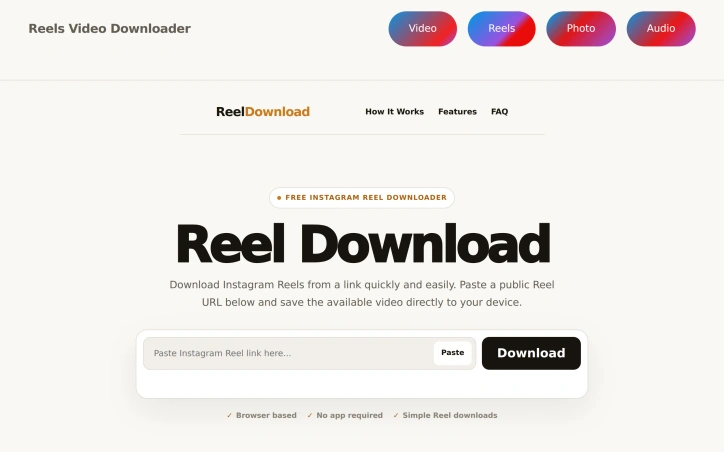
We built Reels Video Downloader to make saving Instagram Reels effortless. Our browser-based tool eliminates the need for apps or logins—just paste a Reel link and download it instantly in HD with no watermark. Works seamlessly across iPhone, Android, and desktop browsers.
AI Overview
AI-generatedInstagram users who want to preserve Reels without installing applications have limited options. Reels Video Downloader addresses this need through a browser-based tool that eliminates the friction associated with content preservation. The product targets anyone from casual viewers to content creators seeking to back up videos they encounter.
The service's most compelling feature is its deliberate simplicity. Rather than building a feature-rich platform, it commits to a three-step workflow: copy a Reel link, paste it into a web form, and initiate download. This focused approach eliminates unnecessary steps and architectural complexity. The browser-based design removes a genuine adoption barrier—users avoid installing dedicated applications and the storage costs they entail.
Several practical advantages distinguish the offering. It functions across iOS, Android, and desktop without requiring separate installations, ensuring consistent behavior across devices. Downloaded videos arrive without watermarks, a feature that many competing solutions lack. The interface adapts to mobile screens, recognizing that most Instagram users access content through phones. The tool skips embedded video players entirely, cutting the gap between URL submission and file availability.
The technical minimalism becomes a strength. No login, no account creation, no JavaScript-heavy interface—just a URL field and a button. For privacy-conscious users or those skeptical of software installation, this directness appeals. Server-side processing means download speeds depend on backend infrastructure rather than device capabilities, which can matter on older phones or slower connections.
What the documentation does not address is the permission framework underlying such downloads. While the site mentions downloading Reels when the user has permission, practical enforcement depends entirely on user discretion rather than technical gatekeeping. The product occupies a legally gray area where terms of service compliance becomes a user responsibility.
Pricing details remain absent from available materials. Whether the service operates as a free offering, maintains a freemium model, or plans monetization through alternative means is unclear. This transparency gap makes it impossible to assess long-term sustainability or whether features might shift behind paywalls.
For users seeking straightforward Reel preservation without application installation, Reels Video Downloader delivers through ruthless focus on essential functionality and cross-device accessibility.
Founder Diary
DevlogThe maker hasn't posted a diary entry yet.
Key Features
Browser-Based Access
Works across iOS, Android, and desktop without requiring app installation.
Watermark Removal
Downloaded videos arrive without watermarks, unlike competing solutions.
Simple Workflow
Copy a Reel link, paste it into a web form, and initiate download.
Mobile-Optimized Interface
Adapts to mobile screens where most Instagram users access content.
No Authentication
No login or account creation required to download videos.
Server-Side Processing
Download speeds depend on backend infrastructure rather than device capabilities.
Use Cases
-
1
Casual Viewers
Preserve Instagram Reels without installing dedicated applications.
-
2
Content Creators
Back up videos they encounter for reference or archival.
-
3
Privacy-Conscious Users
Download without providing login credentials or installing software.
-
4
Mobile Users
Access reliable downloads on older phones or slower connections through server-side processing.
FAQ
Do I need to install an app to use this? ▾
Can I download Reels without watermarks? ▾
Do I need to create an account? ▾
How much does the service cost? ▾
Tech Stack & Tags
Discussion
No comments yet — be the first!
Join the conversation — sign up to comment.
Sign up freeCommunity Support
Boost this project on Sell With boost
Meet the Founder

More by Times Digest



More in Social media management tools

VidSeeds.ai
I built VidSeeds because creators were panicking...

Unfollowers Track
We built Unfollowers Track to help Instagram use...

SocioMee AI
SocioMee AI is a Creator OS built for solo creat...

Boostspider Grow your social media followers with AI
We built Boostspider to help creators and busine...

OmniFire
We built OmniFire because managing social media,...

Quiplos
Replying on X and LinkedIn is the fastest way to...