SaveClips
- No match
Machine translation — the English original is authoritative.
The Story
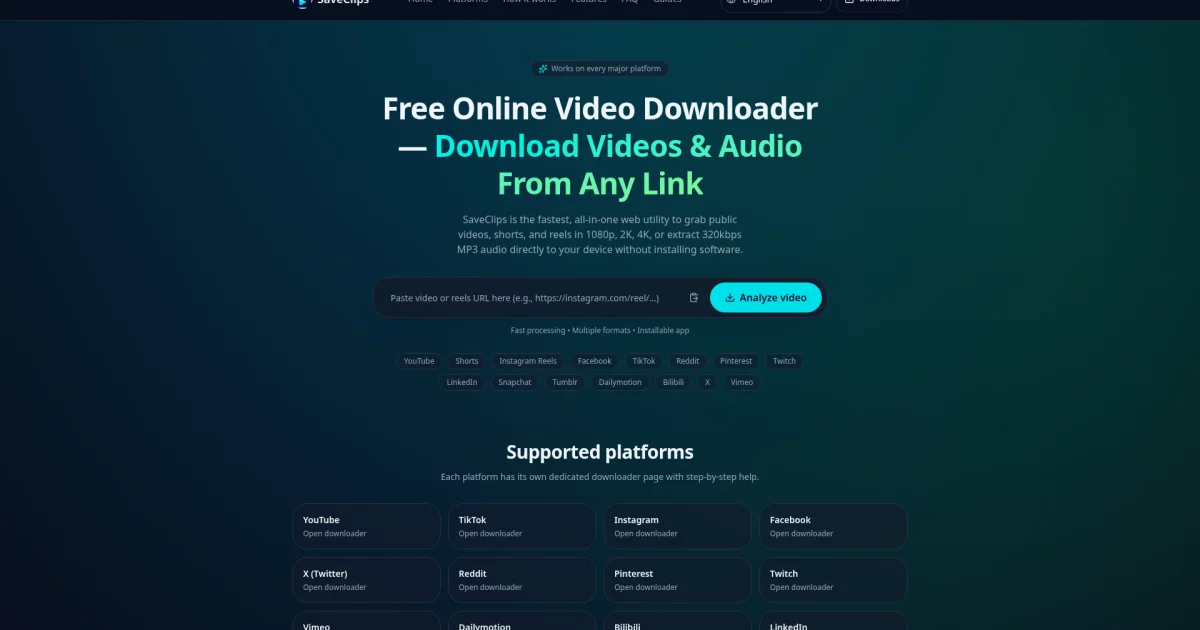
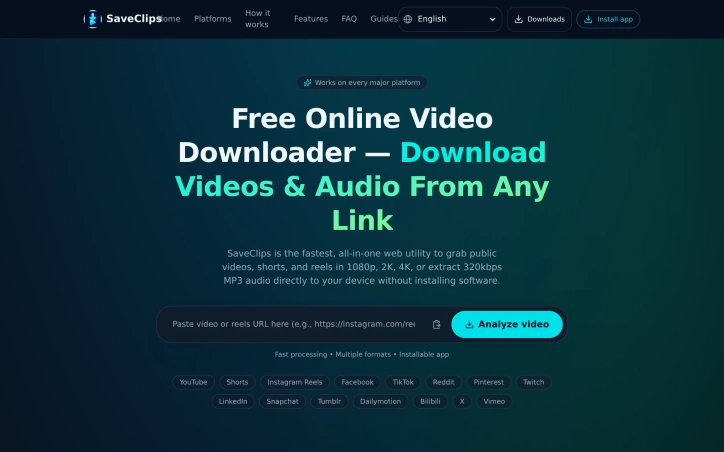
SaveClips was built to make video downloading simpler and more convenient. Instead of switching between different tools for different platforms, users can use one place to download videos from multiple platforms.
Our goal is to create a simple, accessible, and user-friendly experience that saves time and makes managing online video content easier. We’re continuously working to improve SaveClips and make it a useful tool for content creators, social media users, and anyone who wants a more convenient way to access online videos.
We’re excited to share SaveClips with a wider audience, connect with early users, and continue building a better video downloading experience.
AI Overview
AI-generatedExtracting video content from the internet without installing software or bouncing between platform-specific tools is the core promise of SaveClips, a web-based video downloader that consolidates what typically requires multiple services into a single interface.
The service addresses a real friction point for content creators, social media researchers, and users who need offline access to public video content. Rather than installing separate downloaders for YouTube, TikTok, Instagram, and other platforms, SaveClips handles 15 different sources from one browser-based tool, with the option to install it as a native app on iOS, Android, and desktop operating systems.
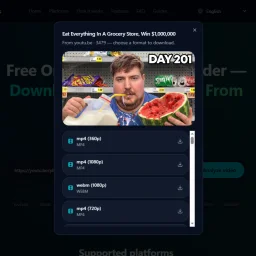
Several features justify the tool's position in a crowded market. It captures video at multiple resolutions—720p through 4K where the original source permits—and extracts audio directly to MP3 format, effectively doubling its utility for users building offline playlists or archiving podcast episodes. The downloaded files arrive without watermarks or third-party branding burned into the frame, addressing a common complaint about free downloaders. Processing is positioned as fast, and the user experience follows a straightforward four-step workflow: copy a video link, paste it into the search box, select a format, and save.
The privacy model sets it apart in a category often marred by data collection concerns. SaveClips stores neither the links users paste nor any record of what they download, retaining only anonymized usage counts. Combined with the complete absence of sign-up requirements, paywalls, or download limits, this creates a genuinely friction-free experience.
The platform's breadth is notable. Beyond obvious choices like YouTube and TikTok, it covers niche platforms including Bilibili, LinkedIn, Snapchat, and Tumblr. This comprehensive support across 15 platforms reduces the need for users to maintain multiple bookmarks or remember platform-specific syntax.
SaveClips positions itself as a free service with no recurring revenue model mentioned, suggesting either a breakeven operation or monetization through means not disclosed on the public-facing site. The lack of transparency here is the main gap in an otherwise straightforward product story.
Founder Diary
Devlog-
Building SaveClips has been a journey of continuous improvement. 🚀
I’ve been refining the user experience, improving video download workflows, and making the interface more practical on mobile and desktop. Recently, I added a scrollable video-details area to handle long descriptions better and integrated a Sell With Boost badge into the website footer.
My focus remains on building a fast, user-friendly tool that solves real problems. There’s still more to improve, and I’m excited to keep learning, testing, and growing SaveClips step by step.
Key Features
Multi-Platform Support
Consolidates downloads from 15 different video sources into a single browser-based interface
Multiple Resolutions
Captures video at 720p through 4K quality where the original source permits
Audio Extraction
Extracts audio directly to MP3 format for offline playlists and podcast archiving
No Watermarks
Downloaded files arrive without watermarks or third-party branding
Privacy Protection
Stores neither user links nor download history, retaining only anonymized usage counts
No Barriers
Completely free with no sign-up requirements, paywalls, or download limits
Use Cases
-
1
Content Creators
Need offline access to public video content for reference and creative projects
-
2
Social Media Researchers
Require consolidated access to content across multiple platforms from one tool
-
3
Offline Playlist Builders
Extract and archive audio from videos for personal music collections
-
4
Podcast Archivists
Download and convert video episodes to MP3 format for offline listening
FAQ
Can I download videos without installing software? ▾
Which platforms does SaveClips support? ▾
Does SaveClips track my downloads? ▾
What video formats and resolutions can I download? ▾
Pricing
Completely free with no paywalls or download limits; monetization model not disclosed.
Tech Stack & Tags
Discussion
No comments yet — be the first!
Join the conversation — sign up to comment.
Sign up freeCommunity Support
Boost this project on Sell With boost
Meet the Founder

More in Productivity

OkComputer
OkComputer is an AI harness for professionals an...

ToolPotion
ToolPotion.ai — Discover the Right AI Tools for...
Syllable Counter
This is a syllable counter tool made by AIWriteK...
SpeakerEject
SpeakerEject is a free collection of browser aud...

AppDeploy
AppDeploy was built to solve a problem I repeate...

NexusAI
NexusAI began with a straightforward observation...