Zency - Smart Document Manager
- No match
Machine translation — the English original is authoritative.
The Story
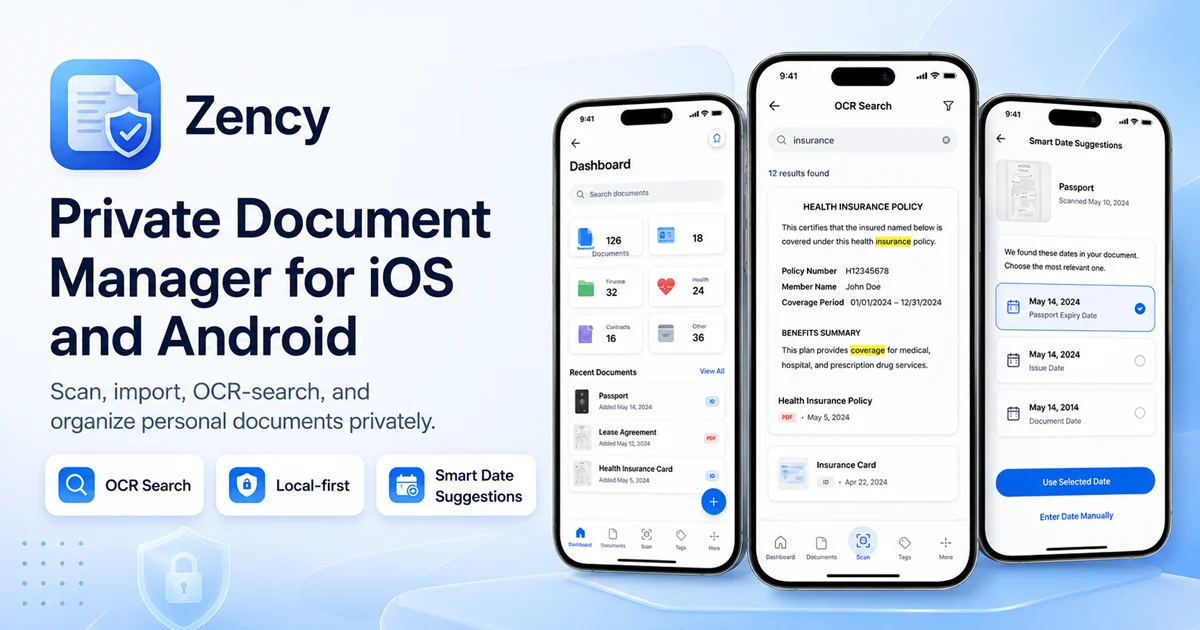
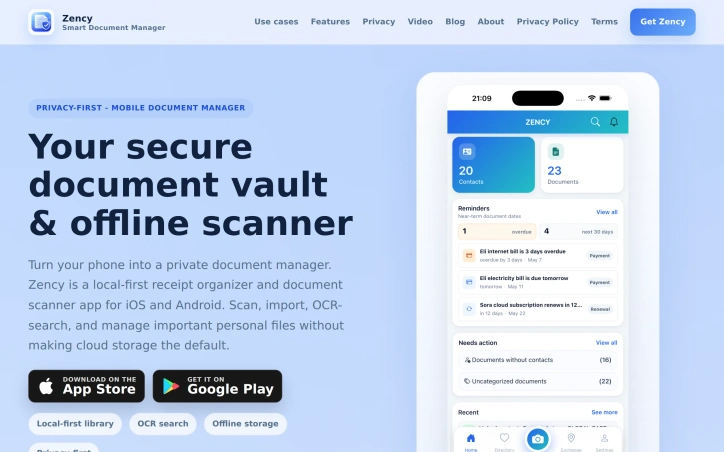
I built Zency to securely manage personal files locally and organize receipts with automatic data extraction, solving the problem of disorganized and inaccessible documents. Zency is a private offline document scanner and vault. It helps users keep records searchable and connected to relevant contacts and dates.
AI Overview
AI-generatedManaging personal documents can be a daunting task, with receipts, contracts, and identification documents scattered across various physical and digital locations. Zency addresses this issue head-on by providing a secure, local-first document vault and offline scanner app for mobile devices. The app is designed for individuals seeking to organize their personal files in a private and accessible manner, making it an ideal solution for those tired of sifting through disorganized paperwork.
What sets Zency apart is its focus on local storage and offline capabilities, ensuring that sensitive documents remain under the user's control. The app's OCR search functionality allows users to scan and search within documents, making it possible to quickly locate specific information without having to rely on file names. This capability is particularly useful for tasks such as tracking contract expiration dates, warranty periods, and tax-related receipts.
The app's features are geared towards creating a comprehensive and connected document management system. Users can link documents to contacts, creating a CRM-like experience for personal relationships and transactions. Automatic receipt data extraction is another standout feature, which simplifies the process of organizing financial records by extracting total amounts and detecting tax hints from scanned receipts. This functionality is designed to reduce manual entry while maintaining the original receipt as source evidence.
By emphasizing local storage, advanced search capabilities, and document connectivity, Zency offers a robust solution for individuals seeking to take control of their personal document management. While pricing details are not explicitly mentioned, the app's availability on both iOS and Android platforms makes it widely accessible. Overall, Zency presents a compelling option for those seeking a private and efficient way to manage their personal documents.
Founder Diary
DevlogThe maker hasn't posted a diary entry yet.
Key Features
Local Storage
stores documents locally on the user's device
Offline Scanner
allows scanning documents without internet connection
OCR Search
enables searching within scanned documents
Document Linking
links documents to contacts for a CRM-like experience
Automatic Receipt Data Extraction
extracts total amounts and detects tax hints from scanned receipts
Use Cases
-
1
Individuals with disorganized paperwork
can organize personal files in a private and accessible manner
-
2
Users tracking contract expiration dates
can quickly locate specific information within documents
-
3
Users managing financial records
can simplify organizing receipts with automatic data extraction
-
4
Users seeking private document management
can keep sensitive documents under their control with local storage
FAQ
Is my data stored securely? ▾
Can I access Zency without internet? ▾
How do I find specific information in my documents? ▾
Tech Stack & Tags
Discussion
No comments yet — be the first!
Join the conversation — sign up to comment.
Sign up freeCommunity Support
Boost this project on Sell With boost
Meet the Founder

More in File storage and sharing apps

X-Streamify
X-Streamify is a private digital vault that brin...

Smart Renamer
A few months ago, I was stuck at a café with onl...

DropAI.zone
We built DropAI to solve the friction of sharing...

File Walk
Smart Organization • Duplicate Detection • Light...

Transfereko
I built Transfereko to make secure file sharing...
SendNow
We built SendNow because financial professionals...