
BucketMate
- No match
Machine translation — the English original is authoritative.
The Story
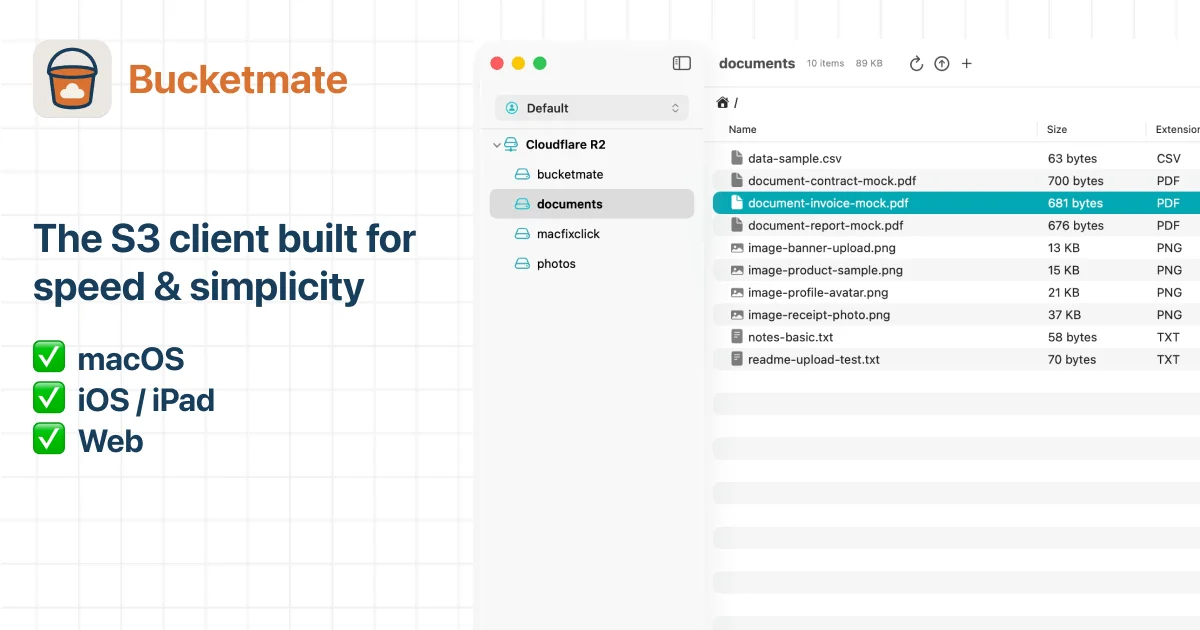
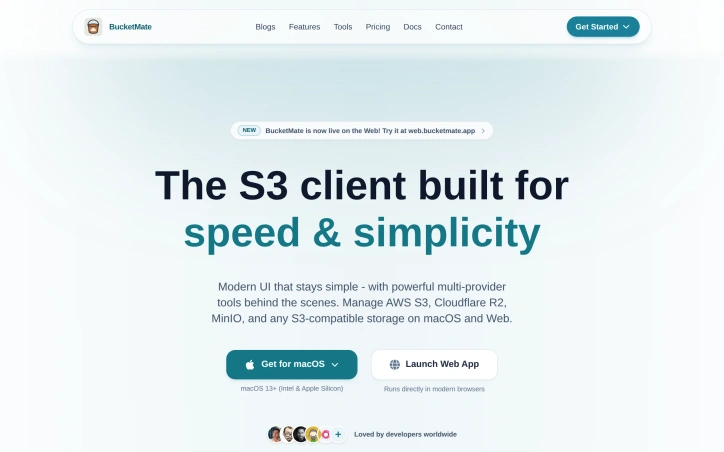
I built BucketMate because managing S3 across multiple cloud providers was painful—slow consoles, confusing interfaces, and constant context switching. It's a modern S3 client for macOS and web that keeps your everyday bucket work simple and fast, while giving you powerful multi-provider tools when you need them. Developers deserve better than cluttered cloud consoles.
AI Overview
AI-generatedManaging cloud storage infrastructure across multiple S3 providers has historically required developers to juggle separate consoles and interfaces, each with their own quirks and performance bottlenecks. BucketMate addresses this fragmentation by offering a unified S3 client available for both macOS and web browsers, designed to streamline everyday storage operations without sacrificing power or functionality.
The tool targets developers and technical teams who regularly interact with multiple S3 storage providers. Rather than forcing users to navigate between AWS S3, Cloudflare R2, MinIO, and other S3-compatible services through their native consoles, BucketMate consolidates these into a single interface. This consolidation addresses a real pain point: reducing context switching friction when managing storage across different providers.
Several design decisions distinguish BucketMate from existing alternatives. The product emphasizes performance and responsiveness, contrasting itself against the slow page loads and constant refreshing that plague cloud provider consoles. The interface prioritizes simplicity by hiding advanced features behind contextual menus, keeping the primary workflow uncluttered while remaining accessible when needed. Native hierarchy navigation for browsing S3 objects uses drag-and-drop interactions that feel native to the platform rather than bolted-on browser affordances.
The feature set covers essential S3 work comprehensively. Users can browse buckets, upload and download objects, move or rename files, search across storage, and preview common file formats including images, text, and PDFs directly within the application. Presigned share links allow users to grant temporary access to stored objects with custom expiration dates, addressing a common security requirement without requiring trips to provider consoles. Workspace organization lets developers group multiple storage accounts and pin frequently used buckets, reducing navigation overhead.
The macOS application takes advantage of platform-specific capabilities including Keychain integration for credential storage and AWS SSO support, addressing security concerns for teams using enterprise authentication. The web version maintains parity with the desktop application while removing platform dependencies.
BucketMate represents a thoughtful approach to tool consolidation. By focusing on the 80 percent of work most developers perform daily rather than attempting to replicate every specialized console feature, it creates value through friction reduction and unified workflows. For teams managing storage across multiple providers, the centralized approach eliminates cognitive load associated with context switching between incompatible interfaces.
Founder Diary
DevlogThe maker hasn't posted a diary entry yet.
Key Features
Unified S3 Console
Single interface for managing AWS S3, Cloudflare R2, MinIO, and other S3-compatible storage providers.
File Management
Browse, upload, download, move, rename files, and search across storage buckets.
File Preview
View images, text, PDFs, and other common file formats directly within the application.
Presigned Share Links
Generate temporary access links to stored objects with custom expiration dates.
Workspace Organization
Group multiple storage accounts and pin frequently used buckets to reduce navigation overhead.
Enterprise Security
Keychain integration for macOS and AWS SSO support for secure credential storage.
Use Cases
-
1
Developers managing multiple S3 providers
eliminates context switching friction when navigating between incompatible provider consoles.
-
2
Technical teams with enterprise authentication
supports AWS SSO and secure credential management for compliance requirements.
-
3
Performance-conscious teams
replaces slow cloud provider consoles with a responsive, fast interface for daily operations.
-
4
Storage administrators
consolidates storage account management across providers into unified workflows and reduced cognitive load.
FAQ
What cloud storage providers does BucketMate support? ▾
Is BucketMate available on both desktop and web? ▾
How do I share files securely with BucketMate? ▾
Does BucketMate support enterprise authentication? ▾
Tech Stack & Tags
Discussion
No comments yet — be the first!
Join the conversation — sign up to comment.
Sign up freeCommunity Support
Boost this project on Sell With boost
Meet the Founder

More in File storage and sharing apps

X-Streamify
X-Streamify is a private digital vault that brin...

Smart Renamer
A few months ago, I was stuck at a café with onl...

DropAI.zone
We built DropAI to solve the friction of sharing...

File Walk
Smart Organization • Duplicate Detection • Light...
Zency - Smart Document Manager
I built Zency to securely manage personal files...
TransferPro
TRANSFER PRO: The First WiFi File Transfer App B...