
Claspt
- No match
Machine translation — the English original is authoritative.
The Story
We were tired of juggling password managers and note-taking apps separately. Your login credentials should live right next to setup instructions and important notes—not scattered across different tools. So we built Claspt, combining both in one offline app that keeps everything private on your computer, no account needed.
AI Overview
AI-generatedCombining password management with note-taking in a single application addresses a genuine friction point in how people organize sensitive information today. Most users juggle separate tools for these tasks, copying and pasting credentials next to setup instructions or duplicating sensitive data across multiple platforms. Claspt consolidates this workflow by letting users store passwords, write notes, and encrypt sensitive fragments within the same interface—all kept offline on their computer rather than synced to cloud servers.
The product targets privacy-conscious users and those skeptical of subscription lock-in. By design, Claspt requires no account, no credit card, and remains free indefinitely on desktop. This eliminates a common pain point with password managers: the feeling of data entrapment. Users gain the ability to export their vault and own their information completely, with data ownership positioned as a core differentiator.
What distinguishes Claspt is its flexibility in how users structure sensitive data. Rather than forcing rigid fields (username, password, URL) that feel inadequate for real-world scenarios—like WiFi credentials with router notes or software licenses with installation instructions—the product lets users write freely within a rich text editor and selectively encrypt portions of their notes. This approach mirrors how people naturally organize information: as prose with protected sections rather than form-filling exercises.
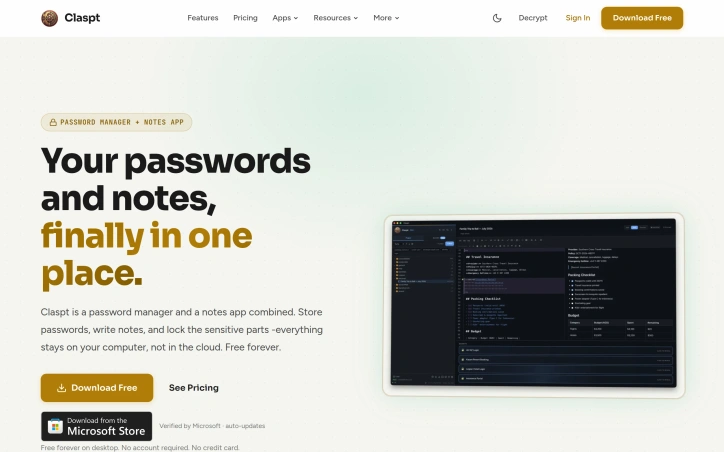
The feature set reflects this philosophy. The interface supports headings, bold, links, tables, checklists, and code blocks with syntax highlighting. Sensitive data unlocks via fingerprint, Face ID, or a master password, with bank-grade encryption applied at the item level. The product runs on macOS, Windows, and Linux, with browser extensions for Chrome, Edge, Brave, and Arc providing autofill functionality. Mobile apps for iOS and Android are listed as coming soon.
The business model is transparent. The desktop app remains free perpetually with no friction. Mobile access and cross-device sync require a Pro subscription tier, though specific pricing is not detailed on the site. This creates a natural upgrade path without compromising the core value proposition for desktop-centric users.
Claspt occupies a practical middle ground: more flexible than rigid password managers, more secure than keeping credentials scattered across notes apps, and more private than cloud-synced alternatives. It solves a real coordination problem that most users encounter but rarely address directly.
Founder Diary
DevlogThe maker hasn't posted a diary entry yet.
Key Features
Password and Note Integration
Combines password management with note-taking in a single offline application.
Selective Encryption
Users can encrypt specific portions of their notes while keeping other sections unencrypted.
Rich Text Editing
Supports headings, bold, links, tables, checklists, and code blocks with syntax highlighting.
Biometric Security
Unlocks with fingerprint, Face ID, or master password backed by bank-grade encryption.
Cross-Platform Access
Runs on macOS, Windows, and Linux with browser extensions for Chrome, Edge, Brave, and Arc.
Use Cases
-
1
Privacy-conscious users
People who want to keep sensitive information offline without cloud syncing.
-
2
Subscription-averse customers
Users skeptical of password manager lock-in who want full data ownership.
-
3
Complex credential organizers
People managing varied credentials like WiFi passwords with router notes or software licenses with installation instructions.
-
4
Desktop-first users
Users who primarily work on computers and prefer offline storage over cloud-dependent tools.
FAQ
Is Claspt free? ▾
Can I export my data from Claspt? ▾
What devices does Claspt work on? ▾
Does Claspt store my data in the cloud? ▾
Pricing
Desktop app is free indefinitely; mobile access and cross-device sync require a Pro subscription tier with pricing not specified.
Tech Stack & Tags
Discussion
No comments yet — be the first!
Join the conversation — sign up to comment.
Sign up freeCommunity Support
Boost this project on Sell With boost