
Data Storage Lab
- No match
Machine translation — the English original is authoritative.
The Story
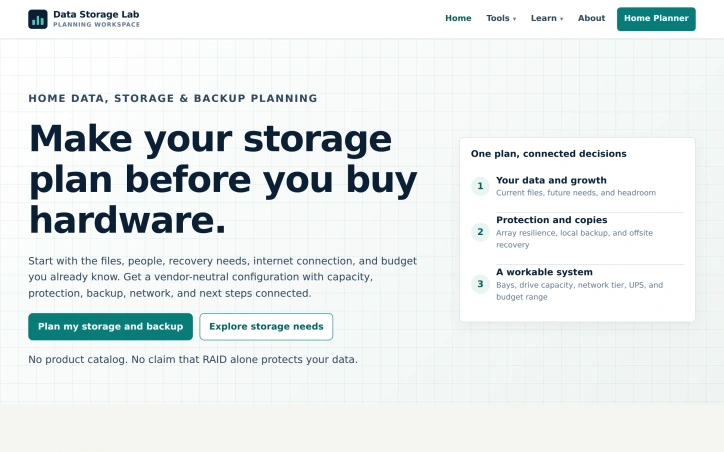
We built Data Storage Lab because storage and backup planning shouldn't require jumping between product catalogs and calculators. Our tool helps homes and small teams plan storage that actually protects their data—considering capacity, protection, backup, and recovery in one place, without vendor lock-in.
AI Overview
AI-generatedStorage planning typically requires navigating a fragmented ecosystem of product catalogs, vendor websites, and single-purpose calculators, each addressing only one dimension of the problem. Data Storage Lab consolidates this scattered process into a cohesive planning tool designed for households and small organizations that need to handle backup and recovery without vendor lock-in.
The tool addresses a genuine friction point in how people approach storage decisions. Most users start with capacity questions but lack a structured way to think about protection, backup, and recovery together. Data Storage Lab guides planners through describing their data, setting recovery priorities, and reviewing a complete configuration that connects these decisions. This systematic approach distinguishes it from tools that isolate one question at a time.
A core insight embedded in the tool's design is clarity about what RAID actually protects against. The product explicitly rejects the common misconception that RAID redundancy serves as backup. Instead, it frames array protection as a hedge against downtime from drive failure while emphasizing that independent backup copies protect against deletion, ransomware, theft, and site-wide failure. This distinction forces more rigorous thinking about recovery architecture.
The planning paths accommodate different scenarios: families managing photos and video, media creators with growing storage needs, freelancers protecting work files, home lab builders, and small offices with multiple users. For each scenario, the tool produces guidance on usable capacity, bay and drive ranges, protection strategies, backup allocation, network specifications, and equipment categories.
The vendor-neutral stance removes pressure to choose specific brands during planning, letting users focus on functional requirements first. The output is a configuration brief and equipment checklist, enabling users to shop for hardware independently after understanding what they actually need.
The tool does not attempt to replace hardware decisions with formulas. Instead, it bridges the gap between abstract storage requirements and concrete equipment selection, providing enough specificity to guide purchasing without prescribing products. This positions it as infrastructure planning for people who would otherwise assemble their knowledge from scattered sources or make reactive decisions at purchase time.
Founder Diary
DevlogThe maker hasn't posted a diary entry yet.
Key Features
Consolidated Planning
combines fragmented storage resources, vendor catalogs, and calculators into one cohesive tool
RAID vs Backup Clarity
explicitly distinguishes array protection from backup and explains what RAID actually protects against
Vendor-Neutral Approach
removes brand pressure by focusing planning on functional requirements before hardware selection
Complete Configuration Output
provides configuration briefs and equipment checklists to guide independent hardware shopping
Multi-Scenario Planning
accommodates different planning paths for families, creators, freelancers, home labs, and small offices
Use Cases
-
1
Families managing photos and video
need structured guidance on backup and recovery for personal media collections
-
2
Media Creators
managing growing storage needs with appropriate protection strategies and backup allocation
-
3
Freelancers
protecting work files with independent backup copies and comprehensive recovery architecture
-
4
Small Offices
multiple users requiring cohesive storage planning without vendor lock-in concerns
FAQ
Is RAID a backup solution? ▾
What storage scenarios does this tool cover? ▾
Do I need to buy specific hardware brands? ▾
What does the planning output include? ▾
Tech Stack & Tags
Discussion
No comments yet — be the first!
Join the conversation — sign up to comment.
Sign up freeCommunity Support
Boost this project on Sell With boost
Meet the Founder

More by canghun13




More in Project management software

Snippetly
Snippetly helps developers and teams capture, or...

Chatquick AI
Create audiobooks, podcasts, and interactive aud...

Focus Session by SyncTasks
Select your tasks and enter a distraction-free m...

Dropstone
Dropstone: World's first generational recursive...

Krisp AI Note Taker Mobile
Meetings don’t wait. Neither should your notes....
Stash
Capture anything on your Mac with Stash. This sm...