DiffFind
- No match
Machine translation — the English original is authoritative.
The Story
DiffFind started from a problem I kept running into as a software engineer: traditional diff and search tools are very good at matching text, but they often miss meaning.
I wanted a tool that could answer more useful questions—not just “what text changed?” but “what changed semantically?” and “where does this document discuss this concept, even if it uses completely different words?”
That led me to build DiffFind, combining deterministic comparison with AI-powered semantic analysis and semantic search. What started as a comparison tool has evolved into a platform for finding, comparing, and understanding information across documents and structured data.
I built DiffFind independently, from the application and API to deployment and the public website. My goal is to keep improving it based on real-world feedback and turn it into a practical tool for developers, researchers, legal professionals, and anyone who works with complex documents.
AI Overview
AI-generatedFinding meaningful differences between documents remains harder than it should be. Traditional comparison tools excel at identifying text variations but often fail to capture what those changes actually mean. DiffFind addresses this gap by combining precise line-by-line comparison with optional AI-powered semantic analysis, creating a platform designed for both technical and non-technical users who need to understand revisions across various document types.
The tool targets a broad audience. Business professionals reviewing contracts, invoices, and policy documents gain clarity on what terms shifted before signing off. Software engineers and developers can detect breaking changes and material alterations in configuration files and structured data. Researchers, legal professionals, and everyday users comparing drafts benefit from clear, contextual comparisons without wrestling through manual redlines or complex diff syntax.
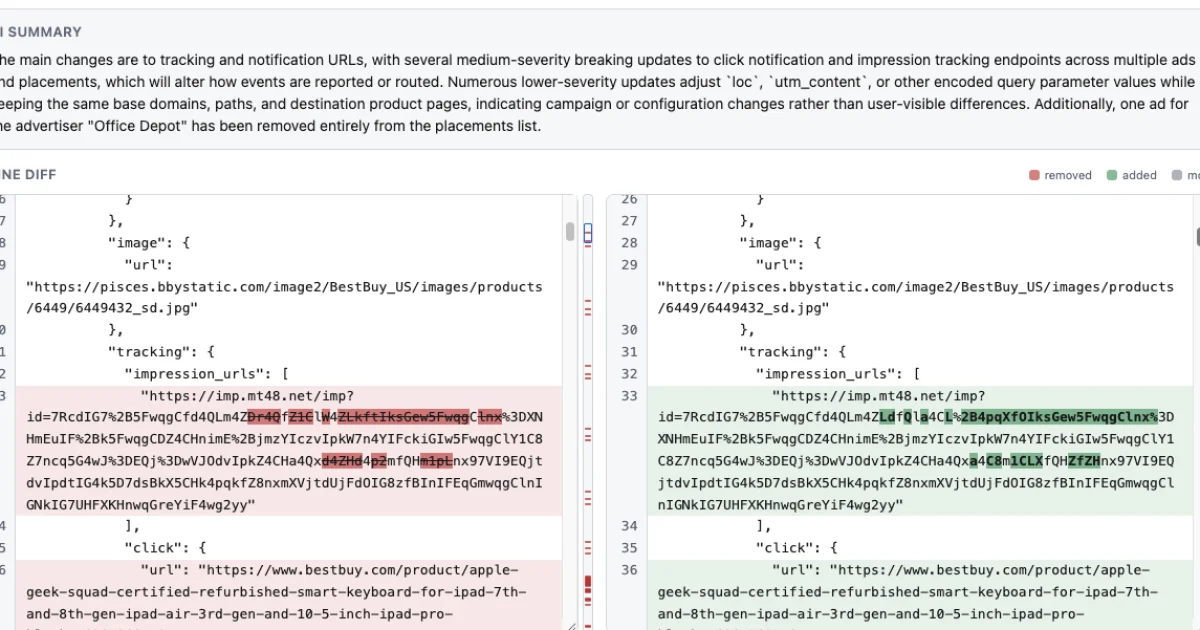
What distinguishes DiffFind is its multi-format support. Beyond plain text, the tool handles JSON, YAML, XML, CSV, PDFs loaded directly in the interface, and Excel spreadsheets with multi-sheet comparison. This flexibility addresses real-world workflows where documents come in varied formats. The comparison engine itself offers granular control, allowing users to choose between character, word, sentence, line, or paragraph-level analysis. Changes are tracked comprehensively, distinguishing additions, removals, and relocated text while preserving surrounding context.
The semantic analysis layer sets it apart from basic diff tools. Rather than stopping at identifying what changed, users can request AI-powered explanation of what changes mean, whether they matter, and how significant the revision is. The tool verifies cited facts against source documents and displays verification status, addressing concerns about accuracy when diving deeper than raw text comparison.
For developers and power users, DiffFind includes a REST API and supports cURL commands, enabling automation and integration into existing workflows. The tool accepts content from multiple sources: direct text input, file uploads, URLs, or command-line instructions, eliminating manual copy-pasting for many use cases.
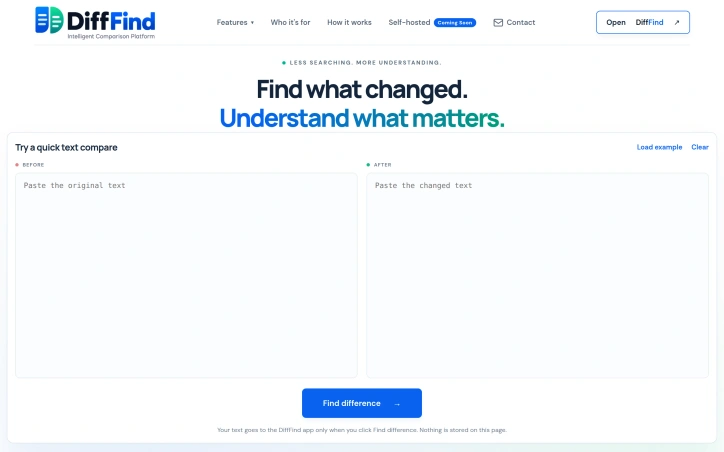
The product is built for immediate usability rather than steep learning curves. The interface emphasizes clarity, presenting differences alongside full context instead of the traditional red-and-green wall of text. This design philosophy extends across all user types, from non-technical business users to developers fine-tuning every comparison parameter.
No pricing information is disclosed on the public website, leaving the monetization model unclear.
Founder Diary
DevlogThe maker hasn't posted a diary entry yet.
Key Features
AI-Powered Semantic Analysis
Explains what changes mean and their significance beyond identifying text differences.
Multi-Format Support
Handles JSON, YAML, XML, CSV, PDFs, and Excel spreadsheets with multi-sheet comparison.
Granular Comparison Control
Choose between character, word, sentence, line, or paragraph-level analysis depth.
Change Tracking
Distinguishes additions, removals, and relocated text while preserving surrounding context.
REST API Integration
Provides API and cURL support for automation and integration into existing workflows.
Use Cases
-
1
Business professionals
Reviewing contracts, invoices, and policy documents to understand what terms changed before signing.
-
2
Software developers
Detecting breaking changes and material alterations in configuration files and structured data.
-
3
Legal and research professionals
Comparing documents with contextual clarity instead of manual redlines or complex syntax.
-
4
Everyday users
Comparing drafts and revisions to see clear differences instead of traditional red-and-green diff output.
FAQ
What document formats does DiffFind support? ▾
Can I use DiffFind without uploading files? ▾
How does DiffFind explain what changes mean? ▾
Is there an API for automation? ▾
Tech Stack & Tags
Discussion
No comments yet — be the first!
Join the conversation — sign up to comment.
Sign up freeCommunity Support
Boost this project on Sell With boost
Meet the Founder

More in Automation tools
CMDragon Tools
I built CMDragon Tools to eliminate the friction...

Infrabase.ai
I was evaluating AI infrastructure products for...

ListFlow – Crosslist to Poshmark, eBay, Mercari & More
I built ListFlow because resellers were wasting...

HVAC Tools Hub
I built HVAC Tools Hub because I saw professiona...
Hackpack-CLI
What is Hackpack CLI? Hackpack CLI is a lightwei...

Slap2Actions
I built Slap2Actions to turn physical impacts on...