
GA Lite
- No match
Machine translation — the English original is authoritative.
The Story
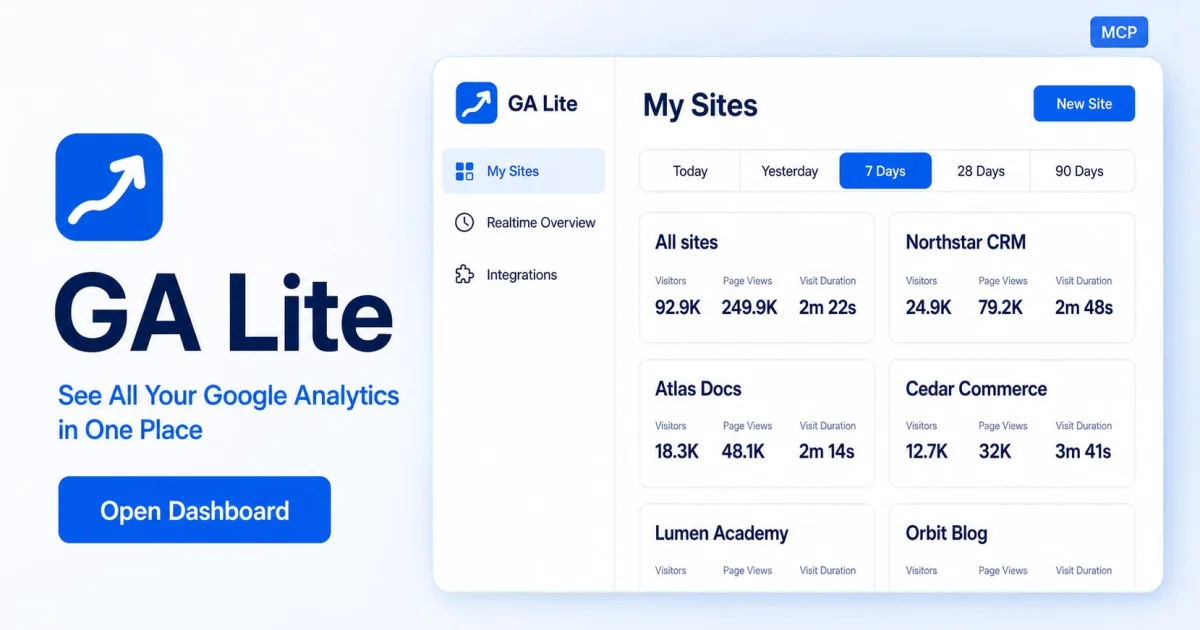
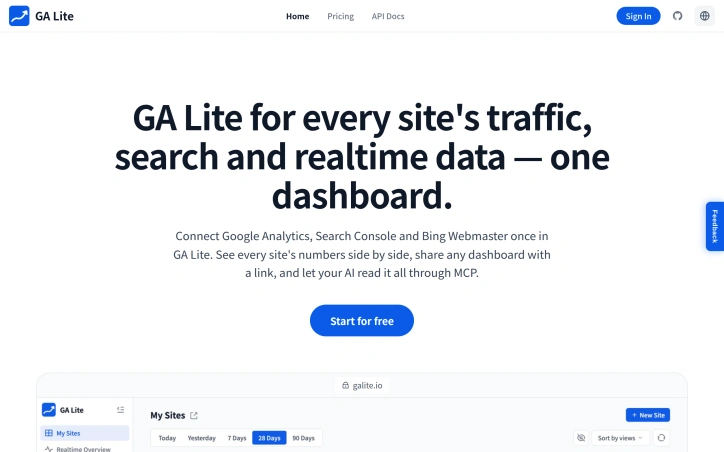
Understanding how your websites are doing should be simple. But when traffic and search data are scattered across accounts, even a quick check means opening tabs and piecing the picture together. GA Lite brings that picture into one place. We connect Google Analytics, Search Console, and Bing Webmaster so you can see your sites side by side, spot changes, and understand what needs attention. Share a dashboard with your team, check live visitors, or let your AI assistant explore the data through MCP. Our goal is simple: help people running multiple websites spend less time gathering numbers and more time using them to build better products.
AI Overview
AI-generatedManaging analytics across multiple websites typically means juggling tabs between Google Analytics, Search Console, and Bing Webmaster—each dashboard isolated from the others. GA Lite consolidates this fragmented view into a single interface designed for site operators who run multiple properties and need to monitor their collective performance without constant switching between platforms.
The core offering is straightforward: authenticate once to pull Google Analytics properties, Search Console sites, and Bing Webmaster accounts into one place. Each site appears as a card showing traffic metrics alongside search performance data, letting users spot correlations between visitor drops and search ranking changes at a glance. Period-over-period deltas make growth or decline immediately visible, and users can toggle between daily, weekly, monthly, and quarterly views to identify trends at different scales.
What distinguishes GA Lite from simply opening multiple tabs is its emphasis on collective visibility. The realtime map displays active users across the entire portfolio simultaneously, with geographic distribution shown on an interactive map that refreshes without manual reloading. This gives site operators running networks of properties a bird's-eye view of traffic patterns that no single analytics tool provides by default. For teams sharing responsibility for multiple sites, shareable dashboards offer flexible privacy controls: public profile mode for basic transparency, anonymous mode that strips site identity while keeping metrics, or password protection for restricted audiences.
The funnel analysis feature lets users build lightweight funnels using existing GA4 page or event data, automatically highlighting conversion drop-off points across 2-5 steps. This is useful for identifying which pages in a user journey are underperforming across a portfolio.
A notable differentiator is MCP integration, which allows AI assistants like Claude and Cursor to query analytics through a remote endpoint after browser approval. This positions the tool as more than a dashboard—it becomes a data source that AI agents can autonomously explore to surface insights or answer questions about traffic and search performance.
The product uses OAuth for multi-account Google access and API keys for Bing, streamlining credential management. Reconnection is one-click when credentials expire. The product launched with a free tier, though specific pricing tiers or premium features are not detailed in the available information.
GA Lite targets a specific niche: individuals and small teams managing analytics across multiple properties who value speed over deep granularity. For this audience, eliminating tab switching and creating a unified view of distributed data solves a real friction point.
Founder Diary
DevlogThe maker hasn't posted a diary entry yet.
Key Features
Unified Analytics Dashboard
Consolidates Google Analytics, Search Console, and Bing Webmaster accounts into a single interface for multiple properties.
Real-time Geographic Map
Displays active users across the entire portfolio simultaneously with interactive geographic distribution that refreshes without manual reloading.
Period-over-Period Metrics
Shows growth or decline with toggleable views between daily, weekly, monthly, and quarterly to identify trends at different scales.
Funnel Analysis
Builds lightweight funnels using GA4 page or event data to automatically highlight conversion drop-off points across 2-5 steps.
MCP Integration
Allows AI assistants like Claude and Cursor to query analytics through a remote endpoint after browser approval.
Use Cases
-
1
Site operators managing multiple properties
Eliminates tab switching and provides a bird's-eye view of traffic patterns across distributed sites.
-
2
Small teams with shared responsibility
Offers shareable dashboards with flexible privacy controls including public, anonymous, or password-protected modes.
-
3
Performance correlation analysis
Lets users spot correlations between visitor drops and search ranking changes at a glance.
-
4
Portfolio performance monitoring
Provides collective visibility of metrics and search performance data across all properties simultaneously.
FAQ
Can GA Lite connect multiple Google Analytics and Search Console accounts? ▾
Does GA Lite work with AI tools? ▾
Can I share dashboards with my team? ▾
What is the cost of GA Lite? ▾
Pricing
Free tier available with unspecified premium tiers.
Tech Stack & Tags
Discussion
No comments yet — be the first!
Join the conversation — sign up to comment.
Sign up freeCommunity Support
Boost this project on Sell With boost
Meet the Founder

More by TOOLREEL




More in Website analytics

Glazed AI
Glazed creates and ships tracking events from Fi...

Website Auditor
I built Website Auditor to help small businesses...

Leakly
We built Leakly because we saw businesses throwi...

Skippership
Get full session replays, interactive heatmaps,...

QueryTrace
I built QueryTrace because every company cares a...

WebSignalytics
I started in graphic design, which led to market...