
GIF Master
- No match
Machine translation — the English original is authoritative.
The Story
I was frustrated with GIF tools that forced you to upload files to their servers and wait forever. I built GIF Master to process everything directly in your browser instead—no uploads, no servers, complete privacy. You can now convert videos to GIFs, compress them, remove backgrounds, and create animations instantly.
AI Overview
AI-generatedFrustrated creators and product teams dealing with animated GIFs have long faced a choice between waiting for cloud uploads or compromising their file privacy. This browser-based tool eliminates that tradeoff by processing all conversions and edits locally, without ever sending files to a server.
GIF Master targets anyone who regularly works with animated images: product managers recording screen demos, developers creating tutorial animations, social media teams managing asset libraries, and marketers building countdown graphics. The core appeal is immediate processing and guaranteed privacy, since no files leave the user's device.
What distinguishes this offering from existing GIF utilities is its commitment to client-side processing. Rather than the typical upload-and-wait model, users get instant results by doing all computation in their browser. This approach eliminates both the friction of server uploads and the concern that sensitive or proprietary GIFs might be retained on external servers.
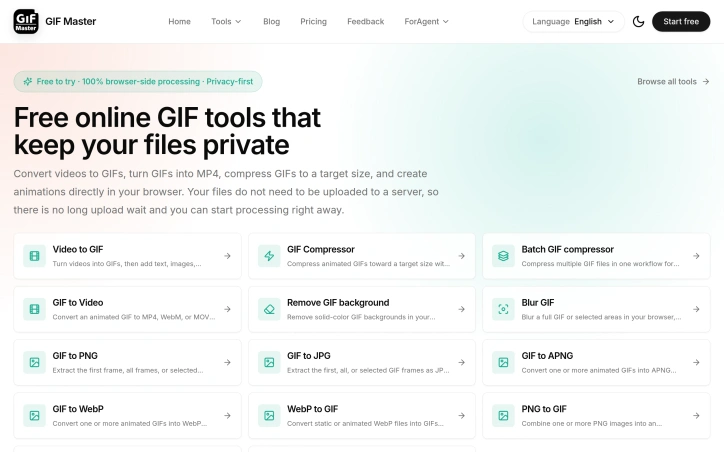
The feature set covers the full GIF lifecycle. Conversion tools handle video to GIF and reverse workflows, supporting formats like MP4, WebM, and MOV. For optimization, a dedicated compressor lets users set target file sizes before processing, reducing trial-and-error adjustment. The batch compressor addresses teams managing multiple GIFs for documentation or campaigns, tracking progress across files.
Several editing capabilities add practical value. Background removal works best on simple, solid colors and flat compositions, with manual frame-by-frame cleanup available for difficult cases. A blur tool handles both full-image redaction and timed local areas, useful for hiding faces or sensitive text in specific frames. The batch workflow and screen recording feature feed directly into GIF creation, allowing capture-to-export in one session.
The product presents itself as free to try, though detailed pricing or premium tier information isn't disclosed. The value proposition depends entirely on whether users prioritize privacy and speed over the convenience of server-based processing, which often includes more sophisticated AI-driven features.
For teams with privacy requirements, embedded GIF workflows, or frequent conversions, the browser-side approach removes both technical friction and compliance concerns. The real question for potential users isn't whether GIF Master does what it claims, but whether processing speed and privacy protection outweigh the trade-offs of working locally rather than in the cloud.
Founder Diary
DevlogThe maker hasn't posted a diary entry yet.
Key Features
Local Processing
All conversions and edits run in your browser without uploading files to a server
Video to GIF Conversion
Convert MP4, WebM, and MOV videos into animated GIFs
File Compression
Optimize GIF file size by setting target dimensions before processing
Batch Processing
Process multiple GIFs simultaneously with progress tracking across files
Background Removal
Remove backgrounds from simple solid colors and flat compositions with manual frame-by-frame cleanup
Frame Blur Tool
Redact full images or specific frame areas to hide faces and sensitive text
Use Cases
-
1
Product Managers
Record and create screen demos as animated GIFs without uploading
-
2
Developers
Create tutorial animations for documentation with guaranteed privacy
-
3
Social Media Teams
Manage animated asset libraries with instant local processing
-
4
Marketers
Build countdown graphics quickly without server delays
FAQ
Is GIF Master free? ▾
Are my files private on GIF Master? ▾
What video formats can I convert to GIF? ▾
Can I edit GIFs after creating them? ▾
Tech Stack & Tags
Discussion
No comments yet — be the first!
Join the conversation — sign up to comment.
Sign up freeCommunity Support
Boost this project on Sell With boost
Meet the Founder

More in Video editing

VideoSnap
I built VideoSnap to provide a private and free...

Leumos AI
See a color grading look you love? Bring it to y...

SubtitleGenerator
SubtitleGenerator helps creators turn videos int...

CineGen
CineGen began with a simple problem: creating an...
ReelHive
We built ReelHive to save real estate agents hou...

Clipfox
We built Clipfox because we saw creators and bra...