
VideoSnap
- No match
Machine translation — the English original is authoritative.
The Story
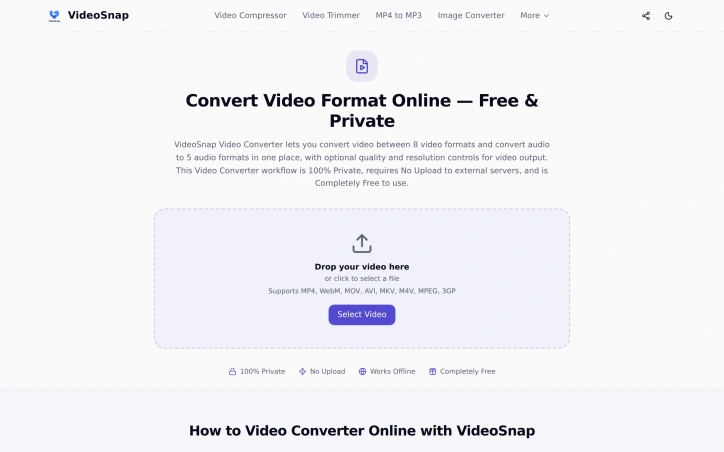
I built VideoSnap to provide a private and free video conversion solution. It solves the problem of uploading sensitive videos to third-party servers. VideoSnap converts videos locally in the browser, ensuring complete control and security.
AI Overview
AI-generatedThe need to convert videos between different formats without compromising privacy is a pressing issue for many individuals. VideoSnap directly addresses this concern by offering a free online video converter that operates entirely within the user's browser, eliminating the need to upload sensitive files to third-party servers. This makes it an ideal solution for users who prioritize data security and control.
What stands out about VideoSnap is its commitment to user privacy and its offline capabilities. By processing videos locally in the browser, VideoSnap ensures that users' files never leave their device, providing a level of security that is not typically found in online video conversion tools. Additionally, the fact that it can work offline after the initial visit makes it a convenient option for users with unreliable internet connections.
VideoSnap's key features include its support for a wide range of video and audio formats, as well as its ability to adjust output quality and resolution. Users can convert videos between eight different formats and extract audio in five different formats. The tool also offers compression, trimming, and editing capabilities, making it a versatile solution for various video processing needs.
Notably, VideoSnap is completely free to use, with no subscription plans, hidden premium tiers, or per-file charges. There are also no watermarks on the output files, and users are not required to register an account. The founder's intention to provide a private and free video conversion solution is evident in the product's design and functionality, making VideoSnap a valuable resource for users seeking a secure and cost-effective video conversion tool.
Founder Diary
DevlogThe maker hasn't posted a diary entry yet.
Key Features
Format Support
Supports a wide range of video and audio formats.
Quality Adjustment
Allows users to adjust output quality and resolution.
Compression Capability
Offers compression for video files.
Trimming Capability
Allows users to trim videos.
Editing Capability
Provides basic editing capabilities.
Use Cases
-
1
Users prioritizing data security
VideoSnap processes videos locally in the browser, ensuring files never leave their device.
-
2
Users with unreliable internet connections
VideoSnap can work offline after the initial visit.
-
3
Users seeking cost-effective solutions
VideoSnap is completely free to use.
FAQ
Is my video data secure with VideoSnap? ▾
Does VideoSnap work offline? ▾
Are there any charges for using VideoSnap? ▾
Pricing
No subscription plans, hidden premium tiers, or per-file charges.
Tech Stack & Tags
Discussion
No comments yet — be the first!
Join the conversation — sign up to comment.
Sign up freeCommunity Support
Boost this project on Sell With boost
Meet the Founder


More in Video editing

Leumos AI
See a color grading look you love? Bring it to y...

SubtitleGenerator
SubtitleGenerator helps creators turn videos int...

CineGen
CineGen began with a simple problem: creating an...
ReelHive
We built ReelHive to save real estate agents hou...

Clipfox
We built Clipfox because we saw creators and bra...

Clipperia
I built Clipperia to solve the time-consuming pr...