
SubtitleGenerator
- No match
Machine translation — the English original is authoritative.
The Story
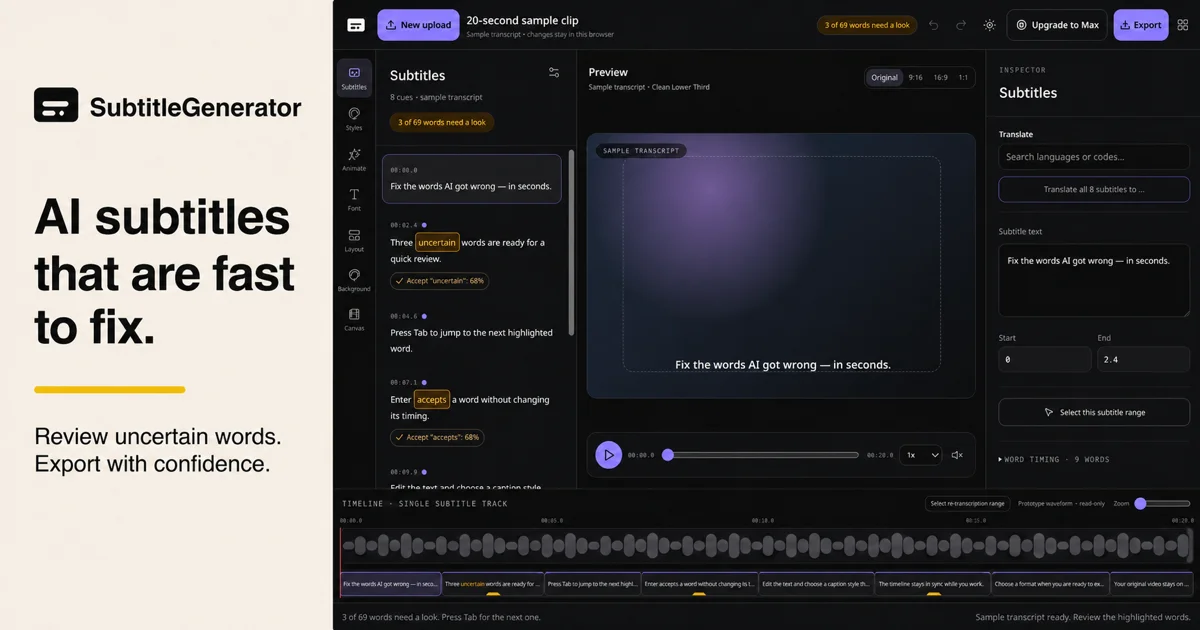
SubtitleGenerator helps creators turn videos into publish-ready subtitles in one browser editor. Generate a draft, review uncertain words, correct text and timing, translate subtitles, choose a caption style and export. It brings these steps into one workflow for creators, educators and marketing teams. Free and paid options are available; see the website for current limits and pricing.
AI Overview
AI-generatedCreating subtitles for video remains a bottleneck for content creators, educators, and marketing teams. Either they rely on manual transcription—expensive and time-consuming—or turn to AI tools that generate drafts but require tedious corrections across multiple apps. SubtitleGenerator consolidates this entire workflow into a single browser-based editor.
The platform addresses the core pain point directly: AI-generated subtitles are fast but imperfect. Rather than pretending otherwise, SubtitleGenerator flags low-confidence words automatically, letting creators quickly decide whether to accept, edit, or re-transcribe each flagged segment. This pragmatic approach acknowledges that AI needs human oversight while making that oversight friction-free. The interface shows context by allowing creators to hear the audio around a questionable word before making a correction, eliminating blind guessing.
Beyond transcription, the platform bundles everything needed to publish: text correction and timing adjustments, a library of 33 caption styles organized across six typographic families, translation capabilities in paid tiers, and one-click export. The caption styles shift together as cohesive design systems rather than isolated options, suggesting thoughtfulness about the visual presentation layer. Styles span specific use cases—from tutorials to shorts to gaming highlights—signaling that the product understands different creator needs.
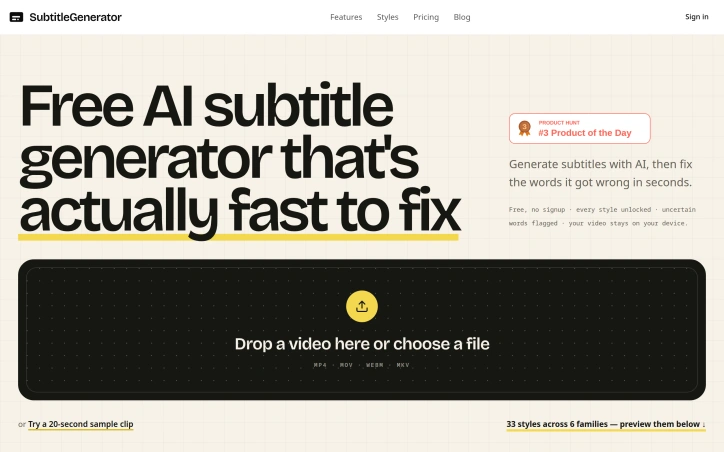
The business model layers free and paid access. The free tier notably includes all 33 subtitle styles and requires no account signup, removing activation friction. Paid tiers unlock full-track translation in addition to per-cue translation. The free tier's generosity at the styling level is unusual; most SaaS tools gate design options aggressively.
A privacy angle runs throughout: video files stay on the user's device rather than being uploaded to remote servers. This distinction matters for creators working with client content or sensitive material, and SubtitleGenerator foregrounds it as a core feature rather than burying it in documentation.
The product positions itself for a clear user base: anyone publishing video who has grown frustrated with subtitle creation as a multi-step chore. The implementation—consolidating generation, verification, styling, and export into one place—directly targets workflow efficiency. What remains to test in practice is whether the AI accuracy genuinely outperforms competitors and whether the correction interface stays responsive as projects accumulate flagged words across longer videos.
Founder Diary
DevlogThe maker hasn't posted a diary entry yet.
Key Features
AI Transcription with Auto-Flagging
Automatically flags low-confidence words for human review rather than pretending perfect accuracy.
Context Audio Playback
Creators can hear audio around questionable words before making corrections, eliminating guesswork.
33 Caption Styles
Includes all styles organized across six typographic families designed for specific use cases like tutorials, shorts, and gaming.
On-Device Processing
Video files remain on the user's device rather than being uploaded to remote servers, protecting sensitive or client content.
Translation in Paid Tiers
Full-track translation and per-cue translation available for paid subscribers.
One-Click Export
Text correction, timing adjustments, and export all bundled into the single editor.
Use Cases
-
1
Content creators
Anyone publishing video who has grown frustrated with subtitle creation as a multi-step workflow.
-
2
Educators
Educators who need to create subtitles efficiently for educational video content.
-
3
Marketing teams
Marketing professionals creating captioned video content for campaigns and promotions.
-
4
Agencies and freelancers
Creators working with client content or sensitive material who need on-device processing for privacy.
FAQ
Does my video upload to the cloud? ▾
Do I need to pay to use caption styles? ▾
How does the AI handle inaccurate transcriptions? ▾
Can I translate my subtitles? ▾
Pricing
Free tier includes all 33 styles and no signup required; paid tiers add translation features.
Discussion
No comments yet — be the first!
Join the conversation — sign up to comment.
Sign up freeCommunity Support
Boost this project on Sell With boost
Meet the Founder


More in Video editing

VideoSnap
I built VideoSnap to provide a private and free...

Leumos AI
See a color grading look you love? Bring it to y...

Bulin 47 AI
Bulin 47 AI turns a portrait into a 19-second ve...

CineGen
CineGen began with a simple problem: creating an...
ReelHive
We built ReelHive to save real estate agents hou...

ACtionCut-AI
ActionCut-AI finds the boring stretches in any r...