JSON Formatter & Converter
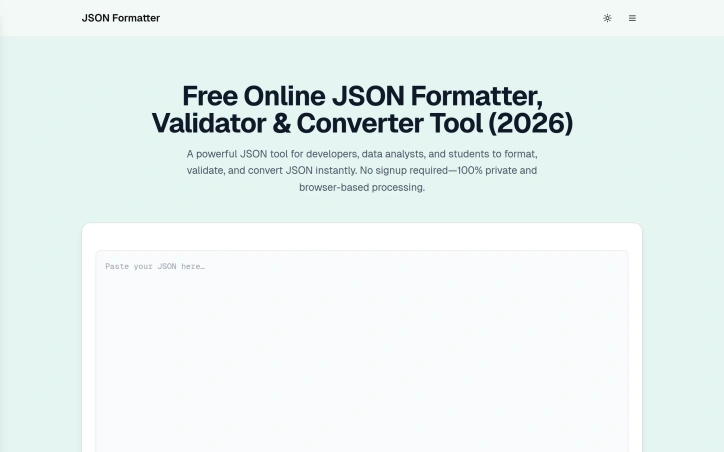
- No match
Machine translation — the English original is authoritative.
The Story
We built JSON Formatter to solve the frustration of working with unformatted JSON data. As developers, we needed a quick, private way to format, validate, and convert JSON without uploading data to external servers. Our tool does this entirely in your browser, keeping your data secure while converting between JSON, XML, CSV, YAML, SQL, and more.
AI Overview
AI-generatedDevelopers working with JSON data across various formats face a persistent friction point: the need to quickly format, validate, and convert JSON without compromising privacy or navigating authentication barriers. JSONFormatters.com directly addresses this by offering a browser-native toolkit that eliminates both the signup requirement and the server-side data transmission that makes many alternative tools a risky proposition for sensitive information.
The platform's differentiation centers on its privacy architecture. Rather than following the conventional SaaS model of storing user input on remote servers, the tool executes entirely within the browser, meaning JSON data never leaves a user's device. This matters considerably for developers handling API keys, customer records, or proprietary configuration files—common scenarios where uploading to third-party services introduces unacceptable security exposure. The trade-off of pure client-side processing is transparent and intentional.
Feature breadth extends beyond simple prettification. The tool includes real-time validation with error detection, minification for production optimization, and a conversion suite spanning XML, YAML, CSV, SQL, Excel, HTML tables, and plain text formats. A tree viewer presents JSON hierarchically for intuitive navigation through nested structures, while a diff tool enables side-by-side file comparison. Keyboard shortcuts surface power-user workflows, and dark mode support addresses the practical consideration of extended use.
The audience encompasses developers who regularly transform data formats—particularly those working with legacy systems, configuration management tools like Kubernetes and Docker Compose, or tabular export workflows. Data analysts converting JSON-formatted API responses into spreadsheet-friendly formats will find the CSV conversion particularly relevant. Students learning data transformation concepts benefit from the no-friction entry point.
The product succeeds at restraint. It focuses on JSON manipulation without attempting broader feature creep into unrelated development utilities. The feature set is intelligently scoped rather than bloated. No pricing information is disclosed in the product messaging, leaving the monetization approach opaque. For developers operating in security-conscious environments, this browser-based approach to routine data transformation represents a compelling alternative to conventional web-based JSON tools that require data submission to external servers.
Founder Diary
DevlogThe maker hasn't posted a diary entry yet.
Key Features
Client-side Processing
executes entirely in the browser without sending data to external servers
Real-time Validation
detects JSON errors with immediate feedback
Format Conversion
converts JSON to XML, YAML, CSV, SQL, Excel, HTML tables, and plain text
Tree Viewer
presents JSON structure hierarchically for navigating nested data
Diff Tool
enables side-by-side comparison of JSON files
Keyboard Shortcuts
provides power-user workflows for efficient data manipulation
Use Cases
-
1
Developers handling sensitive data
eliminates security exposure when working with API keys and proprietary configuration
-
2
Legacy system administrators
transforms data formats for Kubernetes, Docker Compose, and configuration management tools
-
3
Data analysts
converts JSON API responses into spreadsheet-friendly CSV formats
-
4
Students learning data transformation
provides no-friction entry point to understand format conversion concepts
FAQ
Does my JSON data get stored on servers? ▾
What formats can I convert JSON to? ▾
Do I need to sign up to use this? ▾
Can I compare two JSON files? ▾
Tech Stack & Tags
Discussion
No comments yet — be the first!
Join the conversation — sign up to comment.
Sign up freeCommunity Support
Boost this project on Sell With boost
Meet the Founder

More by raviraje bhosale
More in Command line tools
dcli - docker and git workflows, stremlined
I kept repeating the same tedious Docker-reset a...

Trembita - a lightweight TypeScript HTTP client
I built Trembita to simplify consuming third-par...

mac-onboarding
I kept wiping Macs while freelancing across clie...

mac-dev-station
I built mac-dev-station to simplify setting up a...

FreeToolDev
I was constantly frustrated processing files one...

starters
I built starters to provide production-ready sca...