mac-onboarding
- No match
Machine translation — the English original is authoritative.
The Story
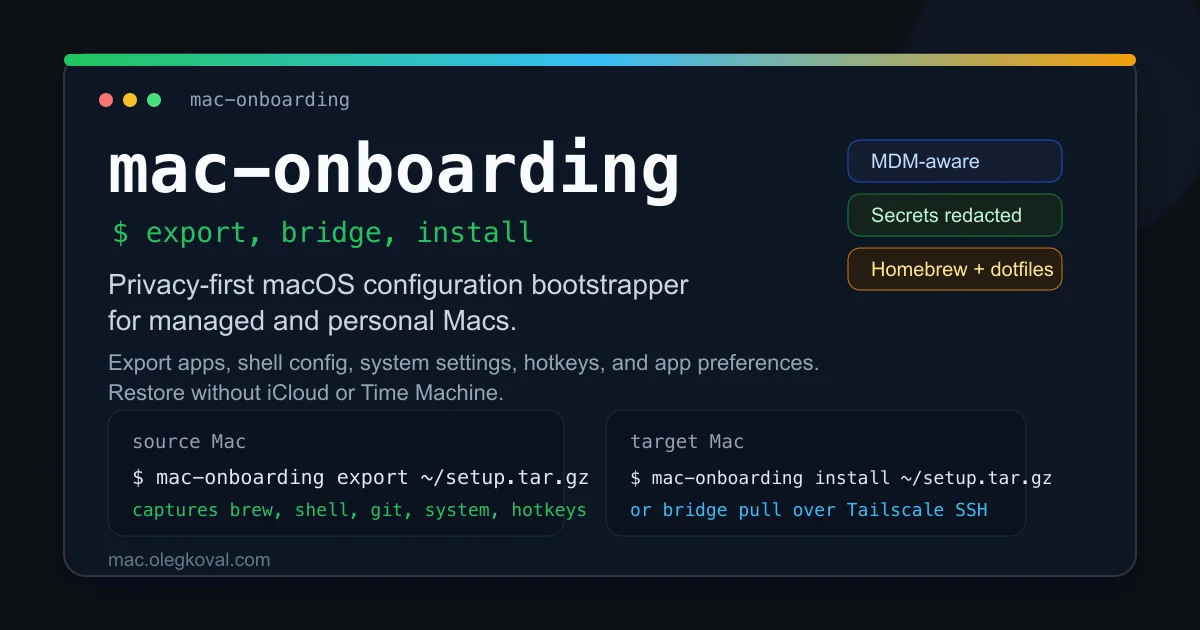
I kept wiping Macs while freelancing across client machines and hated repeating the tedious dotfile dance on every fresh install. I built mac-onboarding to export every shell tweak, Homebrew package, system setting and app preference on one machine so I could replay it—offline and MDM-safe—in seconds on any new Mac. It’s the single-command time-machine I always wanted, with secrets kept private and zero cloud services.
AI Overview
AI-generatedConfiguring a fresh Mac is a repetitive slog. Every new machine means reinstalling Homebrew packages, copying dotfiles, adjusting system preferences, syncing hotkeys, and reconfiguring shell environments. For developers juggling multiple machines—whether freelancers working across client infrastructure or IT teams managing MDM-enrolled fleets—this overhead drains productivity and invites consistency errors.
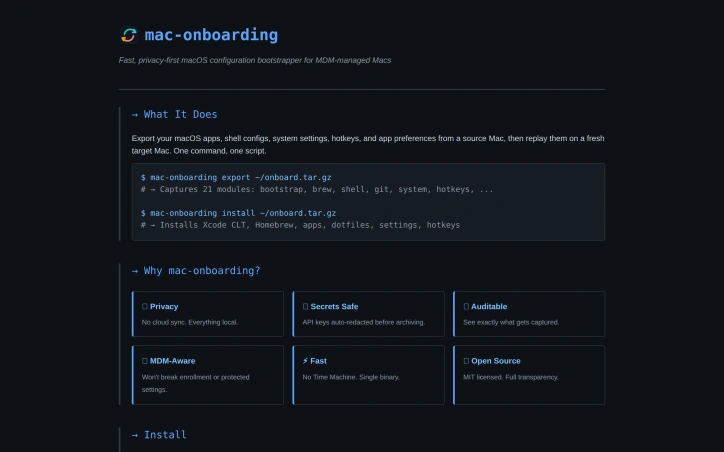
Mac-onboarding solves this by capturing an entire configuration state from one machine and replaying it on another with a single command. The export step archives 21 distinct configuration modules, spanning Homebrew packages, shell configs, system settings, application preferences, hotkeys, and dozens of specialized tools. The install step unpacks everything onto a fresh target Mac, automating what would otherwise require manual recreation.
What distinguishes this tool from simpler dotfile repos or conventional configuration management approaches is its explicit respect for the constraints of managed environments. Organizations using Mobile Device Management to enforce security policies risk breaking enrollment if configuration tooling overwrites protected system defaults. Mac-onboarding acknowledges this friction—it explicitly refuses to touch settings that MDM controls, and it avoids migrating SSH keys that require careful per-environment handling. This pragmatism signals the tool was built by someone who has actually operated within corporate infrastructure, not just imagined it.
Privacy is similarly foregrounded as a first-class concern rather than an afterthought. The entire workflow runs offline and locally. Secrets—API keys, git credentials, and other sensitive material extracted from shell configuration files—are automatically redacted before archiving, preventing accidental leakage. The archive is inspectable via standard tar utilities, giving users genuine transparency about what gets captured and stored.
The product supports 21 modules covering major development tools (Kitty, Claude, Tailscale, OrbStack), utilities (Alfred, Synology, 1Password), and system-level preferences. A bridge mode allows pulling configuration directly from a source machine via Tailscale SSH, bypassing the archive step entirely for environments with direct network access.
The tool is open source under the MIT license, available via Homebrew or direct download, and built as a single compiled binary with no runtime dependencies. There is no mention of pricing or proprietary licensing, confirming this is a free utility maintained by its creator for the developer community.
Founder Diary
DevlogThe maker hasn't posted a diary entry yet.
Key Features
Configuration Replication
Exports entire Mac setup from one machine and replays it on another with a single command
Comprehensive Modules
Supports 21 configuration modules including Homebrew packages, shell configs, system settings, and application preferences
MDM-Aware Design
Respects Mobile Device Management policies by refusing to modify protected system settings
Privacy First
Runs offline and automatically redacts secrets like API keys and git credentials before archiving
Archive Transparency
Configurations are inspectable via standard tar utilities for complete visibility before installation
Use Cases
-
1
Freelance developers
Quickly set up consistent development environments across multiple client machines
-
2
IT operations teams
Automate Mac provisioning for MDM-enrolled corporate fleets without breaking security policies
-
3
Multi-machine users
Reduce manual setup time when working across personal, work, and client devices
-
4
Enterprise teams
Maintain configuration consistency while respecting corporate Mobile Device Management requirements
FAQ
How do I clone my Mac configuration to a new computer? ▾
Is this safe for corporate MDM environments? ▾
Will my passwords and API keys be exported? ▾
What tools and applications can be backed up? ▾
Pricing
Open source MIT license, available via Homebrew with no proprietary pricing
Tech Stack & Tags
Discussion
No comments yet — be the first!
Join the conversation — sign up to comment.
Sign up freeCommunity Support
Boost this project on Sell With boost
Meet the Founder

"10+ years shipping fintech APIs, AI features & OSS Lead engineer · open: full-time, fractional, f..."
More by Oleg Koval
dcli - docker and git workflows, stremlined
I kept repeating the same tedious Docker-reset a...
SaaS scaffold
One command. Auth, payments, database, email, Ta...
queryd - slow query detection for Node.js
Latency budgets for the SQL your Node app actual...

prompt-ctl.com
Structures every prompt for max signal, min wast...
More in Command line tools
dcli - docker and git workflows, stremlined
I kept repeating the same tedious Docker-reset a...
Trembita - a lightweight TypeScript HTTP client
I built Trembita to simplify consuming third-par...
mac-dev-station
I built mac-dev-station to simplify setting up a...

FreeToolDev
I was constantly frustrated processing files one...
starters
I built starters to provide production-ready sca...
JSON Formatter & Converter
We built JSON Formatter to solve the frustration...