
Kanban Pro
- No match
Machine translation — the English original is authoritative.
The Story
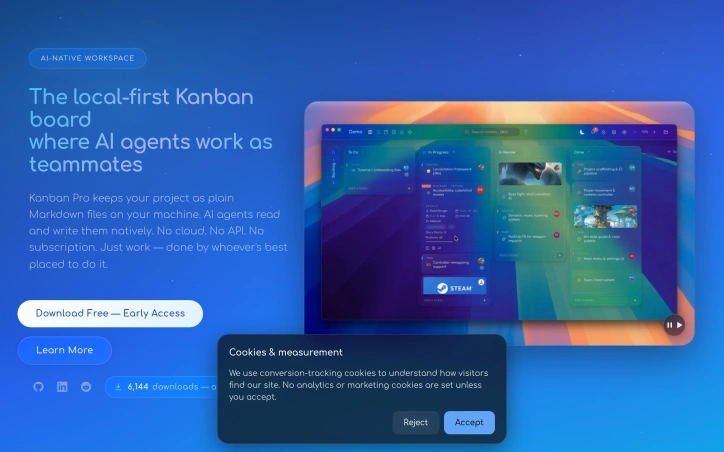
Kanban Pro keeps your project as plain Markdown files on your machine. AI agents read and write them natively. No cloud. No API. No subscription. Just work — done by whoever's best placed to do it. Solves the hyper annoying landscape of freemium project managers that don't properly accommodate machine-level intelligence. Embedded CLI makes Kanban Pro the most powerful, and most affordable modern project management software perfect for small agile teams working on very complicated solutions that require robust visualisation.
AI Overview
AI-generatedDistributed teams managing complex projects face a persistent friction point: project management tools force a choice between local ownership and AI integration. Kanban Pro sidesteps this tension by storing work as plain Markdown files on your machine while enabling AI agents and IDEs to read and modify tasks natively.
The product targets small agile teams building sophisticated solutions, particularly those already working with AI assistants or considering it. Its core value proposition is simplicity and transparency. Unlike subscription-based competitors that hide data behind proprietary formats and APIs, Kanban Pro keeps everything accessible and portable. There is no cloud requirement, no vendor lock-in, and no recurring fees.
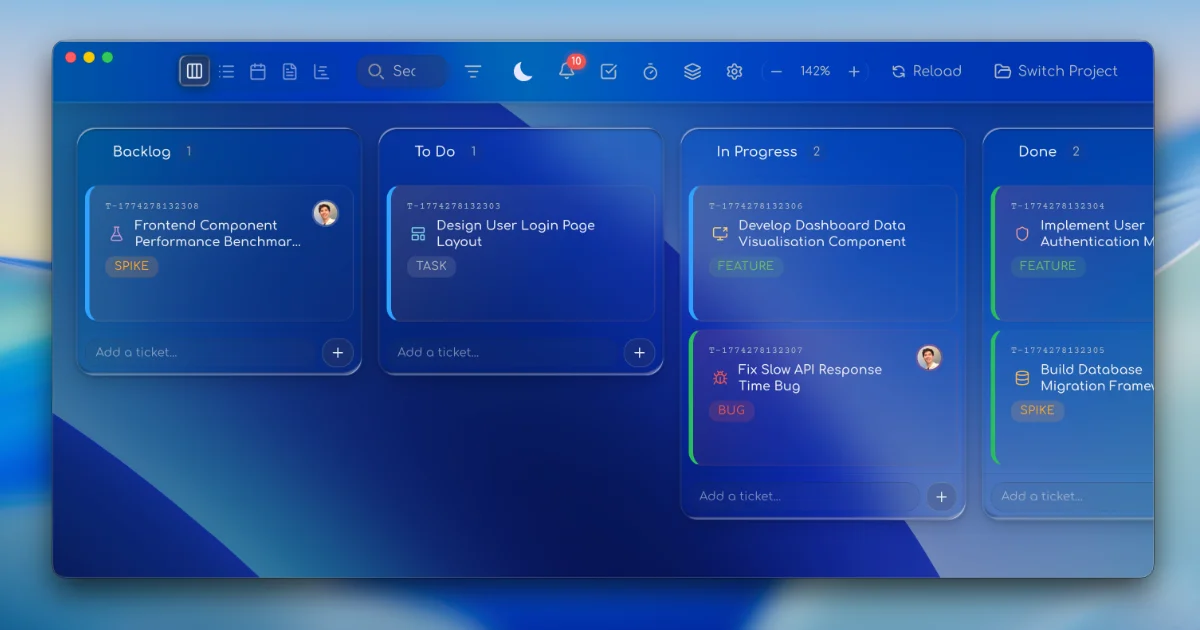
Five distinct views—Board, List, Calendar, Notes, and Gantt—let teams visualize work without switching tools. The Kanban view offers familiar drag-and-drop columns. The Calendar view supports drag-to-schedule functionality, while the Gantt view handles timeline dependencies and drag-resizing. This multiplicity within a single file structure is genuinely useful for teams toggling between high-level planning and tactical execution.
What makes Kanban Pro distinctive is its design philosophy. Rather than positioning AI as an afterthought or premium feature, the software treats agent collaboration as a first-class concern. Tasks remain human-readable Markdown, so AI can parse and modify them without API proxies. An embedded CLI reinforces this keyboard-first, automation-ready approach. Bulk operations and customizable shortcuts accelerate workflow. Custom fields, themes, color palettes, and user logos transform the interface from generic to personal.
Collaboration happens through existing cloud drives—iCloud, Dropbox, network storage—avoiding a proprietary sync layer. This pragmatism extends to the native Markdown editor, which includes Prism.js syntax highlighting and live preview to compete with specialized alternatives.
The early-access positioning suggests incomplete feature coverage, but the foundation is solid. For teams frustrated with bloated project managers or those seeking AI-ready infrastructure without complexity overhead, Kanban Pro offers a rare combination: powerful visualizations paired with radical simplicity, available across Mac, Windows, and Linux at no cost.
Founder Diary
DevlogThe maker hasn't posted a diary entry yet.
Key Features
Multi-View Workspace
Board, List, Calendar, Notes, and Gantt views enable teams to visualize work without switching tools.
Markdown-Based Tasks
Work stored as plain Markdown files that AI agents and IDEs can read and modify natively.
Cloud-Agnostic Sync
Collaboration through existing cloud drives like iCloud and Dropbox with no proprietary sync layer.
Drag-and-Drop Interface
Calendar view supports drag-to-schedule while Gantt view handles timeline dependencies with drag-resizing.
Embedded CLI
Keyboard-first approach with bulk operations and customizable shortcuts to accelerate workflow.
Customizable Interface
Custom fields, themes, color palettes, and user logos transform the interface from generic to personal.
Use Cases
-
1
Distributed Agile Teams
Small teams managing complex projects benefit from local ownership combined with AI agent integration.
-
2
AI-Assisted Workflows
Teams already working with AI assistants or considering it leverage native task collaboration without API proxies.
-
3
Privacy-Conscious Organizations
Teams frustrated with vendor lock-in and proprietary formats prefer portable, accessible Markdown storage.
-
4
Multi-Platform Teams
Cross-platform teams working on Mac, Windows, and Linux need unified project management at no cost.
FAQ
How does Kanban Pro store my project data? ▾
Can AI assistants work with my Kanban Pro tasks? ▾
How much does Kanban Pro cost? ▾
What platforms does Kanban Pro support? ▾
Pricing
No cost, no recurring fees, no cloud requirement, fully portable with local file ownership.
Tech Stack & Tags
Discussion
No comments yet — be the first!
Join the conversation — sign up to comment.
Sign up freeCommunity Support
Boost this project on Sell With boost
Meet the Founder

More in Project management software
Snippetly
Snippetly helps developers and teams capture, or...

Chatquick AI
Create audiobooks, podcasts, and interactive aud...

Focus Session by SyncTasks
Select your tasks and enter a distraction-free m...

Dropstone
Dropstone: World's first generational recursive...
Krisp AI Note Taker Mobile
Meetings don’t wait. Neither should your notes....
Stash
Capture anything on your Mac with Stash. This sm...